12 Amazing Reasons to Choose VueJS for Building Promising Web Applications

The key to success on an online platform is to have a website that is appealing and incredibly user-friendly. Due to the increasing popularity of web app solutions around the world, website designing & development have become quite crucial in recent years.

Websites have evolved into a tool for promoting and exposing businesses to a global audience. Hence, the growth of your business depends greatly on the design & development framework of your website.

Nowadays, JavaScript frameworks have become a popular means for developing dynamic & user-friendly websites. They offer critical assistance in developing high-gearing responsive websites and web applications.

Though there are numerous options for developing web apps with JavaScript frameworks. However, with 199k stars on GitHub, VueJS has become the most preferred JavaScript framework over Angular (83.8k) & React (7.9k). And businesses have begun to request VueJS Development Services for their app development projects.

You might wonder why companies and developers have begun to prefer VueJS to build web applications. Well, continue reading, and you will find all of the answers.

What is VueJS?

VueJS is one of the prominent open-source JavaScript frameworks. It is popularly used for creating adaptive and intuitive user interfaces. Its extensive library, apps, and ecosystem enable the development of robust and scalable mobile applications. However, to optimize the features of VueJS, you will need to hire VueJS developers.

Now, let’s move toward the next question.

11 Popular Features make VueJS Effective Framework for Web App Development
Popular Features make VueJS Effective Framework for Web App Development

VueJS frameworks provide the following comprehensive set of features, making it easier for developers and business enthusiasts to access the UI ecosphere.

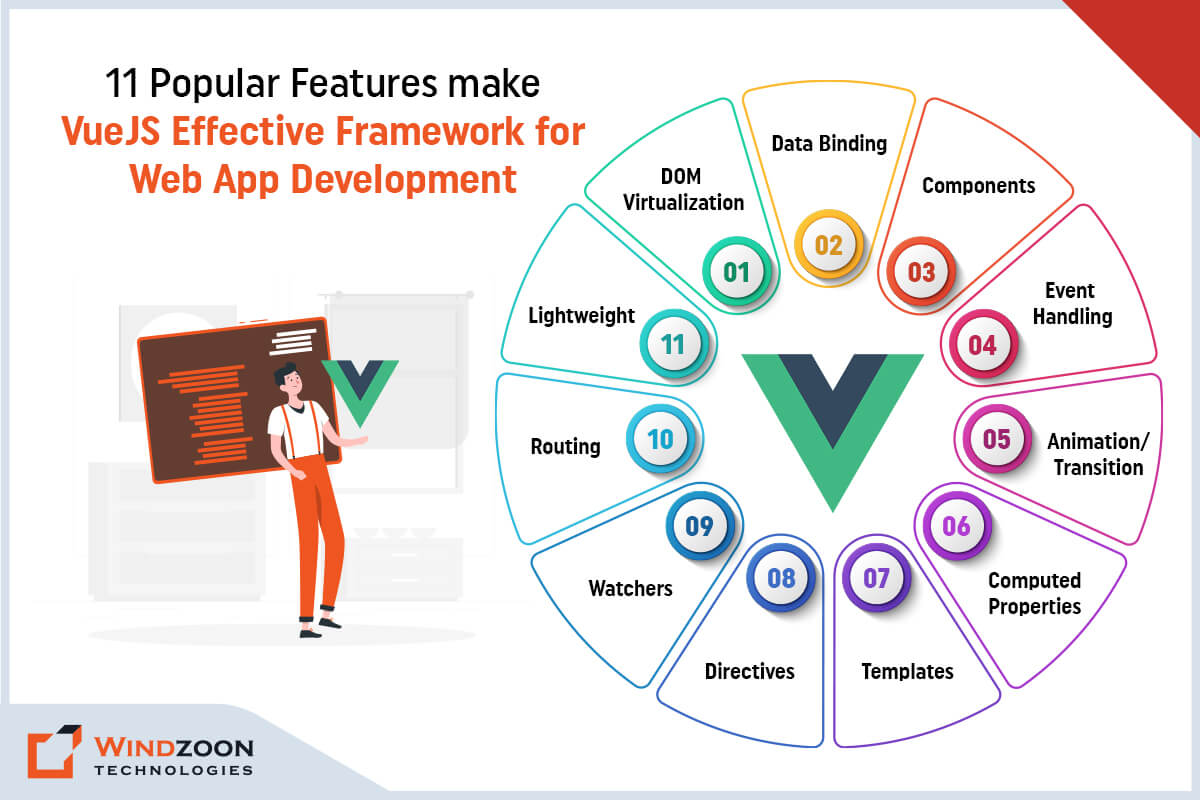
1. DOM Virtualization

The Document Object Model (DOM) is an essential component of web development because it divides the code into modules and executes it. Virtual DOM is a representation of an actual DOM that functions similarly to a one-way data binding.

It re-rendered the entire UI whenever there was a change during development. Following that, it compares the differences between the previous and new DOMs and updates the elements that have changed. Virtual DOM improves application performance without making the waste of any memory.

2. Data Binding

The data binding feature allows you to manipulate or assign values to HTML attributes, change the style, and assign classes using the VueJS binding directive v-bind.

3. Components

Components are an important feature of VueJS that allows developers to create custom elements they can reuse in HTML.

4. Event Handling

When developing dynamic web apps, you must keep an ear out for various types of events. In VueJS, developers can use the attribute known as ‘v-on’ for handling various events.

5. Animation/Transition

When HTML elements are added/updated or removed from the DOM, VueJS provides several methods for applying transitions to them. VueJS includes a transition component that must be wrapped around the element to achieve the desired transition effect. We can easily add third-party animation libraries and increase the interface’s interactivity.

6. Computed Properties

It is one of VueJS’s most important features. It assists in listening to changes made to the UI elements and performs the necessary calculations. Besides, additional coding is not required for this.

7. Templates

VueJS contains HTML-based templates for binding the DOM to VueJS instance data. Here, the templates are compiled into virtual DOM Render functions by VueJS. We can use the render functions’ templates, but we must replace the template with the render function.

8. Directives

VueJS contains built-in directives such as v-if, v-else, v-show, v-on, v-bind, and v-model that can be used to perform different front-end actions.

9. Watchers

Watchers are implemented on frequently changed data—for instance, form input elements. Here, we don’t need to include any additional events. Watcher handles any data changes, making the code simpler and faster.

10. Routing

VueJS includes a slew of features for creating reusable web components. One of these methods is routing. It enables the user to navigate between pages without having to refresh the page. This is what makes your web applications’ navigation between pages smooth and appealing through the use of vue-router.

11. Lightweight

VueJS script is both lightweight and rapid in performance.

After learning the unique features of VueJS, we will move forward to learn about the reasons behind its rising popularity.

Reasons Behind the Popularity of VueJS Web App Development

VueJS is a powerful, component-based front-end library with unrivalled scalability and features. Hire VueJS Developers to maximize the thrilling advantages of the VueJS framework.

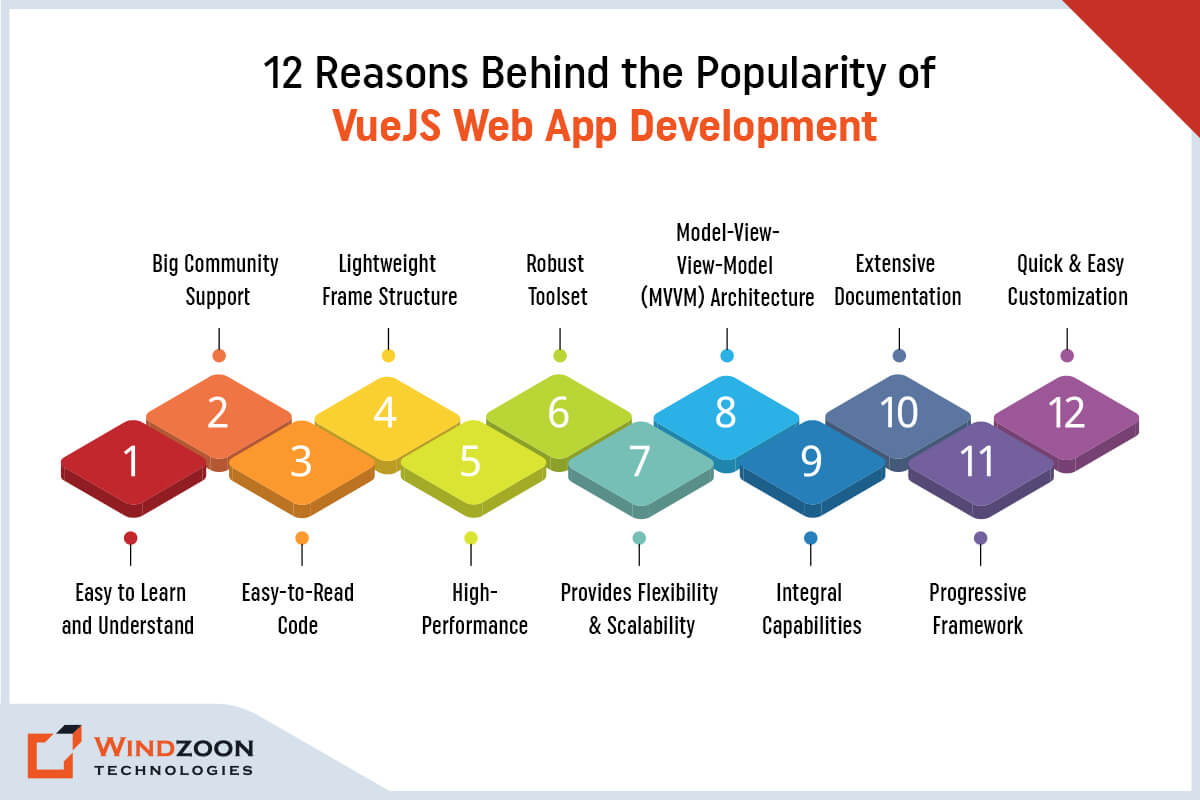
1. Easy to Learn and Understand

A tool is easy to implement if it is simple to understand. And this statement is the complete truth regarding learning the VueJS framework. Unlike most front-end technologies, VueJS does not require extensive knowledge of JSX, TypeScript, or libraries to start coding.

All you need to get started is a basic understanding of CSS, HTML, and JS frameworks. It is much simpler to try it out due to the most popular code editors, such as Visual Studio, Atom, Support VueJS, and Sublime Text.

2. Big Community Support

The VueJS community is growing rapidly. And front-end developers from all over the world are constantly contributing to the advancement of the VueJS framework.

Apart from this, the VueJS community offers excellent documentation and tutorials. It helps developers to understand the VueJS framework in better ways. Developers can even receive assistance from the community at any stage of the development process.

3. Easy-to-Read Code

VueJS’s component-based architecture has three major advantages.

1. Reusability of components – Developers can reuse the code to create templates.

2. Code readability – All components are stored separately, which makes it easy for you to find, maintain and fix them.

3. Efficient for unit testing – Unit testing is a breeze as it allows you to monitor the performance of every part of the application easily.

4. Lightweight Frame Structure

VueJS is a very light framework; its minified and compressed runtime is only about 20 KB in size (22.8kB for the current 2.6.10 version).

The light frame implies that both the download and the installation will be quick. As a result, you can create highly responsive UX that also benefits your SEO rankings.

5. Robust Toolset

VueJS recognizes the importance of additional tools to complete a job. Hence, you can connect it to a number of tools to achieve better results. These tools include TypeScript and Babel, and other end-to-end testing tools.

VueJS also has the updated Vue CLI 3 with several sophisticated functionalities. Furthermore, the framework includes a plugin installation system. Plus, it has a server renderer, browsing debugging tools, state management, and many other features.

6. High-Performance

VueJS is incredibly fast. It is not only the fastest JavaScript framework, but it also has enough features to provide flawless UX in SPAs and UIs. VueJS is faster than Angular and React at launching mobile apps.

As 53% of consumers abandon mobile sites that take more than 3 seconds to load. The speed of this framework is an important factor to consider when choosing a JavaScript front-end framework.

7. Provides Flexibility & Scalability

VueJS uses a component-based architecture for web development, which is highly recommended for future scaling. Components offer great adaptability and flexibility to meet the project’s requirements.

VueJS’s components are loosely coupled, which reduces development time while improving code reusability.

However, when developing a large-scale application, VueJS requires the use of a modularized build system. VueJS, on the other hand, provides sufficient flexibility by allowing the transformation of source code into preprocessors via the Webpack & Browserfy bundlers that VueJS recommends.

8. Model-View-View-Model (MVVM) Architecture

VueJS utilizes the MVVM architecture, which significantly enhances UI by simplifying user interface event-driven programming.

VueJS focuses primarily on the ViewModel layer in MVVM architecture. It separates the user interface from the app logic so that when the UI becomes outdated, developers don’t have to wait to redesign the entire app but can simply plug in a new template.

9. Integral Capabilities

One of the features that every developer looks for in technology is the ability to integrate with other apps.

VueJS is entirely based on JavaScript, allowing developers to write templates with greater flexibility. And, if necessary, they can even switch over to React or Angular.

10. Extensive Documentation

VueJS has some of the best-written documentation among its competitors.

It’s been translated into eight languages and includes numerous detailed code usage examples. VueJS community also has excellent video courses for all skill levels, from beginner to advanced.

11. Progressive Framework

It is a smart idea to rewrite one of your applications in the VueJS framework when you need to improve its performance.

VueJS’s progressive characteristics allow it to continuously get into the code database without the need to rewrite the entire item. You can even go component by component to make the whole venture more adaptive.

12. Quick & Easy Customization

Given that all of its features are available for free, VueJS is a superb tool for every developer. The developers can just name the function whatever they wish for ease of use.

In addition, in VueJS, every component can perform a distinct function. This makes it much simpler to alter the web application to meet the required specifications.

Now, let’s move ahead with our next question.

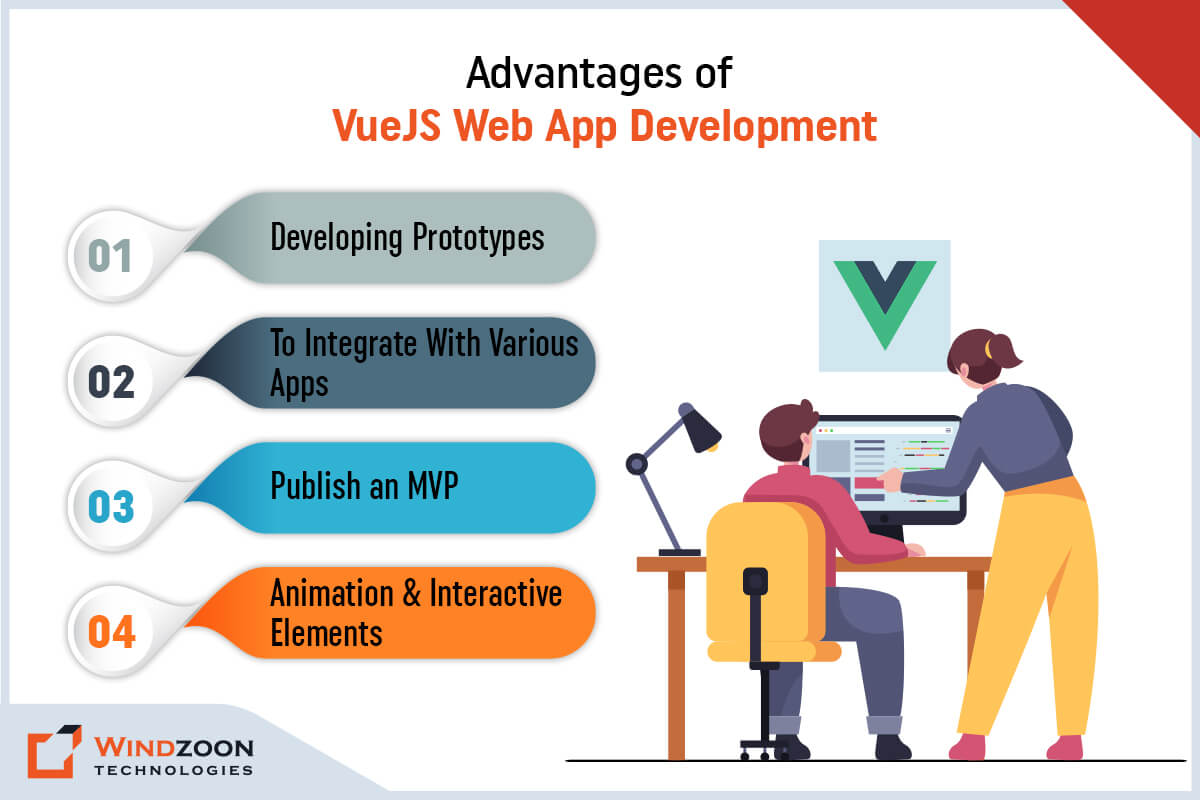
Advantages of VueJS Web App Development
Advantages of VueJS Web App Development

VueJS is exceptional for the rapid delivery of start-up ideas and MVPs, thanks to its efficient tools like Vue CLI 3 and Vue UI. It has a low learning curve and is a low-cost solution for small- to medium-scale apps.

The following are some of the best-suggested advantages of using VueJS technology:

1. Developing Prototypes

VueJS makes prototyping easy for developers who don’t have much experience. It is easy to create components using HTML, CSS, HTML templates, and JS.

A VueJS user interface allows developers to configure and organize the application to maximize its potential.

Developers can even seek help from other community members if they encounter any obstacles. And they can also get benefit from VueJS’s extensive documentation.

2. To Integrate With Various Apps

VueJS is an excellent option for integration with the server’s current Multiple-Page Applications or Single-Page Applications.

3. Publish an MVP

Due to the availability of reusable components and templates, publishing an MVP with VueJS is extremely quick and simple.

4. Animation & Interactive Elements

Animation is a factor that can capture people’s attention in an instant. Adding animations is a good way to keep users engaged with your app for a longer period of time.

VueJS offers an elegant and flexible API with smooth view transitions and adaptable architecture to meet these requirements. It has numerous ways to create eye-catching animations using built-in modules based on CSS animation.

After this, let’s see where VueJS is used

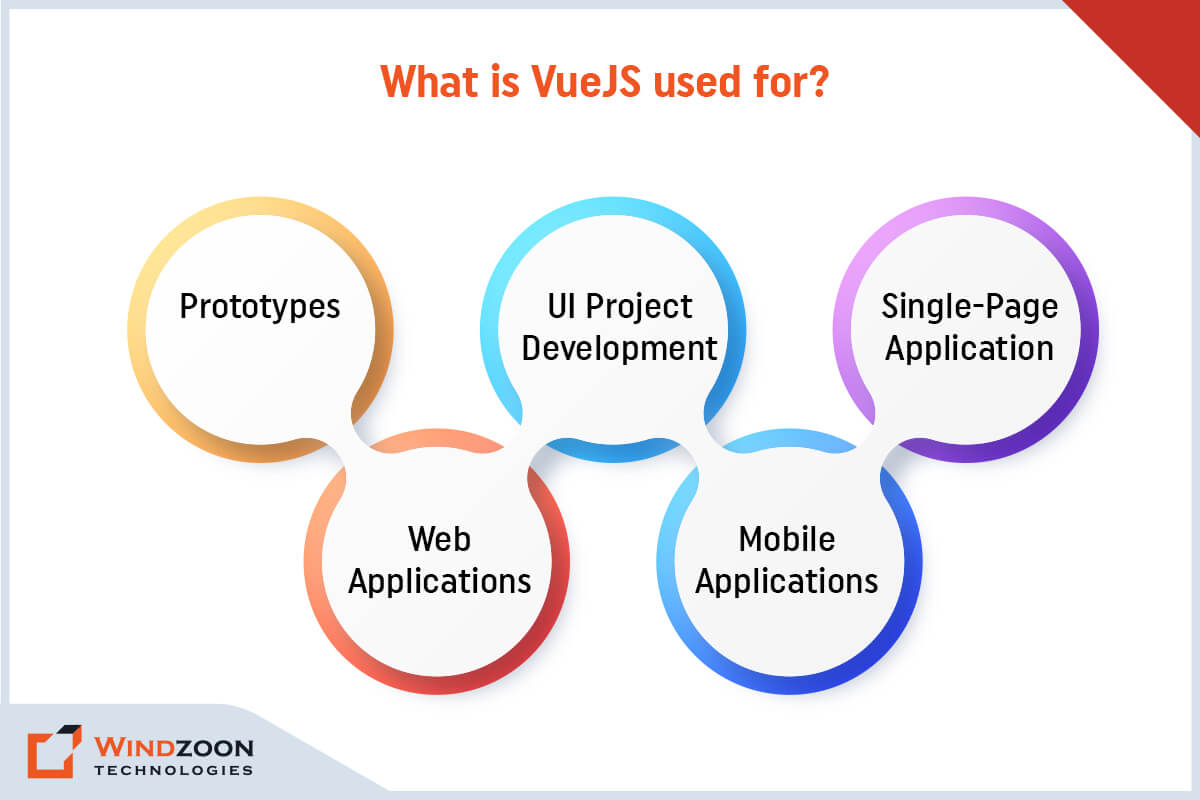
What is VueJS used for?
What is VueJS used for?

VueJS was specifically designed to build one-page applications and web pages, but it is also used for other purposes:

  • Prototypes
  • UI Project Development
  • Single-Page Application
  • Web Applications
  • Mobile Applications

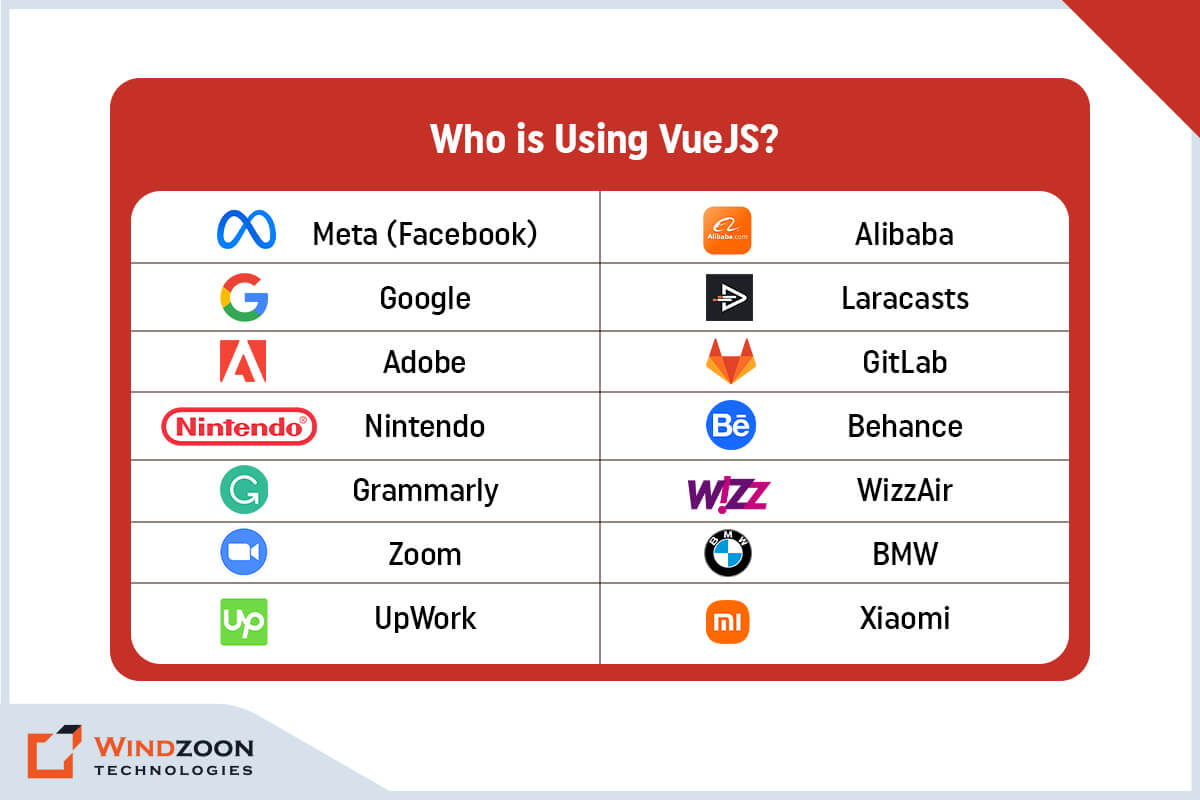
Who is Using VueJS?

VueJS is one of the most sought-after frameworks by many eminent industry leaders due to its exceptional features and usability. Below, we’ve listed some well-known businesses that have implemented VueJS in web applications.
Who is Using VueJS?
Who is Using VueJS?

1. Meta (Facebook)

2. Alibaba

3. Google

4. Laracasts

5. Adobe

6. GitLab

7. Nintendo

8. Behance

9. Grammarly

10. WizzAir

11. Zoom

12. BMW

13. UpWork

14. Xiaomi

Conclusion

We sincerely hope that your goal in selecting this blog article has been achieved. There aren’t any questions in your mind about VueJS’ popularity & usability. However, to create a highly functional VueJS application, you will need the assistance of a reliable VueJS Development Company.

Windzoon is qualified to meet this requirement thanks to its more than 10+ years of experience in developing custom web app solutions. Our skilled VueJS developers can create any complicated and unique web app solution for varied business models.

Visit our website to get a quote and discover more about our services.
Top 11 Reasons to Choose PHP for Your Web App Development Needs

Technologies are evolving at the speed of light. And the advancement in computer technology is happening much faster than ever before. One of the most important aspects of this technological advancement is the internet. Nowadays, it has become the most important medium to find any information in the blink of an eye.

And the source that provides information on the internet is websites. Currently, numerous programming languages are used in web development. These languages include PHP, HTML, JavaScript, and Python.

However, given the variety of alternatives, picking the best programming language for web development could be challenging. But don’t worry; I will help you to overcome this challenge. And for that, I’ll discuss the advantages of one such programming language, PHP.

Through this article, you’ll learn what PHP is, why PHP is so popular & how to hire a PHP Web Development company for your project.

So, let’s begin our journey of knowledge by addressing the first question: What is PHP Framework, and Why PHP Framework is Still Popular & Widely Used?

What is PHP Framework?

PHP, commonly referred to as Hypertext Preprocessor, is a server-side programming language used in web development. Rasmus Lerdorf first developed it in 1994 and then made it public in the early months of 1995.

This programming language is mostly used to create dynamic and interactive web content, eCommerce websites, session tracking, and databases. It was one of the first open-source server-side languages in the development community to be integrated into HTML. Developers can use it on all major operating systems. As a result, it is easier to integrate additional web pages without having to load external files data when they are accessed.

PHP is also compatible with some well-known databases, including MySQL, PostgreSQL, Oracle, Sybase, Informix, and Microsoft SQL Server.

PHP, along with HTML, CSS, and JavaScript, is a popular open-source programming language for web development. It was first released in 1995. The PHP programming language was developed to create interactive and dynamic websites.

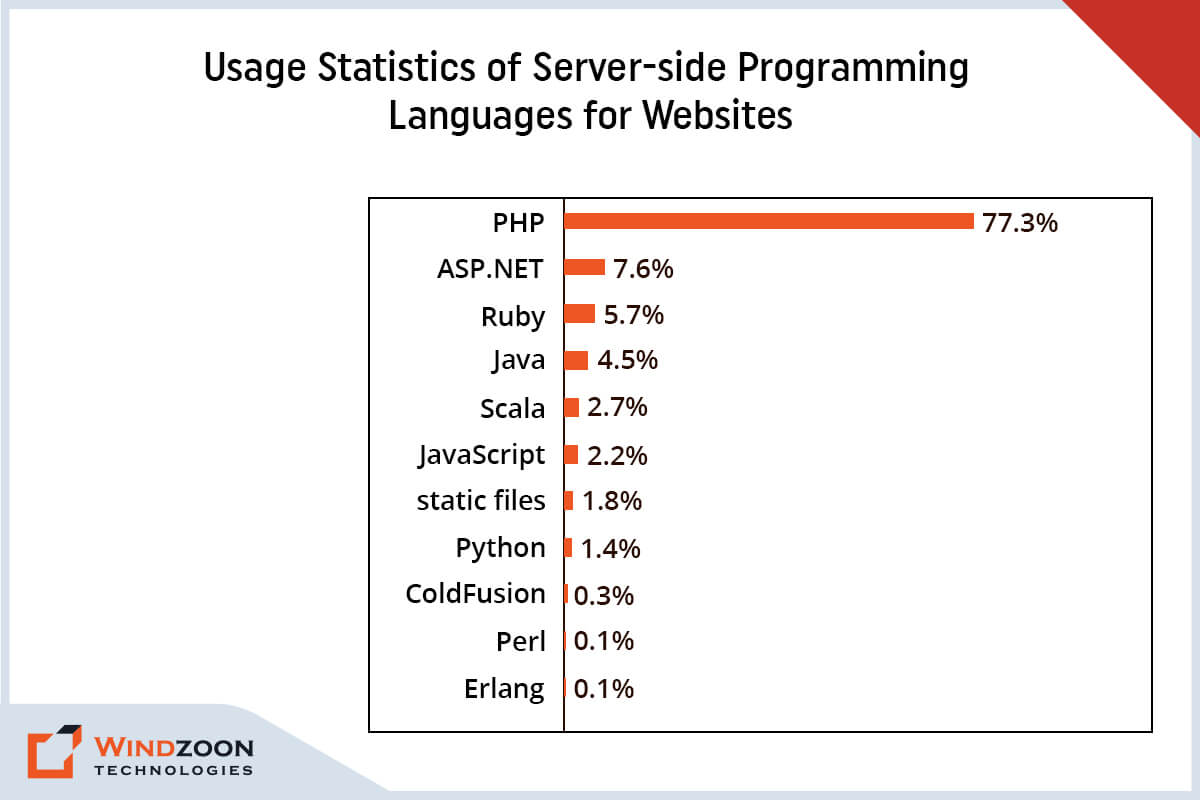
Usage Statistics of Server-side Programming Languages for Websites

According to W3techs, it powers approximately 77.3% of all websites, including some well-known sites such as Facebook, Yahoo, and Wikipedia. PHP’s popularity is eight times greater than its closest competitor, ASP.NET.

Why is PHP Still Widely Used?

Given the popularity of modern languages like Python and Ruby, it is apparent that PHP is no longer the preferred programming language. However, PHP is not dead, despite what everyone thinks. In contrast, it is still among the most popular programming languages. Developers throughout the world value its numerous advantages over other programming languages. Here we described, Top 11 reasons why you should choose PHP for your next web application development project are listed below.

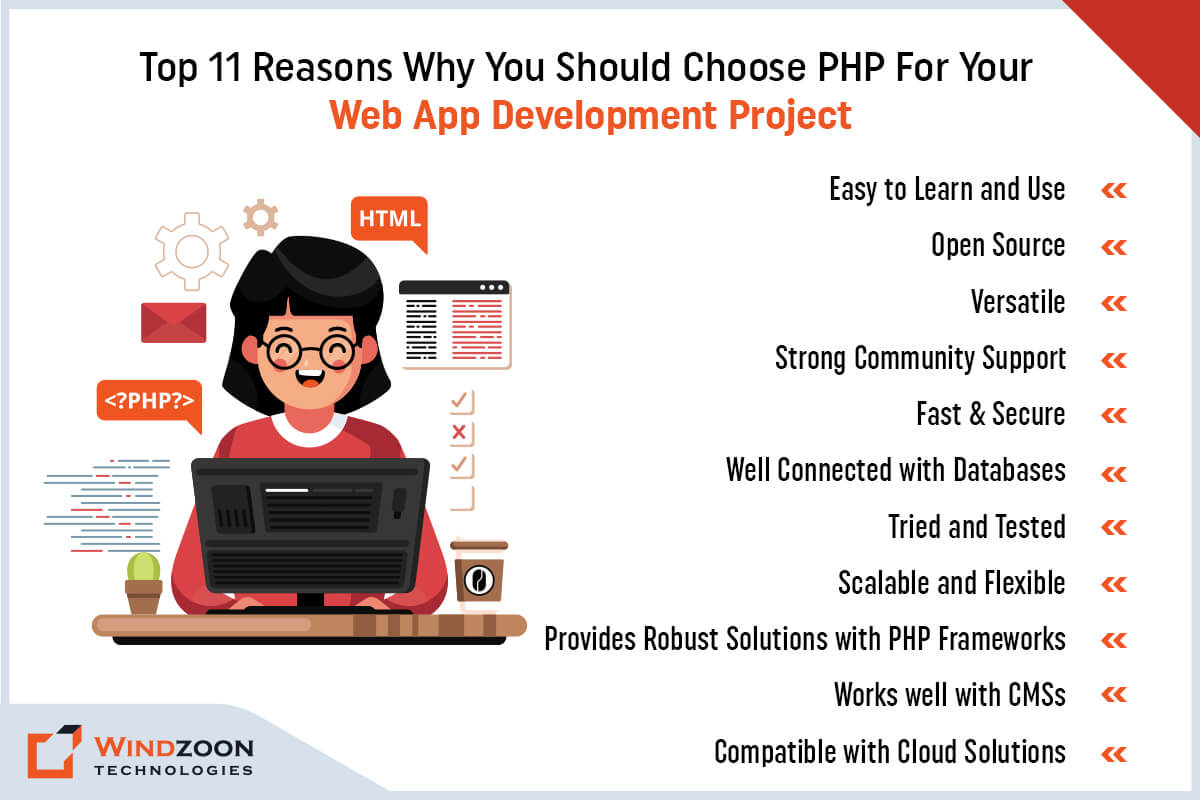
Top 11 Reasons Why You Should Choose PHP For Your Web App Development Project

1. It’s easy to learn and use (and that would simplify the web development process)

PHP is simple to learn, and its codes are well-organized. Anyone who can code in any language will quickly learn to code in PHP due to its simple sentence format. The quick learning curve for PHP as a scripting language is advantageous for new developers.

Additionally, the well-structured and clean code makes it simpler for new PHP developers to join the team mid-project without getting lost in the code. You’ll Hire PHP developers for your project’s objectives, and you’ll have no trouble doing it again if you decide to bring on other PHP developers later.

2. It’s open source (and therefore, it is free to use for your web development project)

PHP is free since it is an open-source server-side programming language. Utilizing PHP lowers the cost of developing your website. Besides, there are no recurring maintenance fees for PHP or any paid updates you would need to install. Simply appoint a PHP Development Company to get your website up and running.

3. It’s versatile ( and that’s why it is compatible with all operating systems)

One of the primary advantages of PHP is that it is platform-independent. It means it can be used on Mac OS, Windows, and Linux and is compatible with the majority of web browsers. PHP also supports all major web servers, making it simple to deploy on various systems and platforms at a low cost.

4. It has strong community support (that means it provides plenty of resources for development)

PHP is a seasoned scripting language that is extensively used & has a large and devoted community to back it up. There are numerous tutorials, FAQs, and tips available to assist new PHP developers and to continue pushing the language’s capabilities through regular updates.

Read More: Key Features of Moodle LMS

5. It’s fast & secure (this would increase your website’s functionality & security)

Every company wants its website or application to be both fast and secure. PHP utilizes its own memory and performs well in terms of speed, especially when using the latest versions.

There have been concerns raised about PHP’s security in the past. However, it is crucial to emphasize that it is not intrinsically more or less safe than other programming languages. But it does have some advantages over other programming languages.

One of the significant advantages is that, due to its extensive use and community support, numerous tools, frameworks, and best practices are now available to help resolve vulnerabilities and protect against cyberattacks.

6. It is well connected with databases (so that you can have the best database for your project)

When it comes to database connectivity, PHP is an extremely flexible language. It is compatible with many different databases, including MySQL, MongoDB, PostgreSQL, and others.

Although MySQL is the most commonly used database with PHP, other databases can also be used to build a PHP web application. PHP’s database versatility allows it to be leveraged in a variety of application environments to create bespoke web apps or websites.

7. It is tried and tested (that would make it more stable & trusted by the developers)

One significant advantage of being around for 25 years is that PHP code has been tested in various real-life settings. The major bugs have been identified and addressed, making the language more reliable and trustworthy among developers.

Furthermore, various frameworks and tools have been developed throughout time to assist in making PHP web development more secure, faster, and effective.

8. It is scalable and flexible (which makes it a best-suited option for custom web development)

Change is necessary for businesses, whether they are expanding or starting new ventures. A successful website or application should be able to accommodate this changing need in a seamless and efficient manner.

As a result, scalability should always be on a developer’s mind. They need to design a flexible and scalable website that can accommodate an expansion or contraction of a program without upsetting the site’s users.

Developers have used PHP for over two decades to create flexible web applications. It is highly scalable and simple to create dynamic web pages.

PHP allows you to modify your code at any point in the software development life cycle. Programmers don’t need to rewrite the code or command function.

Moreover, the scripting language is able to handle large traffic loads and multiple requests at once.

Read More: Amazing Reasons to Choose VueJS for Building Promising Web Applications

9. It provides robust solutions with PHP frameworks (for quick & easy web development)

Many frameworks based on PHP have been developed, allowing developers to create web apps easily. Businesses can benefit from frameworks like CakePHP, Laravel, Symfony, Zend Framework, CodeIgniter, Yii, and others.

Developers can use these frameworks to create high-quality web apps or websites. Most of these frameworks support MVC (Model View Controller) architecture, which speeds up coding and allows developers to develop effective solutions.

10. It works well with CMSs (this would allow you to use CMS for your project)

One significant benefit of using PHP as your web development technology is that it is commonly used in a variety of content management systems. Many of the most popular CMSs, including WordPress, Drupal, Magento, PrestaShop, Joomla, and others, are written in PHP or are powered by a PHP-based framework.

You will be able to work with a variety of CMSs if you use PHP as the primary technology for your PHP website development project. A content management system based on PHP can be used to create high-functional & customized websites.

11. It is compatible with cloud solutions (to make your web app solution future-ready)

Many modern web solutions now use cloud computing solutions such as Amazon Web Services for a variety of purposes. Even various cloud services, including AWS Lambda, for instance, support PHP-based applications.

As a result, PHP web apps can be deployed on a cloud server and obtain great scalability and other benefits. Furthermore, PHP has replaced other coding languages in such implementations since the field of cloud computing is not dominated by them.

After learning about the reason behind the rising popularity & usefulness of PHP, let’s go ahead to know:

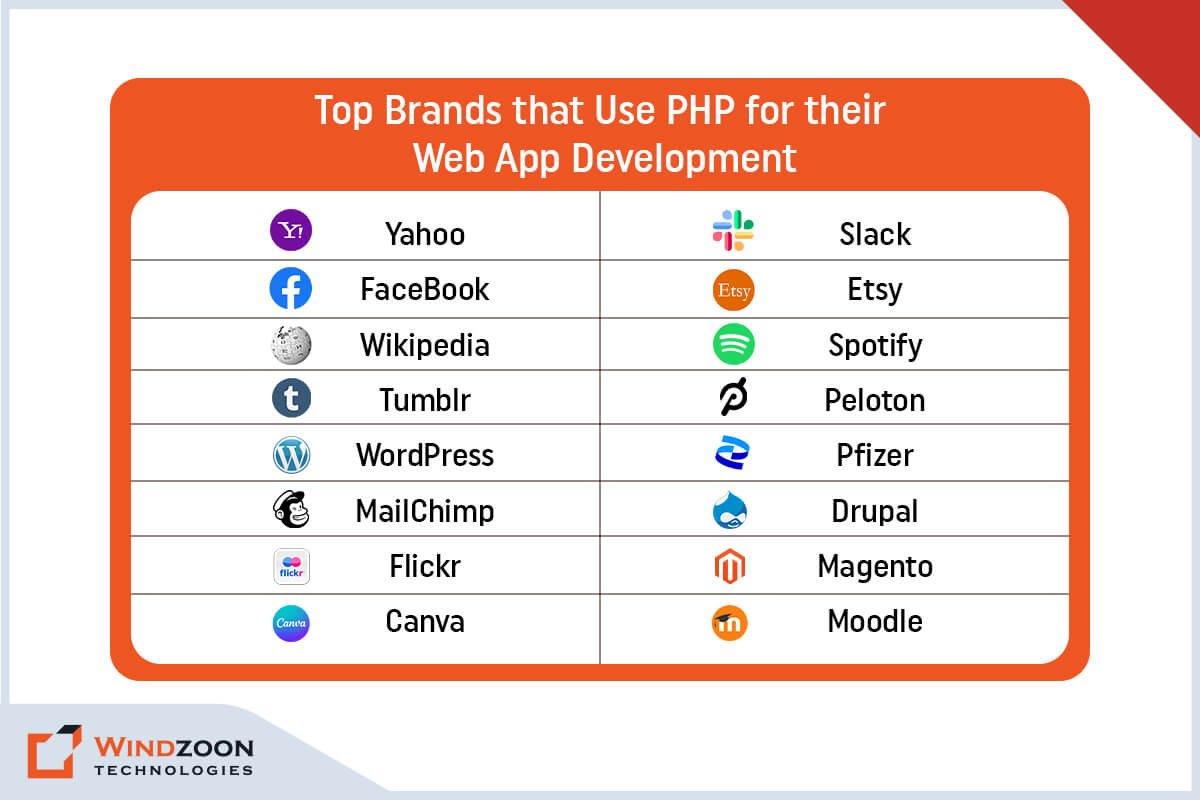
Top Brands that Use PHP for their Web App Development

Many prominent industry leaders regard PHP as one of the most demanding frameworks due to its excellent scalability and robust security. Below we have listed some well-known companies that have used PHP in their web applications.

Top Brands that Use PHP for their Web App Development

1. Yahoo

2. Facebook

3. Wikipedia

4. Tumblr

5. WordPress

6. MailChimp

7. Flickr

8. Canva

9. Slack

10. Etsy

11. Spotify

12. Peloton

13. Pfizer

14. Drupal

15. Magento

16. Moodle

Now, let’s move forward toward our last but most important question.

How to Choose the Best PHP Development Company for Your Project?

Suppose you don’t have PHP development skills or don’t want to hire in-house PHP developers. The decision to hire professional PHP developers can be a wise one.

A dedicated PHP Development Company will save you time and money while delivering high-quality results. Take the actions listed below when hiring a PHP web development company.

Step 1: First, look over the company’s portfolio.

Step 2: Navigate to their website.

Step 3: Go through the testimonials on their site or business listing websites.

Step 4: Examine their total work experience through their case studies.

Step 5: Inquire about the methodologies & technologies they use.

Step 6: Obtain the Questionnaire from the PHP development company.

Step 7: Do they fit within your financial constraints? Request a price quote.

Step 8: Evaluate their customer support services.

Conclusion

We hope our article has satisfied your curiosity regarding PHP & reasons behind its still intact popularity. Now, you aren’t left with any doubts regarding the competence of PHP for your web development project.

Because for a business, a website is a medium that connects it with its potential customers. And also help it to increase its revenue by increasing its conversion rate.

That’s why it is essential to build a website that attracts & engages visitors. And to develop a user-friendly website, you’ll require the help of a prominent Web Development Company.

With 10+ years of experience in developing PHP web app solutions, Windzoon is competent enough to fit this description. We have talented PHP developers who can build any complex & custom web solution.

For availing of our services, kindly visit us at wzadmin.windzoon.in/ to get a quote & to learn more about us.

35+ Useful Laravel Packages to Improve Website Performance

As digitalization is at its height, websites are becoming an essential part of the corporate world. It represents the enterprises on the digital/online platform & also connects them with their potential customers. Plus, it also increases business’s exposure & helps them in further expansion.

However, to avail of all these benefits, businesses require a dynamic website. And building a website is challenging, especially when you have so many options for web development.

Nowadays, companies use Laravel, WordPress, and PHP JavaScript frameworks for web development. But among all these options, Laravel is the best option for building a highly secure & scalable website. This is why businesses prefer hiring a professional Laravel Development Company to get the work done!

Laravel is a popular open-source PHP framework. It serves as the foundation for over six million websites worldwide. Furthermore, it offers a clean code structure, high functionality, and robust security for all types of web development. It also simplifies software development by supporting the implementation of different modules, plugins, components, & packages.

All these modules, plugins, & packages help to improve your website’s performance, especially Laravel packages. Thus, to assist you in choosing the best Laravel packa+ges for your website, we have prepared a list. It contains the finest Laravel packages that can significantly improve your website performance & user experience. You can even follow our Laravel website performance optimization guide for this purpose.

So, let’s dive in to learn more about Laravel packages.

First of all, let’s learn:

What are Laravel Packages?

Packages play a vital role in Laravel by providing extra functionality. These bundles typically contain Laravel-specific routes, controllers, views, and configurations.

Frameworks, you see, provide a structure for your code, making it easier to develop complex applications. At the same time, packages allow you to extend the framework’s functionality.

Frameworks make an effort to make the development process easier by streamlining best practices for creating important web projects like packages, modules, plugins, and even components.

There are currently over 500 or possibly more Laravel packages available. They provide a wide range of functionality suitable for various apps, ranging from travel and appointment booking to eCommerce and instruction. Apart from this, there is always an option for custom Laravel package development. However, to build a custom Laravel package, you’ll require assistance from a Laravel development service provider company.

After learning about what Laravel packages are, let’s know about their usefulness.

How Useful are Laravel Packages?

Laravel packages help your website in so many ways. Their implementation provides you with plenty of benefits. Some of the important benefits we have mentioned below.

  • Packages allow the developers to avoid writing codes from scratch & also provide them with the benefit of reusing the codes. It saves so much time & effort during the web development process.
  • Laravel packages reduce the amount of code needed for web development. It makes the maintenance & upgradation of the website easier & less time-consuming.
  • These packages also enhance the performance of your website by improving its security & efficiency.
  • With the help of Laravel packages, developers can build complex & well-structured web solutions with ease.
  • And last, some of the Laravel packages, such as Behat & Carbon, are standalone. Developers can use them with any framework that requests a COMPOSER.JS file.

Now let’s go further to know:

Top 35+ Laravel Packages to Improve Website Performance

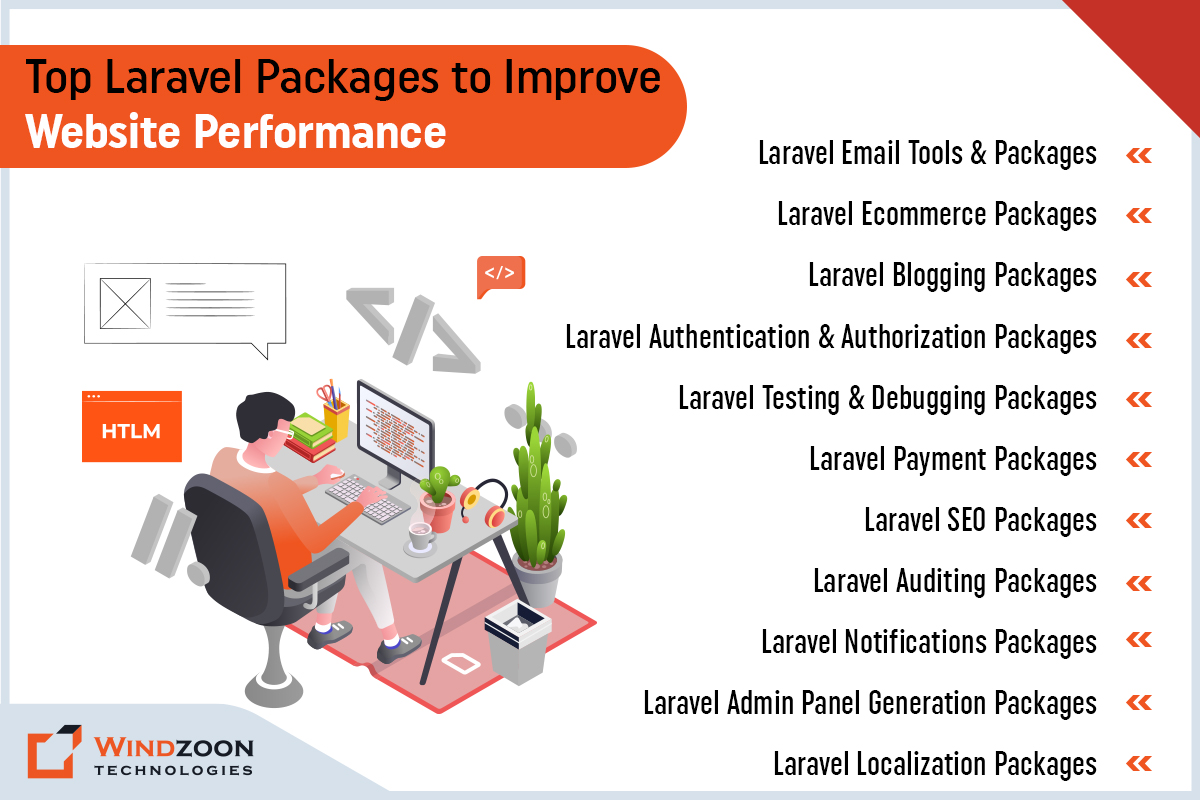
Top Laravel Packages to Improve Website Performance

Finally, let us move on to the significant portion of this post now that we’ve covered the basics. For your convenience, we’ve created a list of top Laravel packages broken down into different categories.

1. Laravel Email Tools & Packages

1.1 Beauty mail

With Beautymail, adding email functionality to your website is simple. To do that, you must import a handful of templates and use them to set up various types of transactional emails. You can also make your own HTML templates and use them with Beautymail if you want to avoid using third-party services.

1.2 Sendgrid

Sengrid from Twilio is a popular Laravel package for sending messages. It is quick & efficient and also provides tracking features. Additionally, it helps you learn how many users click on your email and how often they do so, as well as other key metrics like the number of clicks on your email.

1.3 MailGun

MailGun is an email delivery service that provides an easy API for Laravel developers to send transactional emails from their websites. It is an ideal Laravel package for ensuring safe and secure mailing services. MailGun has various features, such as tracking users who click links in your emails. In addition, it allows its users to send up to 10,000 emails for free each month.

1.4 Spatie Laravel Mail Preview

The Spatie Laravel Mail Preview package is one of the most valuable and well-known Laravel packages. It quickly exhibits emails sent by the Laravel application in your browser. The package injects a small overlay with a link to an incoming email whenever it is sent to your application. This enables users to test the mail-in in their browser quickly.

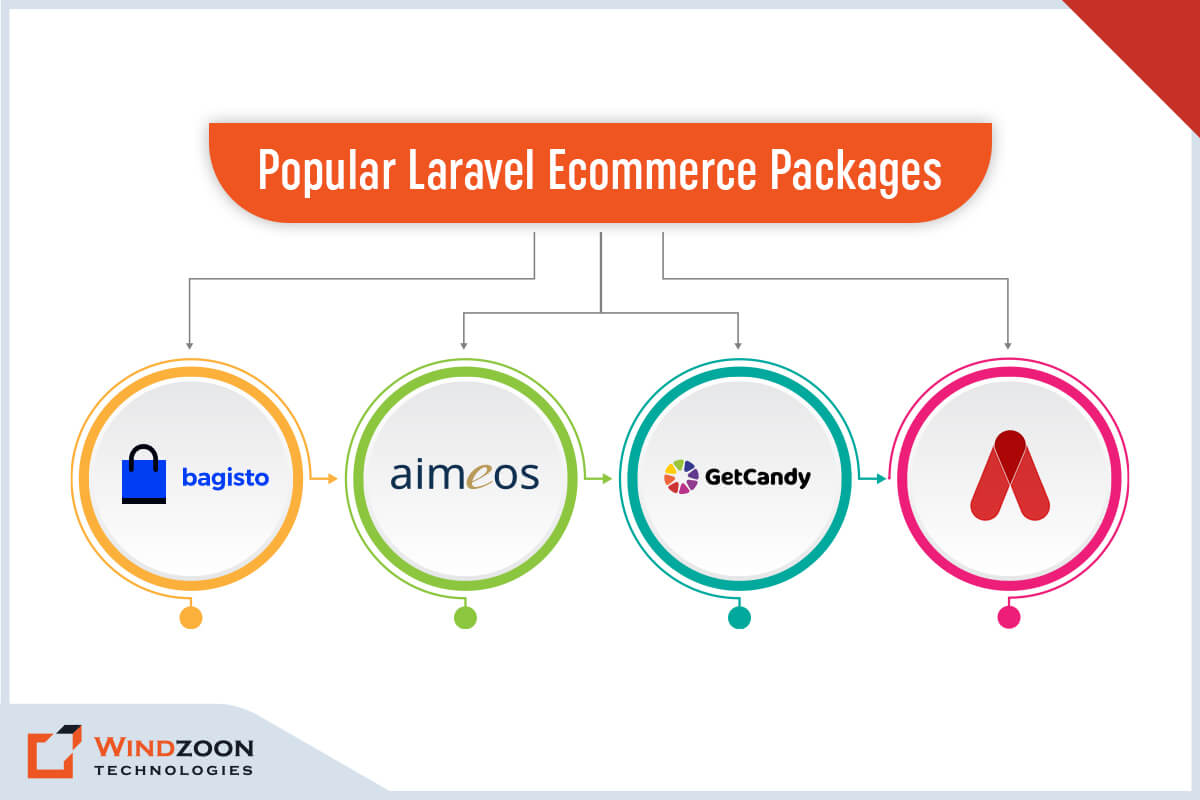
2. Laravel Ecommerce Packages

Popular Laravel Ecommerce Packages

2.1 Bagisto

Bagisto has quickly captured the attention of the Laravel community with its open-source Laravel eCommerce package. This package includes numerous valuable features, including inventory management and multi-warehouse management.

The admin panel is one of Bagisto’s key features. It allows you to manage payment methods, control access levels, and integrate multiple channels. If you’re looking for a Laravel package for an eCommerce web development project, this is one of the best options.

2.2 Aimeos

Aimeos is a significant package for adding eCommerce functionality to your Laravel eCommerce store. With its assistance, you can easily create a standard, feature-rich, fully functional e-commerce website.

Aimeos also has advanced features for a sophisticated enterprise-grade e-commerce solution. That includes some essential features like Laravel multilingual package, countless payment gateways, SEO-ready tools, and customizable themes. Aimeos is well-appraised in the Laravel community due to its fast web speed and optimized server.

2.3 GetCandy

GetCandy is a Laravel-compatible headless e-commerce platform. It has an intuitive interface that allows developers to create a user-friendly custom web store.

GetCandy is a mixture of an eCommerce API and an administrative system designed to create and support high-functioning e-commerce websites that give their users complete control over their storefront’s user experience.

2.4 AvoRed

The AvoRed is an Open Source Laravel e-commerce package that can be easily customized to meet your specific needs. It includes a mobile-friendly UI by default, making it one of the best Laravel e-commerce packages.

AvoRed allows you to create product entities such as categories, attributes, and more, as well as manage orders, customer information, and inventory, among other things.

These feature-filled eCommerce packages are the reason why people choose Laravel for building e-commerce sites.

3. Laravel Blogging Packages

3.1 Botble

Botble is a Laravel CMS package. You can use it to create, edit, and manage nearly any type of digital content.

It supports multiple backend languages and has several customizable themes. Plus, it is compatible with Google Analytics. Using Botble is an excellent way to launch a news or media-sharing website in a short period of time.

3.2 Laravel Publishing Platform: Canvas

Canvas is an open-source package that helps extend the capabilities of your Laravel website by constructing a fully-functional and fantastic blog. Aside from a distraction-free writing experience, Canvas also provides essential insights and stats about your content. That includes monthly trends, content views, and more to optimize your content in the best possible manner.

4. Laravel Authentication & Authorization Packages

4.1 Laravel Jetstream

Laravel Jetstream is a well-known Laravel package that serves as an excellent starting point for any Laravel web application. It includes login, registration, two-factor authentication, and a variety of other important authentication and authorization services. With the help of Laravel Jetstream, you can quickly fulfill your website’s authentication and authorization requirements.

4.2 User Verification

This valuable Laravel package enables you to validate users’ emails and verify their identities so that you don’t send transactional emails to bogus accounts (by hurting your deliverability).

The User Verification package generates a verification token and sends verification emails for each registered user on your behalf. In addition, It can also handle the user verification process and mark users as verified (or not).

4.3 NoCaptcha

Spamming is a major issue for web apps, and the NoCaptcha Laravel Package was explicitly created to address it. Using Google reCaptcha, this Laravel package secures and validates your web app.

The primary objective of NoCaptcha is to avoid spam and keep the website running smoothly. However, to utilize the package, you must first obtain access to the API key.

4.4 Socialite

Socialite is a Laravel package that manages authorization and authentication in a very straightforward manner. Furthermore, it enables developers to implement authentication with Twitter, Facebook, LinkedIn, GitHub, Google, and other services.

4.5 Entrust

This package is advantageous for Laravel 5 applications to provide role-based permissions. The package lets you define a set of roles that grant access to various parts of your Laravel application.

Entrust allows you to create four different types of tables: the permissions table, roles table, role user table, and permission role user table. These tables will assist you in managing user permissions and roles more effectively.

5. Laravel Testing & Debugging Packages

5.1 Behat

Behat is a PHP behavior-driven development framework that is open source. It is regarded as one of the best tools for continuous communication, deliberate discovery, and test automation. Behat has a Laravel extension that allows developers to start testing and driving their Laravel applications right away.

5.2 Tinker

Tinker is a fantastic Laravel package that allows developers to test and try out new features without having to write a script. In other words, the package enables real-time debugging.

Assume that you want to check a few records in the database or perform specific operations on them. Tinker Laravel Packages allow you to test and debug on your browser screen with just a few clicks.

Tinker Laravel plugin has embedded the Laravel framework within it. It eliminates the need to manually install the same when using it with your web app.

5.3 Laravel Telescope

The Laravel telescope is the best PHP debugger option. It offers a plethora of information about all aspects of the application, including requests, cache operations, database queries, and variable dumps. It will significantly impact the Laravel development environment as a whole.

5.4 Laravel Debugbar

Laravel Debugbar is one of the finest Laravel packages that allow users to add a developer toolbar to their web apps. This package is used chiefly for debugging processes.

Debugbar provides numerous options. It will assist you in displaying all of the queries that your application provides – everything related to the route – that you have called will display all of the rendered templates and the parameters you have passed.

And when the Façade is added, you can add messages that will appear under the ‘Messages’ tab in Laravel Debugbar.

6. Laravel Payment Packages

6.1 Laravel Paypal

The Laravel PayPal package is beneficial for processing or refunding payments and handling PayPal IPN (Instant Payment Notification) in your Laravel web application. Furthermore, this package can be used independently of Laravel.

6.2 Omnipay

Omnipay is a significant payment processing library that is available for all PHP languages. Its clear and consistent API and unit testing capabilities make it a popular Laravel package for payment integration. It also includes a dummy application to help developers get started immediately.

7. Laravel SEO Packages

7.1 Laravel Meta Manager

You can optimize your website’s SEO by using Laravel Meta Manager, which will help your website rank higher on the first page of search results. It focuses on the application’s Meta tags and assists you in correcting them in accordance with best SEO practices.

Standard SEO, Dublin Core, Google Plus, Facebook Open Graph, and many other recommended Meta tags are included in the package.

7.2. Laravel SEOable

Laravel SEOable is the best choice for all of your SEO projects. It provides excellent SEO factors that can assist you in optimizing and elevating the SEO results for you & your client’s website.

This Laravel package includes SEO functions such as SEO mapping, meta tags, custom template creation, and integration with other SEO models. You should certainly use this Laravel package for your projects if you want to stay on top.

7.3 AutoMeta

AutoMeta is indeed the ideal SEO package for Laravel, assisting developers with basic SEO functions. It is one of the top SEO Laravel tools for managing meta tags on a website. It also aids in the resolution of some common SEO issues and makes your overall code easier for search engine bots to crawl.

8. Laravel Auditing Packages

Useful Laravel Auditing Packages

8.1 Sentry

Sentry is a renowned error monitoring service, and it comes with its own Laravel integration. You’ll receive an email explaining what went wrong whenever any error happens. It also has a handy dashboard for tracking and grouping errors and inspecting entire blocks of code in search of an answer.

8.2 Bugsnag

Bugsnag is a cross-platform tool for managing expectations and monitoring errors. It is just like Sentry and provides fully customizable filtering and reporting. Rather than email, here you will receive notifications via Slack and PagerDuty.

9. Laravel Notifications Packages

9.1 Laravel Notification Channels

Laravel Notification Channels will be your new best friend if the default selection of notification choices isn’t enough. It consists of several drivers for sending personalized notifications.

41 communication channels have supported this package as of this writing. This covers numerous push and web push alerts, well-known messengers, and SMS & VoIP.

9.2 Easy Flash Messages

Easy Flash Messages is exactly what it says. It’s a simple package for configuring your app’s flash notifications in a few minutes.

How does it function? Make a call to the flash() function before performing a redirection. You can also customize it in a variety of ways – see their GitHub for more information.

9.3 Laravel Slack

The Laravel Slack package is an excellent way to streamline your notifications. Using this package, you can send messages directly from the Laravel platform to multiple channels.

Laravel Slack makes it easier to keep track of conversations. In addition, you can also customize how things work, making it more straightforward & efficient for notifications.

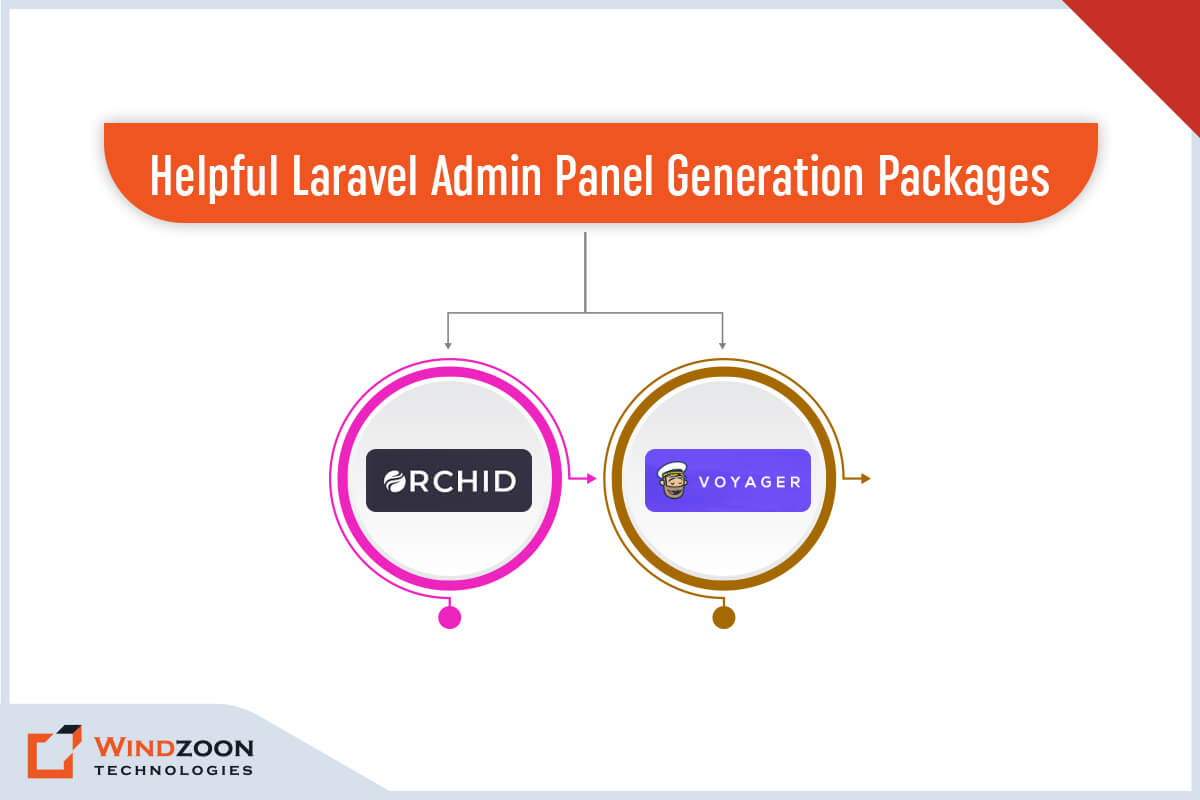
10. Laravel Admin Panel Generation Packages

Helpful Laravel Admin Panel Generation Packages

10.1 Voyager

Voyager distinguishes itself with a sleek and intuitive interface. Voyager is for you if you want simple usage instructions, a user-friendly front-end theme, and no glaring problems or incomplete features.

Additionally, it provides intriguing features like a media manager, dummy data, etc. Overall, it is a satisfying package for creating the admin panel for Laravel web applications.

10.2 Orchid

The Orchid platform is ideal for creating an enterprise-level application with the Laravel framework. It can be the foundation for web applications or a CMS, CMF, or admin panel for your website.

11. Laravel Localization Packages

11.1 Laravel Translatable

Laravel Translatable includes a trait that simplifies the translation of Eloquent models into other languages. There is no need for an additional database table because the translations are stored as JSON.

11.2 Laravel Lang

Laravel-lang is a must-have tool for any Laravel developer who wants to build multilingual applications. It includes over 77 language translations for authentication, pagination, passwords, and validation rules. The JSON files included with the package make it simple to add support for new languages.

12. Other Top Laravel Packages & Tools

12.1 Eloquent-Sluggable

A package called Eloquent-Sluggable makes it simple to build slugs for all of the Eloquent models in your project. It is intended to generate URL slugs that are suitable for SEO that you may use in your Laravel project. With a simple and automated setting system, this Laravel package aims to satisfy users.

12.2 Laravel Charts

Laravel Charts is a PHP Laravel library that handles an infinite number of chart combinations. It is specially formulated to be loaded via AJAX and can be used without any additional effort. The Laravel charts package uses a simple API to create JS logic for your Laravel web application.

12.3 Laravel Form Builder

Symfony’s form builder heavily influences the Laravel form builder package. It helps to construct forms that can be easily modified and reused. This package also includes external Bootstrap3 support.

12.4 Laravel GraphQL

GraphQL is a data query language that can be used instead of traditional REST architecture. In addition to Laravel GraphQL, you can learn more about the Laravel Forge alternative. Developers define the required data structure and obtain the same structure from the server. This package will assist you in configuring and implementing GraphQL in your Laravel applications.

After learning about the significant Laravel packages, you can use any of them to suit your needs. And if you wish to develop them for a specific purpose, you must Hire Laravel developers for the task. Now, let’s go further to learn the installation process of the Laravel Package.

How to Install Laravel Packages?

Composer is a package manager for Laravel, similar to NPM for JavaScript. Installing a package or plugin in Laravel projects is a simple process that requires only one single line of code in the composer.json file. The composer fetches the package from packagelist.org automatically, making your job easier.

The command line syntax for installing the Laravel Useful package is as follows;

composer require packageowner/packagename

After that, use the below-mentioned command to fetch the updated package.

php artisan update

To use your newly installed package in Laravel, instantiate a new object.

$package = new Package;

If the installed package is namespaced, you need to use the below command;

$package = new PackageNamespace\Package;

Ensure that the vendor/composer/autoload_* files are validated. Additionally, the primary package source file can be used to verify it.

vendor/vendorName/packageName/[src or lib or whatever]/Package.php

In case you don’t know how to install and use Laravel packages for website optimization, you can take the help of a reputable Laravel development company. Know how Laravel Development Company can help you boost your business revenue.

Conclusion

The list of the best packages for Laravel apps comes to a close with this. It is clear that these top Laravel packages are quite beneficial in reducing development time and increasing overall productivity. Therefore, the packages described above would be a huge aid to consider if you intend to improve current apps or construct a new one.

Hire Laravel Developers from us if you’re seeking professionals that can get the job done; we’re a well-known Laravel development company that has helped companies of all shapes and sizes prosper in the modern digital age.

To avail of our best-in-class development services, please visit wzadmin.windzoon.in/ to get a quote and learn more about us.

SEO vs PPC Pros and Cons: 15 Striking Differences and How They Affect Your Business

Google processes more than 5.6 billion searches daily, approximately 63,000 per second. How will you get your brand noticed in this sea of traffic? & raise Your website’s ranking above your competitors’.

Traffic is what keeps a website running & business thriving. Though, only a small number of your potential customers will pay you to use your products or services among the many users who visit your website.

That’s why having a large amount of traffic to your site is necessary for the success of your business. SEO is a cost-effective strategy for generating relevant traffic, helping you attract visitors who are more likely to become customers. And if you’re having difficulty driving traffic to your website, then you are not the only one. In this fiercely competitive industry, many business owners face similar challenges in attracting clients.

The reason is it’s challenging to strike a balance between various digital marketing strategies, their upkeep, and outcomes. However, there are two marketing strategies that are used to solve this problem: search engine optimization (SEO) or pay-per-click (PPC) campaigns. An SEO agency can help businesses optimize their organic search presence and integrate SEO with other marketing channels for better results. Or you can take help from the Best Digital Marketing Agency in the USA

What technique is best for you, though?

In response to the question above, this article discusses what you can expect from each marketing strategy. We’ve included some pros and cons of both SEO and PPC strategies. In addition, a detailed explanation to guide you in choosing which strategy is best for you.

Now, let’s learn more about SEO & PPC and how they are different from each other.

What is SEO?

Businesses require higher rankings on search engine result pages for their websites to remain visible to customers. Getting your website or content to the top of search engine results pages (SERPs) is critical. These top positions are known as organic listings, which are natural search results that appear based on relevance and effective SEO efforts. And businesses can reach this milestone only with the help of a Local SEO Service Provider Company

SEO (Search Engine Optimization) Services use natural methods to improve a website’s search engine rankings, and must continually adapt to evolving search engine algorithms to maintain or enhance visibility. It employs search engine rules and regulations to increase the number of website visitors.

As a result, it assists business organizations in expanding and increasing their consumer reach by growing their online network. A well executed seo strategy combines content optimization, earning quality backlinks, and adaptability to changing ranking factors for sustained success.

After learning about what SEO is, let’s go further to know its different types & activities.

Types of SEO

The six types of areas that fall under SEO are as follows:

  • Keyword research entails determining what people are looking for.
  • On-page SEO entails creating and optimizing SEO content that searchers want, including writing effective meta descriptions to improve search engine results snippets and page visibility.
  • Off-page SEO entails gaining trust and authority from other websites.
  • Technical SEO entails ensuring that search engines can find, crawl, and index your content.
  • Competitive analysis entails gathering detailed information & doing an analysis of what our competitors are doing to promote their business.
  • Content creation & curation entails creating unique & engaging content, doing its optimization, & marketing.

Now, let’s see which activities come under SEO

SEO Activities

Despite having six different areas, SEO mainly focuses on On-page & Off-page activities. These activities help to improve your business ranking on various search engines like Yahoo, Google, Bing, and other search engines. Following is the list of On-page SEO activities & Off-page SEO activities.

On-page Activities

1. Keywords research
2. Keyword planning
3. Creating Meta title & Meta description
4. Creating user-friendly content (ensure your content aligns with search intent to improve relevance and rankings)
5. Image optimization
6. Forming URL structures
7. Internal linking
8. Optimize Body Content
9. Enhancing page performance

Off-page Activities

1. Competitor Analysis
2. Commenting/Blog Commenting
3. Influencer Outreach
4. Guest Author/Posting
5. Link Building
6. Content Marketing
7. Newsletters
8. Forum and Ques Ans
9. Google Local Business Listing

After learning about SEO activities, let’s move further to know its Pros & Cons.

Advantages & Disadvantages of SEO

Advantages of SEO

1. Cost-Effective Approach

SEO is neither easy nor cheap. It is, however, less expensive than other digital marketing strategies.

2. Long-term effects of brand awareness

The effects of organic SEO are long-term. They may take some time to appear, but you can be certain that they will grow over time as the results begin to pour in.

3. It increases your brand credibility

In practice, most people trust websites that appear near the top of a Search engine results page(SERPs). Hence, SEO focuses on increasing your SEO rankings on SERPs to establish your brand credibility. A high ranking in organic search results can help you gain trust & reputation while increasing CTR.

4. Increase ROI

Seeing as SEO is free, the ROI is significantly higher when compared to other paid digital marketing strategies.

5. Higher CPC

Since organic SEO doesn’t charge for each click, it offers a lower cost per click.

Disadvantages of SEO

1. SEO is time-consuming

SEO is much slower than paid digital marketing mediums. It may take months after optimizing your site to see results, whereas paid mediums will generate leads immediately.

2. SEO is a continuous process

SEO is a continuous process. Your website will never be completely “optimized,” but it will continue to improve as you continue to work on it. The good news is that it will continue to improve your rankings in the future, and you will hopefully reap the benefits of your SEO investment.

3. SEO never compromises the quality of content

It demands unique and trustworthy content. If you want people to read, share, and link to your website. And for that, you must be perceived as an authority on the subject.

4. Intense competition

Numerous business owners like you desire better rankings. Plan better SEO techniques to rank higher than your competitors, and be prepared to confront the competition.

Now, we know the pros & cons of SEO, so let’s know when you should use SEO techniques.

When to Use SEO?

==> If you have long-term business objectives,

==> If you want to build the authority of your brand

==> If you have enough patience to wait for the unforeseen ROI with minimal investment,

==> If you want to create a high-quality CTR that is both affordable and long-lasting,

==> If you want your website to appear to the most relevant search users, focusing on relevant keywords that match user intent,

==> If you want to create content that reaches your audience at various stages of the sales funnel, it’s important to identify and optimize for target keywords,

==> After learning about SEO in detail, we can move on to PPC.

What is PPC?

Pay-per-click (PPC) is a type of search engine marketing (SEM) in which an advertiser pays a publisher (like Google Ads or Facebook) for each time a user clicks on the ad. These PPC ads appear in paid search results above organic listings on search engine results pages (SERPs).

This concept enables firms to pay only when customers interact with their advertisements, meaning advertisers pay each time their ad is clicked. It helps businesses to attract customers who are eager to take advantage of your offer.

Besides, PPC advertisements always coexist with organic search results. And the cost of PPC advertisement is typically determined by your industry and the search volume of the keyword you’re targeting.

You can use PPC Marketing Services to stay competitive in a crowded industry. It helps you reach your target audience even if your site lacks the domain authority for organic rankings.

Now that we know what SEO is let’s go further to know its different types & activities.

Types of PPC Advertising

Like SEO, there are also six areas that come under PPC advertising.

==> Search Ads

==> Shopping Ads

==> Display Ads

==> Video Ads

==> Social Media Ads
Social media ads can quickly boost brand visibility and promote time-sensitive offers, making them ideal for short-term campaigns and immediate results.

==> Mobile App Install Ads

After this, let’s see which activities come under PPC.

Activities of PPC Advertising

PPC advertising activities help businesses to remain competitive in a crowded market and gain quick access to their target audience. Here is the list of activities that come under PPC advertising.

==> Do a detailed study about the nature of business & its marketing requirements.

==> Keywords research to reach the maximum audience, focusing on selecting the right search keywords for effective targeting.

==> Landing page optimization.

==> Campaign creation (creating ad groups, making ads, adding extensions), with attention to strategic ad placement to maximize visibility.

==> Copywriting for advertisement.

==> Negative keyword research.

==> Campaign optimization & maintenance.

Now, let’s move further to learn the Pros & Cons of PPC.

Advantages & Disadvantages of PPC Advertising

Advantage of PPC

1. Increase your brand visibility

Search engines(Google) place paid ads above organic results, giving them more eyes.

2. Easy to target the right audience

With PPC, you can easily target customers by using the right keywords, brands, language, demographics, location, device, and more. By focusing on specific keywords, you enable precise audience segmentation in PPC campaigns, ensuring your ads reach the most relevant users.

3. It gives you complete control over your marketing strategy

Here, you’ll get to choose which keywords to include, as well as the CTA, pricing, and landing page.

4. It raises the visibility and recalls the value

Visual ads’ utilization helps businesses increase recall and CTR.

5. It generates quick and consistent results

When the PPC campaign is launched, you can expect to see almost immediate results in the form of clicks, traffic, and conversions.

Disadvantages of PPC

1. Continuous investment is required

Paid ads stop when you stop investing in them, as you might expect. And with that, the traffic, clicks, and conversions all come to a halt.

2. Many people feel skeptical about paid advertisements

Paid advertisements do not guarantee to give 100% results. Many people still feel uncertain about its results & effectiveness.

3. ROI may not be very encouraging

In PPC, you will have to spend more money to make more money. However, even after spending a significant amount of money, you might not get the return on investment you’re expected to get.

As we know about the pros & cons of PPC, so let’s get ahead to learn when you should use it.

When to Use PPC Advertising?

==> If your product is unique or one-of-a-kind

==> If you are willing to take the risk of making a significant investment

==> If you require immediate results for a specific time period (for example, by launching paid search campaigns or a PPC ad to quickly drive targeted traffic)

==> If you wish to run a short-term seasonal offer sale

==> If you intend to divert more leads to your business

==> If you want to target specific demographics and locations (using paid search ads for precise audience targeting)

Finally, we have reached the most significant part of our article:

15 Significant Differences Between SEO and PPC Advertising

[wpdatatable id=2 table_view=regular]

Learn more about the difference between SEO & SMO and how they affect your business.

Now, we know the difference between SEO and PPC, so let’s find out which marketing strategy benefits you the most. Integrating SEO with PPC can provide a holistic digital marketing approach, improving overall performance and decision-making.

Which Marketing Channel is Preferred for Your Business?

It is often asked which SEO strategy is better for your business growth: PPC or SEO. The best choice between SEO or PPC will depend on your goals, growth plans, and other marketing strategies. It is crucial to select the right strategy by understanding how SEO and PPC align with your business objectives and available resources.

Paid search is the best option if you want to get targeted traffic, clicks, and conversions immediately. If you want to achieve long-term goals like brand credibility, exposure, and scaling your business within a reasonable budget, then organic SEO should also be on your priority lists. Experts agree that you shouldn’t run these strategies in parallel. Instead, find a way to combine them to benefit your company.

How Do Both SEO and PPC Work for Your Business?

We would love to see both SEO and PPC in the same world. Both have their pros and cons, but they work best when used in conjunction. When SEO and PPC work together, you’ll often achieve results that surpass the sum of their parts.

There are many benefits to running SEO and PPC simultaneously:

  • PPC data can be used to feed keywords and conversions into organic search (SEO), and ongoing SEO efforts can be informed by insights gained from PPC campaigns.
  • Targeting clicks in paid & organic for high-performing keywords can increase traffic to your site, as PPC ads can complement organic search performance for maximum reach.
  • Keywords that are high in cost, high volume, or low-converting (but still important) can be moved from PPC into organic search.
  • You can feed your landing pages and organic listing with A/B testing of ad copy and landing page content.
  • Remarketing lets you stay in front of visitors after an initial touch via search engines and tailor messaging to their engagement with your website.
  • Before you commit to long-term SEO strategies, test your keyword strategy in PPC.
  • All customer journey stages should be for targeted users, from comparison to purchase to research.
  • Having strong organic and paid visibility can increase your confidence & brand awareness. Additionally, strong organic visibility reduces reliance on paid ads, making your marketing more cost-effective over time.

Read More: Important Reasons Why Business Need a Digital Marketing Strategy

Conclusion

The decision between SEO and PPC ultimately comes down to your business situation. Therefore, take your time and evaluate both SEO and PPC to determine which one is best for you. And to get even better results for your company, you can even combine the strategies.

If you lack time or resources to optimize your SEO and PPC strategies, you can seek help from a professional digital marketing company. At Windzoon, we have experienced & skilled SEO and PPC experts that can proficiently handle your company’s digital marketing activities.

Besides, we also provide SEO, SMO, & PPC Marketing Services. If you want to avail of our digital marketing services & want to know more about us, then visit wzadmin.windzoon.in/ and get a quote.

Complete Guide: How to Develop Advanced Headless WordPress Website with React

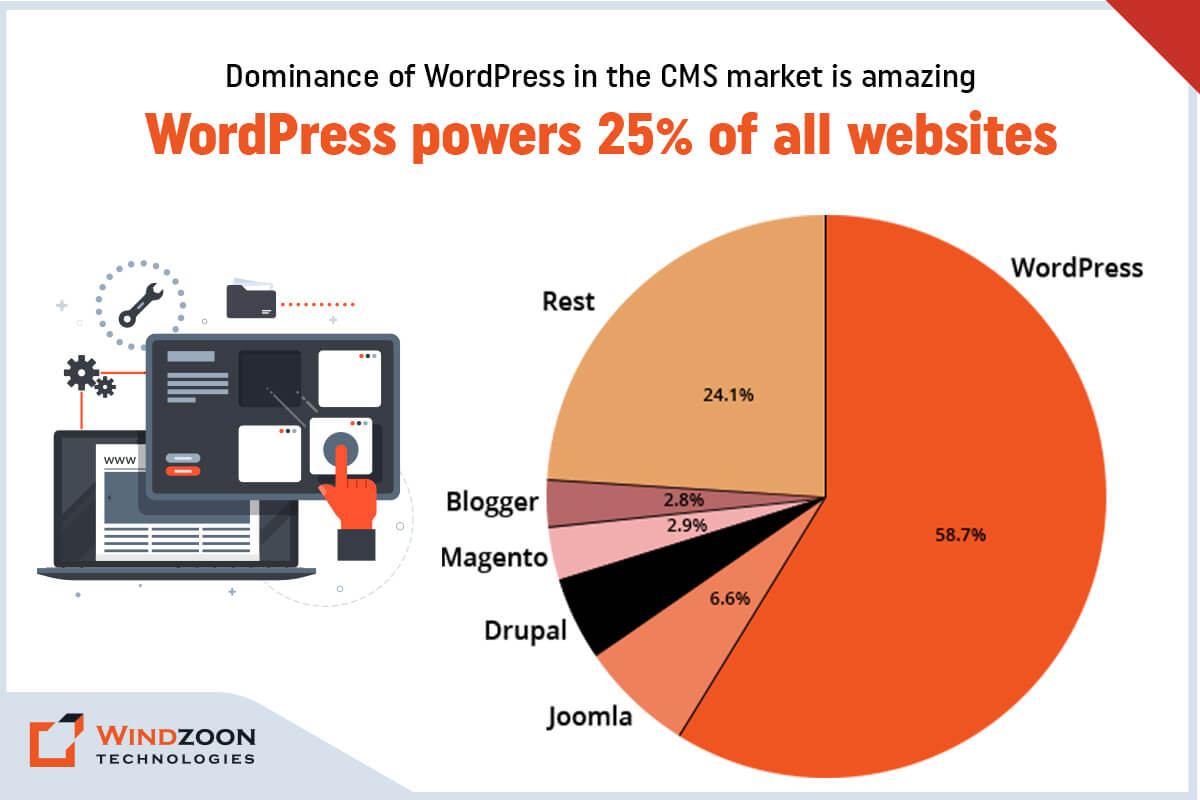
With its simplicity, flexibility, & usability, WordPress has become one of the most sought content management systems. It powers around ⅓ of the world’s websites. According to W3techs, WordPress has acquired a 58.7% market share. In contrast, Joomla with 6.6% & Drupal with 5.0% represents the second & third most popular CMSs, respectively.

Dominance of WordPress in the CMS market
The dominance of WordPress in the CMS market

WordPress has the most easy-to-use interface & rich plugin ecosystem. It makes it a common choice among non-technical & technical people for building feature-rich websites. Although it is a popular CMS, it is not the most-loved CMS among developers.

The reason is that WordPress is built as a monolithic platform with the tightly coupled front and back end. Besides, it doesn’t allow multichannel publishing of content. And this makes WordPress unwieldy for developers who want to build bespoke web app solutions without the constraints of its theme-based structure.

However, you can avoid this issue by decoupling WordPress’s front end from its back end. The concept of decoupling or headless CMS unlocks various developmental opportunities. It opens a new door for companies & developers to do Headless WordPress Development using new frameworks, tech stacks, & delivery channels.

After reading this, you might have these questions:

Well, read this whole article. And we promise you that you will get all the answers to your questions by its end.

What is Headless CMS?

In traditional CMS, you’ll have to deal with both the front end & the back end to create a website.

-The front end is the website’s display(presentation) part that visitors interact with. (Ex. a web page)

-The back end is the logical part of the website that contains storage & managing content. (Ex. files stored on servers like scripts & content databases) With the back end, developers can develop, organize, & manage the content before they publish it to the front end.

However, a headless CMS operates differently than a traditional CMS. As its name suggests, it removes the head(front end) from its body(back end). This means it decoupled front-end tools from the back-end management tools that are on the same installation.

Now come to the next question;

Why Should We Use Headless CMS?

Well, here are some reasons that explain why you should consider adopting headless CMS.

1. It gives freedom from maintaining ‘legacy’ software. And gives a chance to adopt any latest technology for web app development.

2. It will give you the ability to manage content on multiple channels.

3. It helps the developers to build web app solutions that provide improved & bespoke user experience.

4. It will allow you to manage your web app content from a single place/location.

5. It will allow your development team to prototype, test, & develop your web app solution efficiently.

6. It will make web app development easier by using microservices.

7. It will provide you with a web app solution with extra security from cyber attacks.

8. It will significantly speed up your time-to-market

9. It gives you the freedom to scale up your web app solution as high & fast as possible.

After learning about the reason behind choosing headless CMS for your project, let’s go further to the next question.

What is Headless WordPress CMS?

Though WordPress is a monolithic application, it is still one of the most capable Content Management Systems. And using WordPress as a headless CMS is the best solution for dynamic & tailored web app development. Know more about WordPress with our another blog on Why Choose WordPress CMS for Your Website: Top 10 Reasons to Know in 2023

However, what exactly is a headless WordPress?

Headless WordPress means a decoupled WordPress. Here, the back-end(management) part is removed from the front-end(display) part of the WordPress CMS.

You can create & manage the front-end part as a standalone with any front-end framework of your choice. And connect the newly developed front part with the back-end part through WordPress REST API.

Now, to get to know better about WordPress as headless cms, let’s understand its architecture.

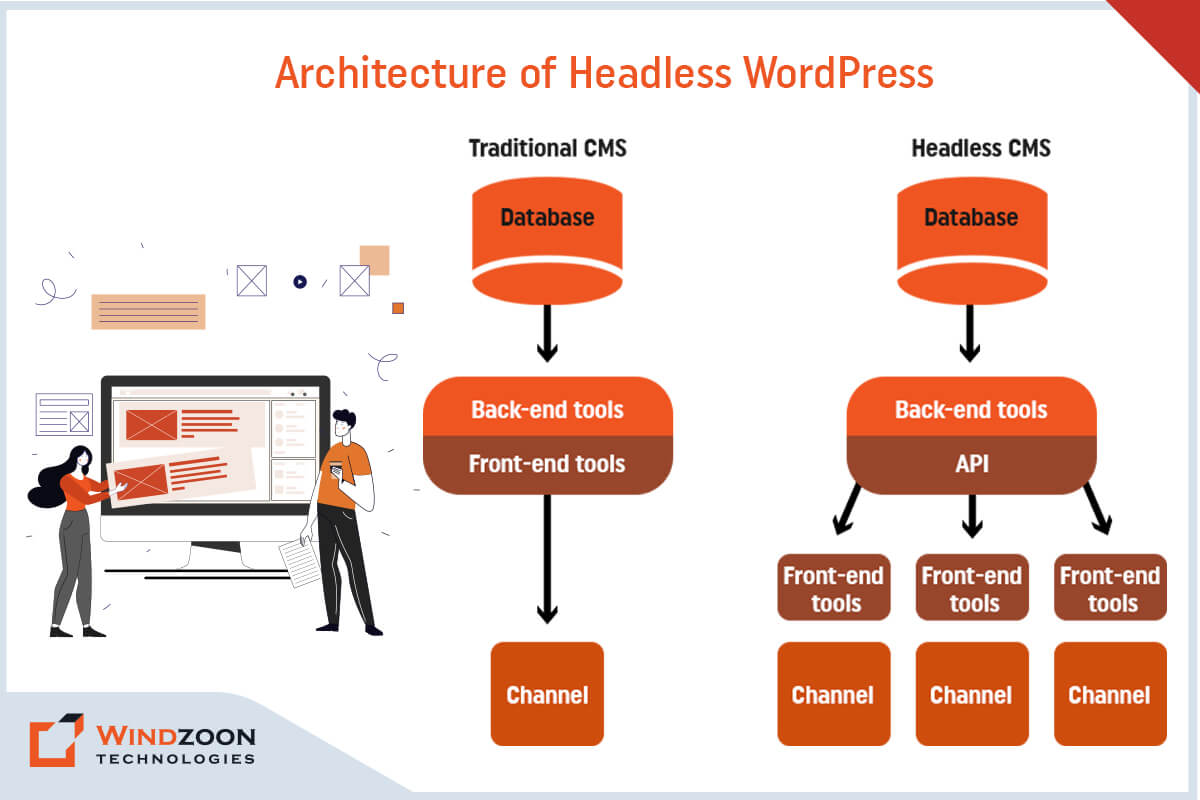
The Architecture of Headless WordPress

Architecture of Headless WordPress
The architecture of Headless WordPress

The standard WordPress framework we use for web development has a coupled architecture. In that, you manage your website’s properties through the dashboard & control its appearance by using different themes & plugins.

Read More:- WordPress Website Development: Expectations Vs Reality

However, headless WordPress content management tools are still available for web development. But, the front-end features like themes & the block editor get removed from it. Instead, another front-end framework like ReactJS, Angular, VueJS, and NextJS will handle your web app’s appearance using WordPress REST API.

To get a little deeper into the topic, let’s learn what makes headless WordPress different from traditional WordPress.

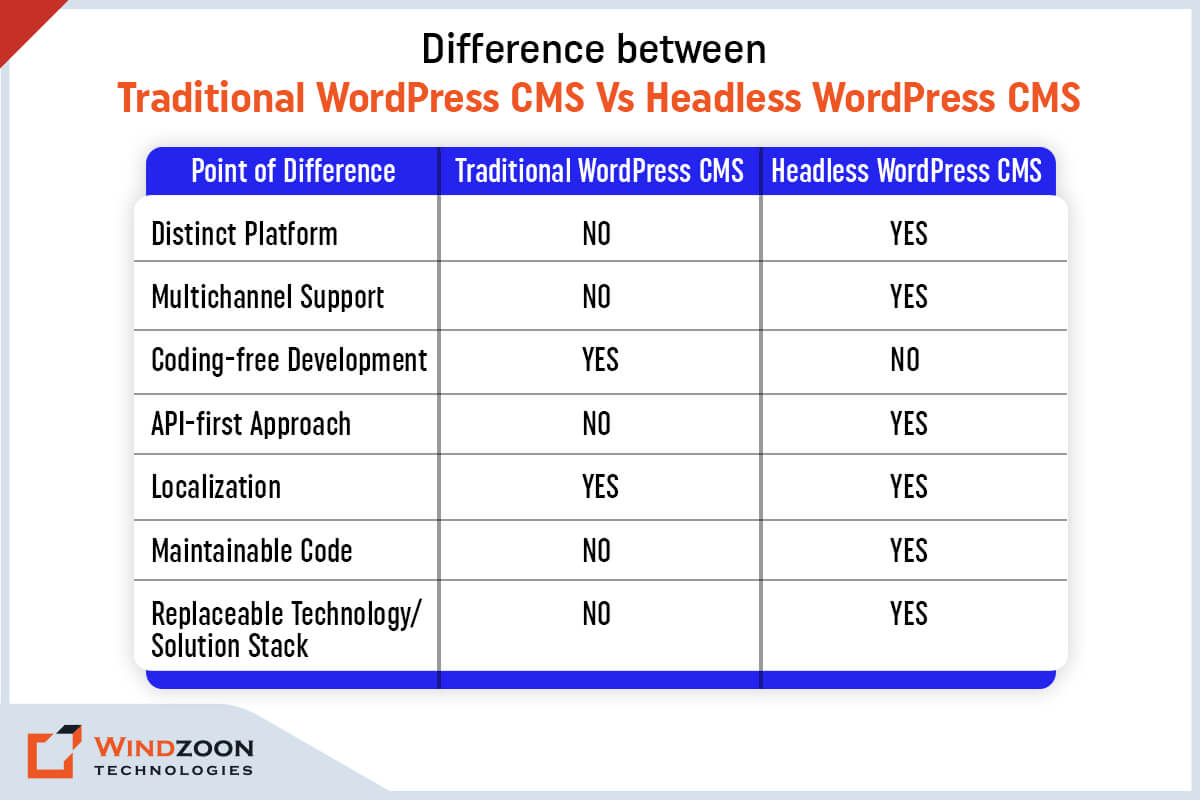
Headless WordPress CMS Vs. Traditional WordPress CMS

Difference between Headless WordPress Vs. Traditional WordPress

Following are the main points of difference between traditional WordPress & headless WordPress.

[wpdatatable id=3 table_view=regular]

Now, let’s learn the advantages of choosing a headless WordPress for your next project.

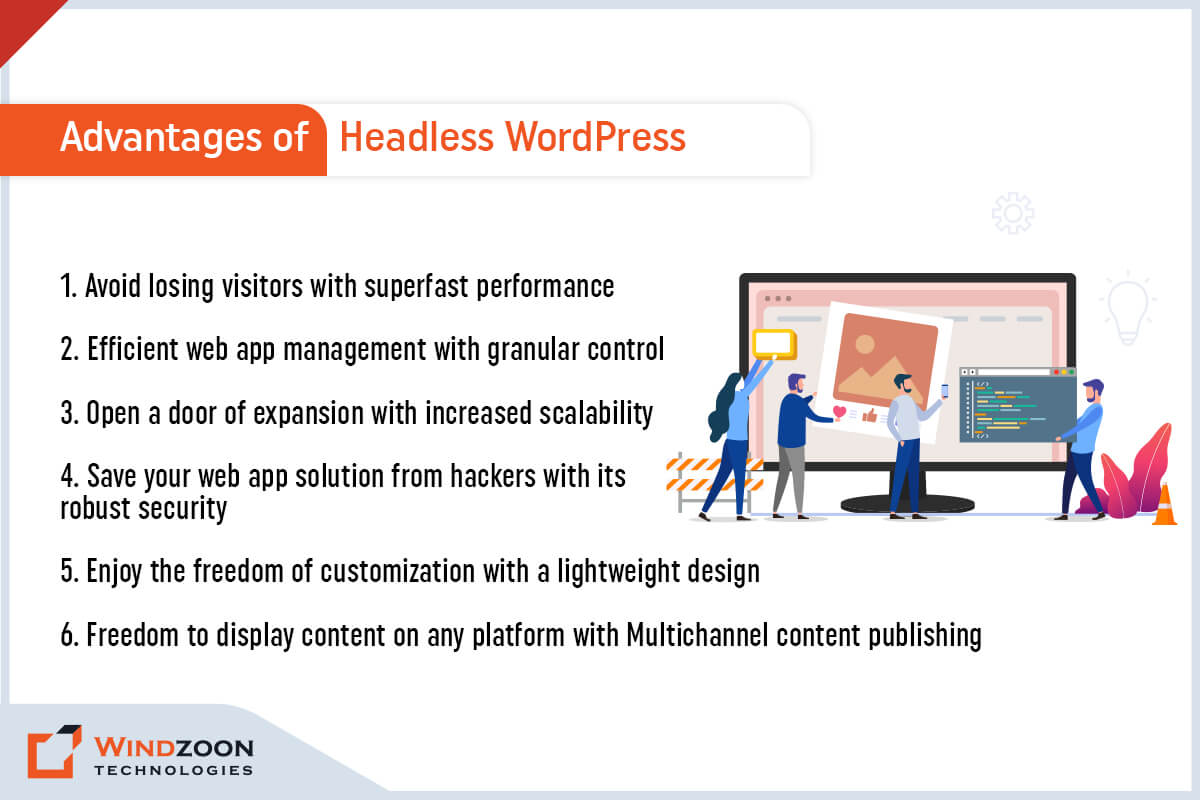
Why Should We Use Headless WordPress?

Advantages of Headless WordPress

Advantages of Headless WordPress

1. Avoid losing visitors with superfast performance

Your web application’s performance is the significant reason behind its success on SERPs. It will get higher rankings on search engines if it shouldn’t take more than a few seconds to load. But if it takes more time to load, it will lose visitors.

However, with headless WordPress, you can avoid this problem. Here, the front end is removed from WordPress, which you can develop using modern front-end tools. It will enhance the user experience of your web application through its superfast performance.

2. Efficient web app management & customization with granular control

You can gain more control over your web application by using headless WordPress. With a headless approach, you can easily control design layout and content presentation. Plus, it also provides you control over how users interact with the front end of your web application.

Other than this, in headless WordPress, you can access your back-end content from a central location. And this makes a web application lightweight & easier to manage.

Besides, its REST API calls provide more freedom to make customized designs for the front end. Plus, there is also an advantage of using modern web tools & deploy them on the front-end development.

3. Open a door of expansion with increased scalability

With WordPress, the web application doesn’t have much chance to scale. The reason is that a developer is required to have complete control over all components & codes of WordPress.

However, decoupling WordPress makes it easy to scale up your web application. Because now, you can effortlessly identify which part of the web app needs more scaling. And you can scale that part in isolation.

4. Save your web app solution from hackers with its robust security

Data security is a vital aspect of any online service. With headless WordPress, you don’t need to take stress about your web application’s security.

The reason is the architecture of decoupled WordPress provides more security against hackers & DDoS attacks. It’s separate from your front end, which makes it difficult to hack your sensitive back-end data.

5. Faster development process with code reusability

When you use headless WordPress for web app development you can leverage APIs to communicate with your back-end. Therefore, once your content has been written & published in WordPress, it can be delivered to different front-ends.

Additionally, headless WordPress allows you to use modular frameworks. It will enable you to reuse code from other projects without involving changes on your backend.

6. Freedom to display content on any platform with Multichannel content publishing

The decoupled WordPress has an API-based system. It allows you to publish content on multiple platforms, like mobile, tablet, & computer.

Besides this, you can also display your API-based content through augmented/virtual reality & IoT devices. It will enhance the accessibility of your web application & gives you better reach among the younger audience.

Now that we have learned why we should go for Headless WordPress Development. Let’s know its drawbacks.

Why Headless WordPress isn’t the Best Option?

Though headless WordPress is a remarkable innovation with numerous benefits, it also contains a few drawbacks. Thus, consider them before making a decision on whether to use headless WordPress or not.

Disadvantages of Headless WordPress

Disadvantages of Headless WordPress

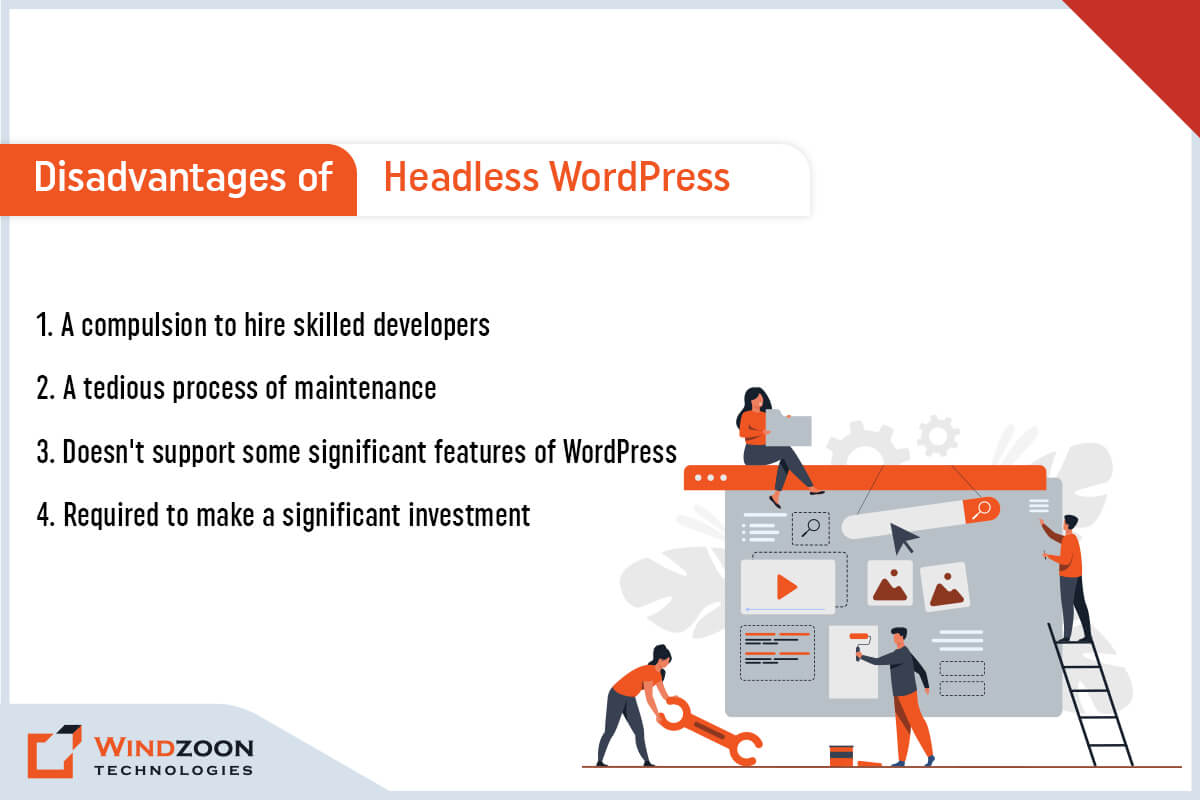
1. A compulsion to hire skilled developers

If you wish to utilize headless WordPress fully, you’ll need the services of a skilled team of developers. The reason is headless WordPress requires advanced frameworks for smooth functioning. And for that advanced coding knowledge is a fundamental requirement. Hence, a non-technical person would never help you with it. You need to Hire WordPress Developers for this job.

2. A tedious process of maintenance

Managing multiple web application instances would be more difficult with the front-end and back-end separated. And that makes the process of maintaining headless WordPress tedious & little expensive.

3. Doesn’t support some significant features of WordPress

Indeed, headless WordPress doesn’t support some significant features of WordPress. For example, famous WordPress features like WYSIWYG editor & live preview won’t work when you use a separate front-end.

4. Required to make a significant investment

Setting up a web application through headless WordPress requires significant investment. Because its implementation, management, & maintenance is complex & would need additional members on your team. And this would make headless WordPress web app development a little more costly than standard WordPress.

These disadvantages of headless WordPress made us understand when we shouldn’t use it. Now, let’s move forward with the next question.

Who Should use Headless WordPress?

Headless WordPress has many benefits & usages. And this makes it a suitable development platform for every type of business. We have named some of the business types below that can get benefited from using headless WordPress.

1. Enterprise business

2. E-Commerce business

3. Consultancy service provider business

4. Media companies

5. Startups

6. Small & Medium size businesses

7. Freelancers

After this, we’ll know about the types of business websites that you can build using headless WordPress.

Which Types of Business Websites We can Build with Headless WordPress?

With headless WordPress, you can build various types of websites and applications. This will give you the freedom to create a variety of web app solutions in terms of design, UX/UI, and animation.

1. Blogs

2. One-Page web solutions

3. E-Commerce websites

4. Brochure websites

5. Custom web applications

6. Native applications for iOS & Android

7. Documentation websites, etc.

Name of Some Famous Websites Built Using Headless WordPress

Inspiring Headless WordPress Examples

1. TechCrunch

2. The Guggenheim Museum

3. Frontity

4. usTwo

5. Beachbody on Demand

6. Facebook Brand Resource Center

7. Uber Brand Experience

8. Fairfax Media

9. Hillary Clinton

Now comes one of the important questions.

Who Should Avoid Using Headless WordPress?

Business enterprises can avoid using Headless WordPress in the following circumstances.

  • Do not want to invest a significant amount in the front-end development of their web app.
  • Do not desire to follow the tedious & costly process of managing & maintaining two sub-systems.
  • If they aren’t interested in cross-platform publishing.
  • If they want to use WordPress visual editor and WordPress themes.
  • If they don’t want to configure & optimize the API

We hope now you gain adequate knowledge regarding headless WordPress. So, let’s move further with how to connect Headless WordPress with react.

How to Connect ReactJS with Headless WordPress?

ReactJS is one of the famous open-source front-end JavaScript libraries. It is maintained by Meta & a vast community of developers. ReactJS helps in building robust, fast, & dynamic web applications. And combining headless WordPress react will provide you with multiple benefits.

Read More:- Master to Build an Amazing WordPress Website with 10 Simple Steps

Besides, building a web application using React is not so difficult once your WordPress is set up. However, to connect ReactJS(front-end) with WordPress(back-end), you need to install the following on your computer.

  • A text editor ( For example, Visual Studio Code)
  • ReactJS & NPM
  • And Git for version control

Once you set up the environment, follow these below-mentioned steps to build a web app using ReactJS.

  • First, open the command line. After that, run the code to build a project.
  • Once you complete that, install the Axios package for API calls & open the folder inside the text editor.
  • At last, launch the web application with the appropriate command. And you’ll be all set to build a custom web application.

Combining WordPress back-end(built using Gutenberg page builder) with ReactJS is the most logical option. As Gutenberg’s page builder plugin supports ReactJS and helps to build bespoke web apps with a better user experience. Know more about WordPress Page Builder Plugin by following our exclusive blog on 10 Best Drag and Drop WordPress Page Builders Plugins Comparison

However, if you find any difficulty setting up react headless WordPress, kindly Hire a Headless WordPress Developer.

Conclusion

We hope our article has provided all the answers to your questions. And now, you don’t have any doubts regarding headless WordPress CMS. Decoupling your web app’s front-end from its back-end elevates your web app’s speed, performance, & security.

However, as we have mentioned before, developing a web app with headless WordPress can be complicated & confusing. And if you are not a seasoned developer then building a web app using headless CMS on your own is difficult.

Fortunately, there are many experienced WordPress developers in the market who can help you to make your project succeed. And if you’re looking for a competent WordPress Development Company for your project, then connect with us.

At Windzoon, we have a talented team of WordPress & ReactJS developers who can build industry-specified custom web app solutions. To avail of our developers’ services or to know about our WordPress Web Development Packages, kindly visit wzadmin.windzoon.in/ to get a quote.