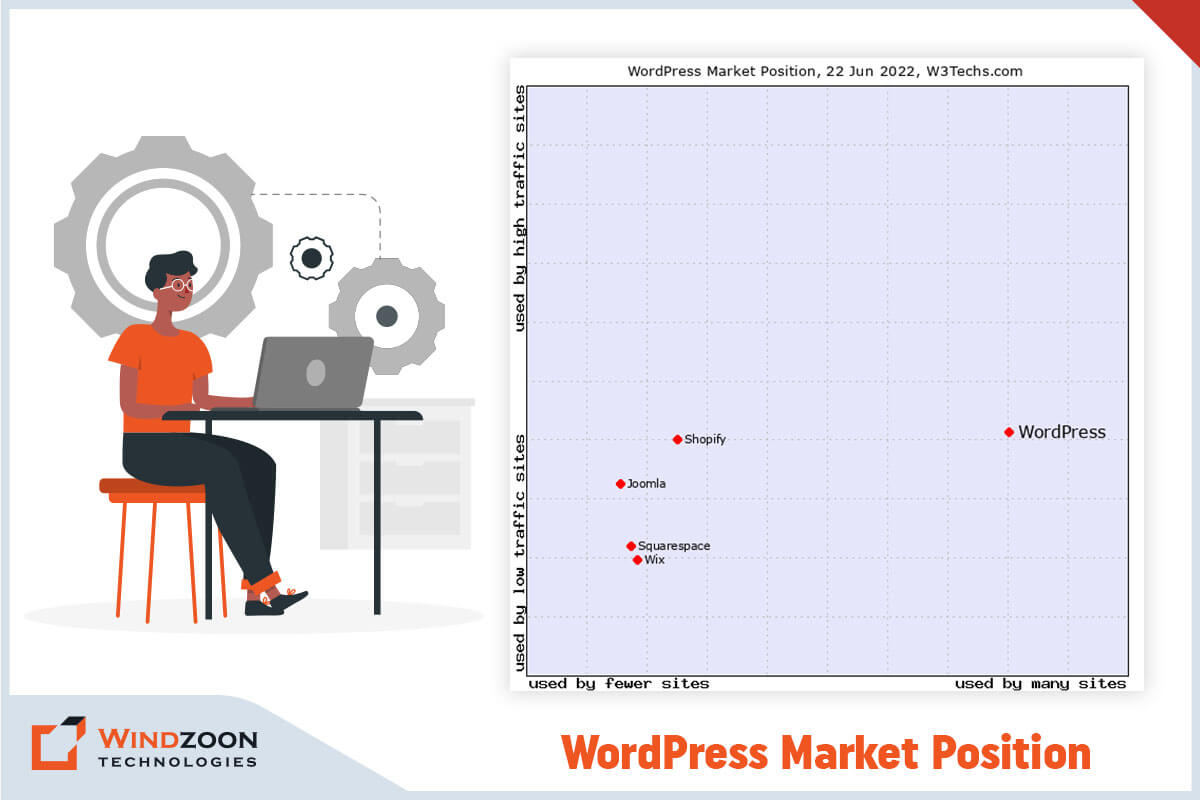
With its simplicity, flexibility, & usability, WordPress has become one of the most sought content management systems. It powers around ⅓ of the world’s websites. According to W3techs, WordPress has acquired a 58.7% market share. In contrast, Joomla with 6.6% & Drupal with 5.0% represents the second & third most popular CMSs, respectively.
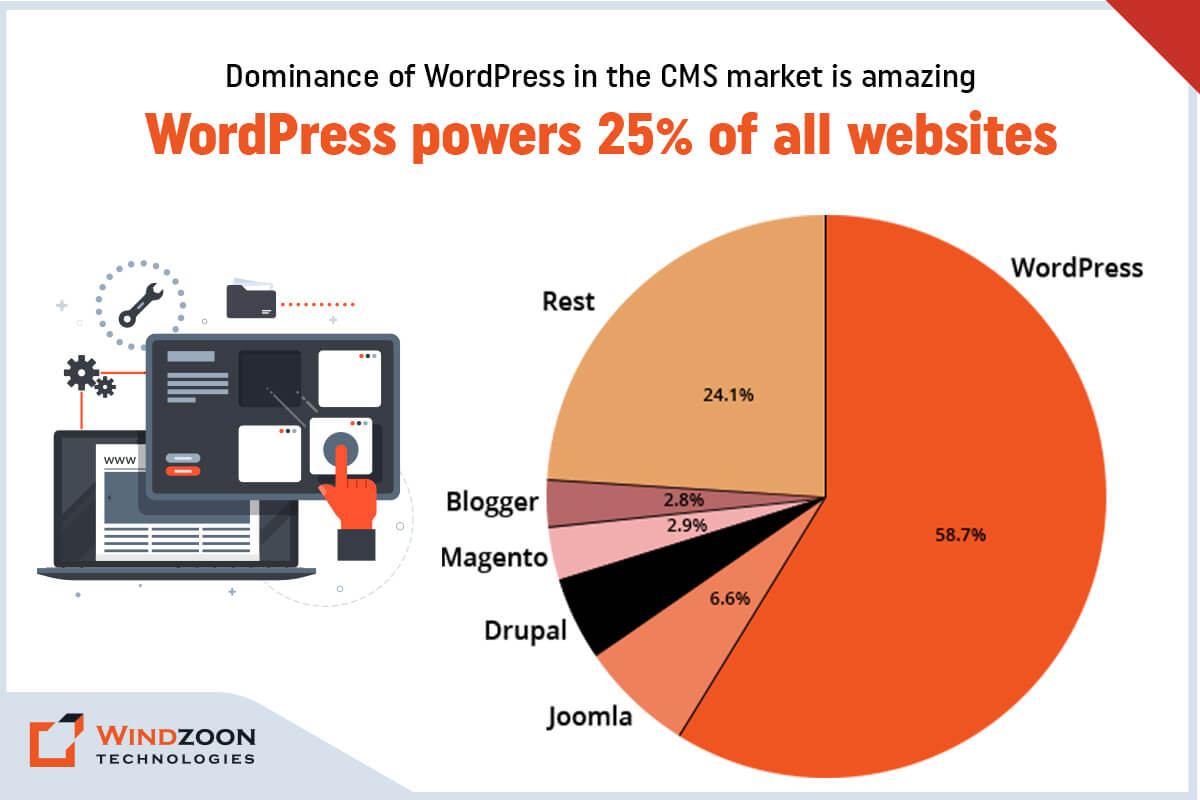
The dominance of WordPress in the CMS market
WordPress has the most easy-to-use interface & rich plugin ecosystem. It makes it a common choice among non-technical & technical people for building feature-rich websites. Although it is a popular CMS, it is not the most-loved CMS among developers.
The reason is that WordPress is built as a monolithic platform with the tightly coupled front and back end. Besides, it doesn’t allow multichannel publishing of content. And this makes WordPress unwieldy for developers who want to build bespoke web app solutions without the constraints of its theme-based structure.
However, you can avoid this issue by decoupling WordPress’s front end from its back end. The concept of decoupling or headless CMS unlocks various developmental opportunities. It opens a new door for companies & developers to do Headless WordPress Development using new frameworks, tech stacks, & delivery channels.
After reading this, you might have these questions:
- What is Headless CMS?
- Why Should We Use Headless CMS?
- What is Headless WordPress CMS?
- The Architecture of Headless WordPress
- Headless WordPress CMS Vs. Traditional WordPress CMS
- Why Should We Use Headless WordPress?
- 1. Avoid losing visitors with superfast performance
- 2. Efficient web app management & customization with granular control
- 3. Open a door of expansion with increased scalability
- 4. Save your web app solution from hackers with its robust security
- 5. Faster development process with code reusability
- 6. Freedom to display content on any platform with Multichannel content publishing
- Why Headless WordPress isn’t the Best Option?
- Who Should use Headless WordPress?
- Which Types of Business Websites We can Build with Headless WordPress?
- Name of Some Famous Websites Built Using Headless WordPress
- Who Should Avoid Using Headless WordPress?
- How to Connect ReactJS with Headless WordPress?
- Conclusion
Well, read this whole article. And we promise you that you will get all the answers to your questions by its end.
What is Headless CMS?
In traditional CMS, you’ll have to deal with both the front end & the back end to create a website.
-The front end is the website’s display(presentation) part that visitors interact with. (Ex. a web page)
-The back end is the logical part of the website that contains storage & managing content. (Ex. files stored on servers like scripts & content databases) With the back end, developers can develop, organize, & manage the content before they publish it to the front end.
However, a headless CMS operates differently than a traditional CMS. As its name suggests, it removes the head(front end) from its body(back end). This means it decoupled front-end tools from the back-end management tools that are on the same installation.
Now come to the next question;
Why Should We Use Headless CMS?
Well, here are some reasons that explain why you should consider adopting headless CMS.
1. It gives freedom from maintaining ‘legacy’ software. And gives a chance to adopt any latest technology for web app development.
2. It will give you the ability to manage content on multiple channels.
3. It helps the developers to build web app solutions that provide improved & bespoke user experience.
4. It will allow you to manage your web app content from a single place/location.
5. It will allow your development team to prototype, test, & develop your web app solution efficiently.
6. It will make web app development easier by using microservices.
7. It will provide you with a web app solution with extra security from cyber attacks.
8. It will significantly speed up your time-to-market
9. It gives you the freedom to scale up your web app solution as high & fast as possible.
After learning about the reason behind choosing headless CMS for your project, let’s go further to the next question.
What is Headless WordPress CMS?
Though WordPress is a monolithic application, it is still one of the most capable Content Management Systems. And using WordPress as a headless CMS is the best solution for dynamic & tailored web app development. Know more about WordPress with our another blog on Why Choose WordPress CMS for Your Website: Top 10 Reasons to Know in 2023
However, what exactly is a headless WordPress?
Headless WordPress means a decoupled WordPress. Here, the back-end(management) part is removed from the front-end(display) part of the WordPress CMS.
You can create & manage the front-end part as a standalone with any front-end framework of your choice. And connect the newly developed front part with the back-end part through WordPress REST API.
Now, to get to know better about WordPress as headless cms, let’s understand its architecture.
The Architecture of Headless WordPress
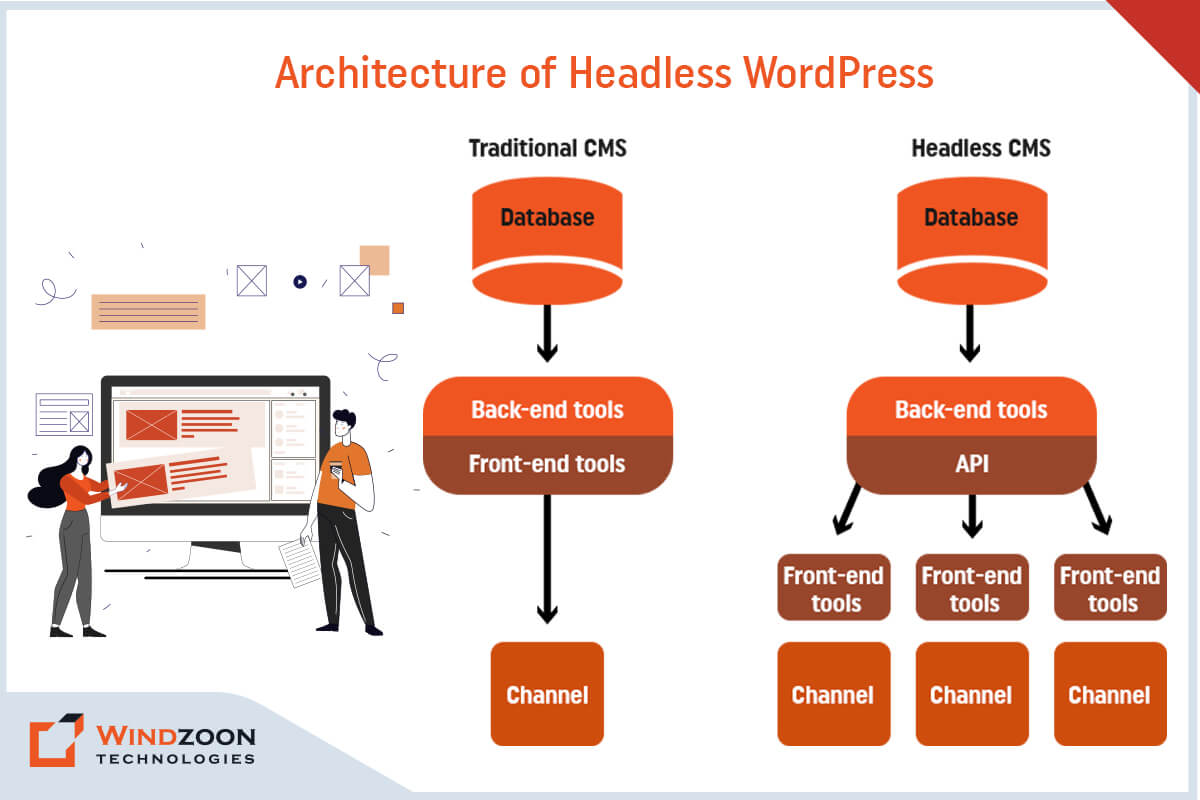
The architecture of Headless WordPress
The standard WordPress framework we use for web development has a coupled architecture. In that, you manage your website’s properties through the dashboard & control its appearance by using different themes & plugins.
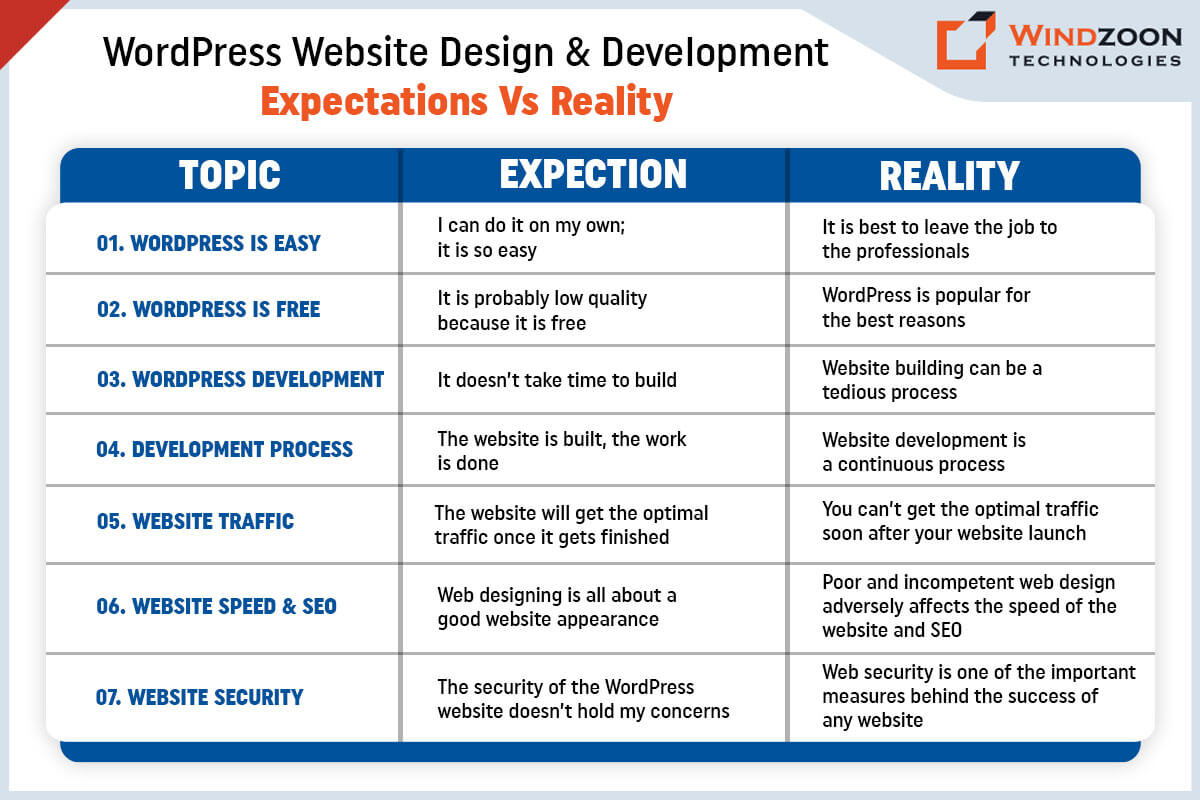
Read More:- WordPress Website Development: Expectations Vs Reality
However, headless WordPress content management tools are still available for web development. But, the front-end features like themes & the block editor get removed from it. Instead, another front-end framework like ReactJS, Angular, VueJS, and NextJS will handle your web app’s appearance using WordPress REST API.
To get a little deeper into the topic, let’s learn what makes headless WordPress different from traditional WordPress.
Headless WordPress CMS Vs. Traditional WordPress CMS
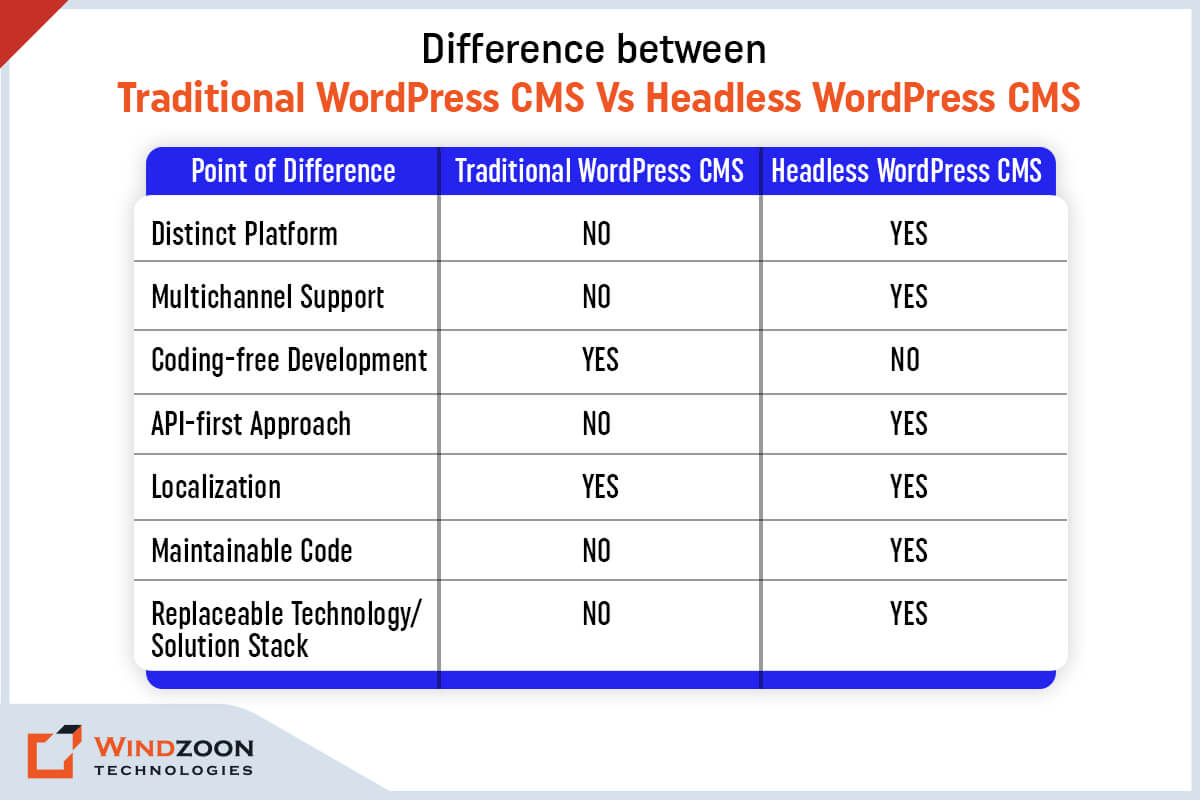
Difference between Headless WordPress Vs. Traditional WordPress
Following are the main points of difference between traditional WordPress & headless WordPress.
Now, let’s learn the advantages of choosing a headless WordPress for your next project.
Why Should We Use Headless WordPress?
Advantages of Headless WordPress
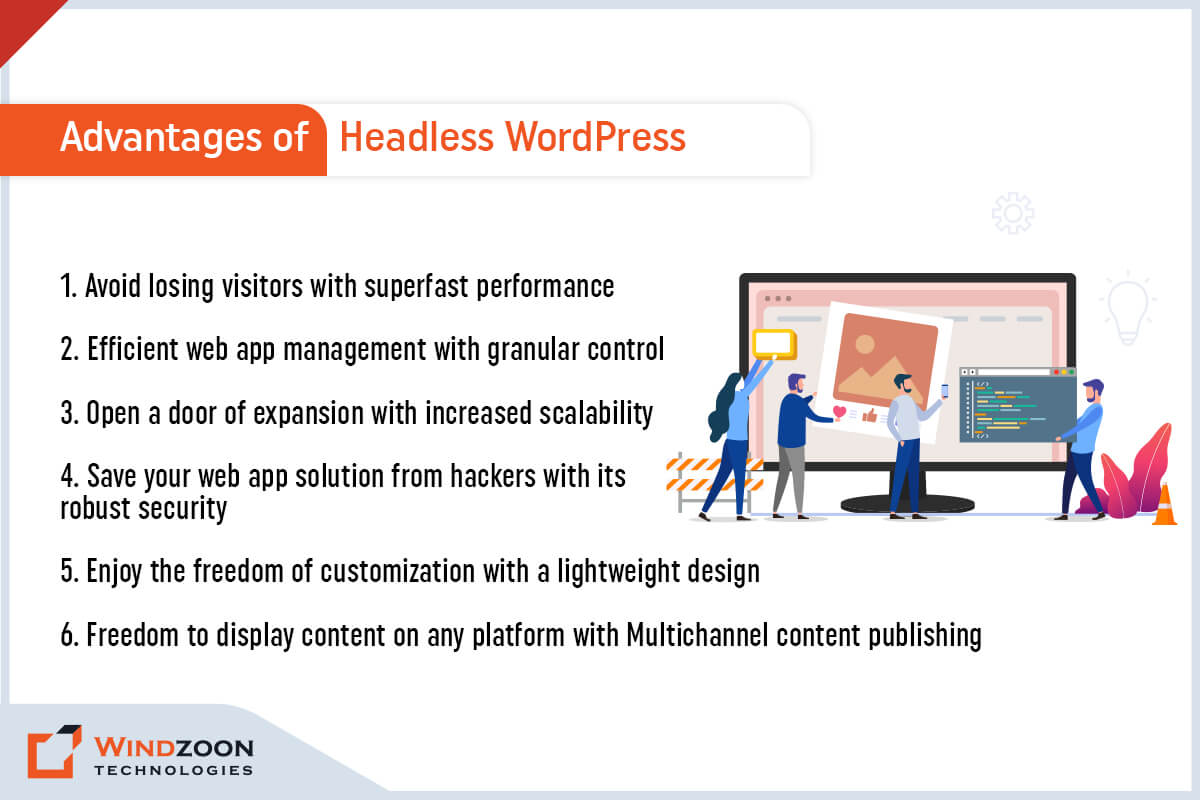
Advantages of Headless WordPress
1. Avoid losing visitors with superfast performance
Your web application’s performance is the significant reason behind its success on SERPs. It will get higher rankings on search engines if it shouldn’t take more than a few seconds to load. But if it takes more time to load, it will lose visitors.
However, with headless WordPress, you can avoid this problem. Here, the front end is removed from WordPress, which you can develop using modern front-end tools. It will enhance the user experience of your web application through its superfast performance.
2. Efficient web app management & customization with granular control
You can gain more control over your web application by using headless WordPress. With a headless approach, you can easily control design layout and content presentation. Plus, it also provides you control over how users interact with the front end of your web application.
Other than this, in headless WordPress, you can access your back-end content from a central location. And this makes a web application lightweight & easier to manage.
Besides, its REST API calls provide more freedom to make customized designs for the front end. Plus, there is also an advantage of using modern web tools & deploy them on the front-end development.
3. Open a door of expansion with increased scalability
With WordPress, the web application doesn’t have much chance to scale. The reason is that a developer is required to have complete control over all components & codes of WordPress.
However, decoupling WordPress makes it easy to scale up your web application. Because now, you can effortlessly identify which part of the web app needs more scaling. And you can scale that part in isolation.
4. Save your web app solution from hackers with its robust security
Data security is a vital aspect of any online service. With headless WordPress, you don’t need to take stress about your web application’s security.
The reason is the architecture of decoupled WordPress provides more security against hackers & DDoS attacks. It’s separate from your front end, which makes it difficult to hack your sensitive back-end data.
5. Faster development process with code reusability
When you use headless WordPress for web app development you can leverage APIs to communicate with your back-end. Therefore, once your content has been written & published in WordPress, it can be delivered to different front-ends.
Additionally, headless WordPress allows you to use modular frameworks. It will enable you to reuse code from other projects without involving changes on your backend.
6. Freedom to display content on any platform with Multichannel content publishing
The decoupled WordPress has an API-based system. It allows you to publish content on multiple platforms, like mobile, tablet, & computer.
Besides this, you can also display your API-based content through augmented/virtual reality & IoT devices. It will enhance the accessibility of your web application & gives you better reach among the younger audience.
Now that we have learned why we should go for Headless WordPress Development. Let’s know its drawbacks.
Why Headless WordPress isn’t the Best Option?
Though headless WordPress is a remarkable innovation with numerous benefits, it also contains a few drawbacks. Thus, consider them before making a decision on whether to use headless WordPress or not.
Disadvantages of Headless WordPress
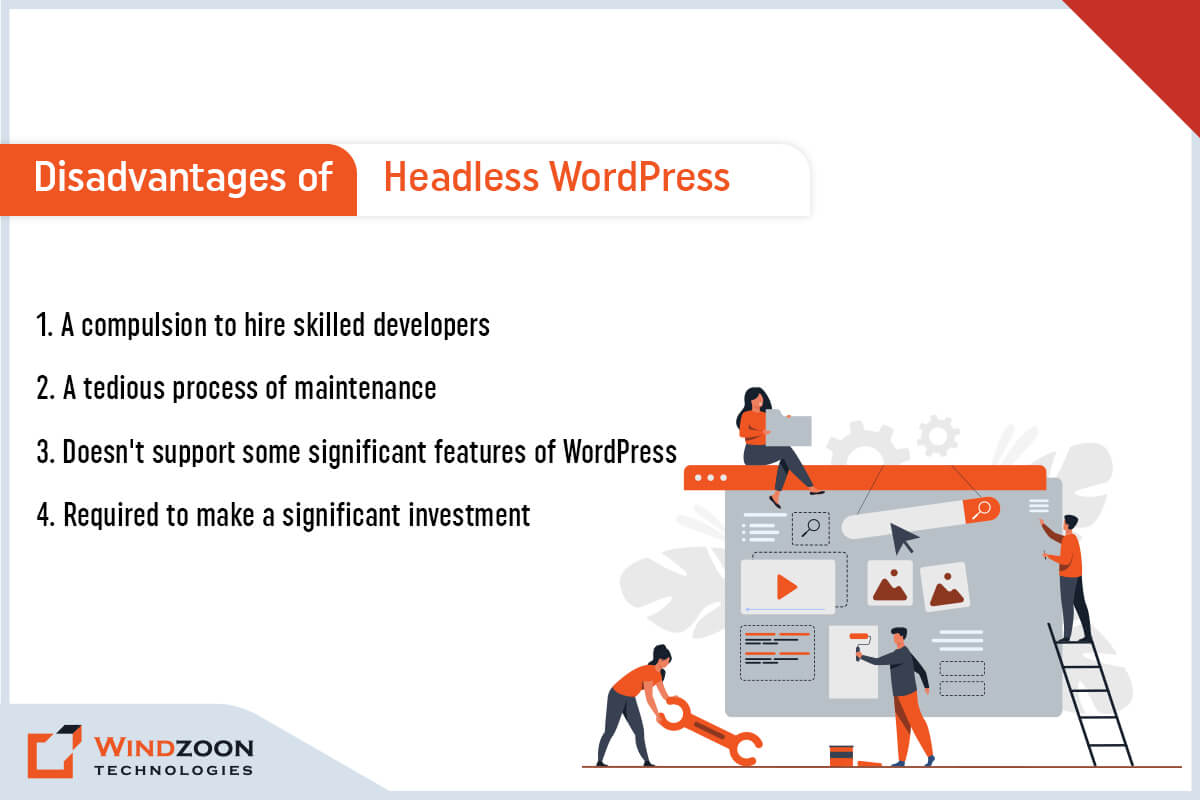
Disadvantages of Headless WordPress
1. A compulsion to hire skilled developers
If you wish to utilize headless WordPress fully, you’ll need the services of a skilled team of developers. The reason is headless WordPress requires advanced frameworks for smooth functioning. And for that advanced coding knowledge is a fundamental requirement. Hence, a non-technical person would never help you with it. You need to Hire WordPress Developers for this job.
2. A tedious process of maintenance
Managing multiple web application instances would be more difficult with the front-end and back-end separated. And that makes the process of maintaining headless WordPress tedious & little expensive.
3. Doesn’t support some significant features of WordPress
Indeed, headless WordPress doesn’t support some significant features of WordPress. For example, famous WordPress features like WYSIWYG editor & live preview won’t work when you use a separate front-end.
4. Required to make a significant investment
Setting up a web application through headless WordPress requires significant investment. Because its implementation, management, & maintenance is complex & would need additional members on your team. And this would make headless WordPress web app development a little more costly than standard WordPress.
These disadvantages of headless WordPress made us understand when we shouldn’t use it. Now, let’s move forward with the next question.
Who Should use Headless WordPress?
Headless WordPress has many benefits & usages. And this makes it a suitable development platform for every type of business. We have named some of the business types below that can get benefited from using headless WordPress.
1. Enterprise business
2. E-Commerce business
3. Consultancy service provider business
4. Media companies
5. Startups
6. Small & Medium size businesses
7. Freelancers
After this, we’ll know about the types of business websites that you can build using headless WordPress.
Which Types of Business Websites We can Build with Headless WordPress?
With headless WordPress, you can build various types of websites and applications. This will give you the freedom to create a variety of web app solutions in terms of design, UX/UI, and animation.
1. Blogs
2. One-Page web solutions
3. E-Commerce websites
4. Brochure websites
5. Custom web applications
6. Native applications for iOS & Android
7. Documentation websites, etc.
Name of Some Famous Websites Built Using Headless WordPress
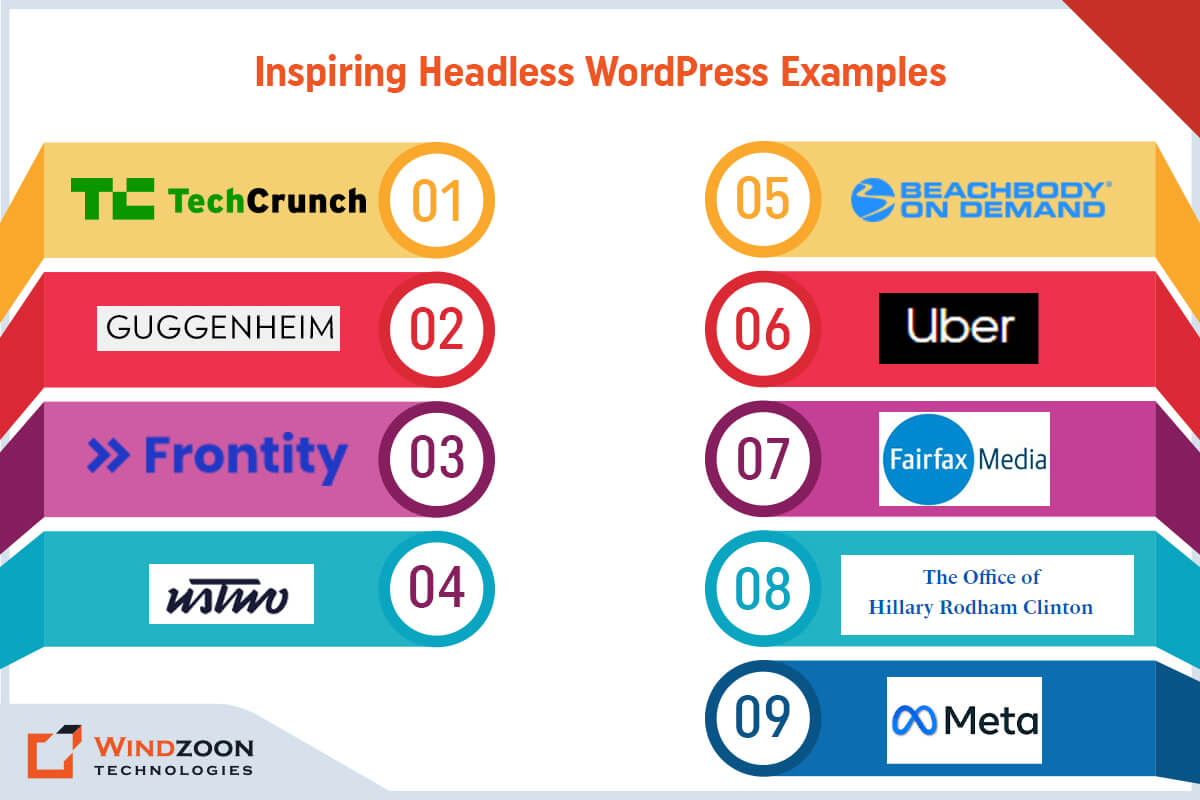
Inspiring Headless WordPress Examples
1. TechCrunch
2. The Guggenheim Museum
3. Frontity
4. usTwo
5. Beachbody on Demand
6. Facebook Brand Resource Center
7. Uber Brand Experience
8. Fairfax Media
9. Hillary Clinton
Now comes one of the important questions.
Who Should Avoid Using Headless WordPress?
Business enterprises can avoid using Headless WordPress in the following circumstances.
- Do not want to invest a significant amount in the front-end development of their web app.
- Do not desire to follow the tedious & costly process of managing & maintaining two sub-systems.
- If they aren’t interested in cross-platform publishing.
- If they want to use WordPress visual editor and WordPress themes.
- If they don’t want to configure & optimize the API
We hope now you gain adequate knowledge regarding headless WordPress. So, let’s move further with how to connect Headless WordPress with react.
How to Connect ReactJS with Headless WordPress?
ReactJS is one of the famous open-source front-end JavaScript libraries. It is maintained by Meta & a vast community of developers. ReactJS helps in building robust, fast, & dynamic web applications. And combining headless WordPress react will provide you with multiple benefits.
Read More:- Master to Build an Amazing WordPress Website with 10 Simple Steps
Besides, building a web application using React is not so difficult once your WordPress is set up. However, to connect ReactJS(front-end) with WordPress(back-end), you need to install the following on your computer.
- A text editor ( For example, Visual Studio Code)
- ReactJS & NPM
- And Git for version control
Once you set up the environment, follow these below-mentioned steps to build a web app using ReactJS.
- First, open the command line. After that, run the code to build a project.
- Once you complete that, install the Axios package for API calls & open the folder inside the text editor.
- At last, launch the web application with the appropriate command. And you’ll be all set to build a custom web application.
Combining WordPress back-end(built using Gutenberg page builder) with ReactJS is the most logical option. As Gutenberg’s page builder plugin supports ReactJS and helps to build bespoke web apps with a better user experience. Know more about WordPress Page Builder Plugin by following our exclusive blog on 10 Best Drag and Drop WordPress Page Builders Plugins Comparison
However, if you find any difficulty setting up react headless WordPress, kindly Hire a Headless WordPress Developer.
Conclusion
We hope our article has provided all the answers to your questions. And now, you don’t have any doubts regarding headless WordPress CMS. Decoupling your web app’s front-end from its back-end elevates your web app’s speed, performance, & security.
However, as we have mentioned before, developing a web app with headless WordPress can be complicated & confusing. And if you are not a seasoned developer then building a web app using headless CMS on your own is difficult.
Fortunately, there are many experienced WordPress developers in the market who can help you to make your project succeed. And if you’re looking for a competent WordPress Development Company for your project, then connect with us.
At Windzoon, we have a talented team of WordPress & ReactJS developers who can build industry-specified custom web app solutions. To avail of our developers’ services or to know about our WordPress Web Development Packages, kindly visit wzadmin.windzoon.in/ to get a quote.