With the rise of the internet, websites started to dominate the digital world. They become a crucial factor in the growth of various businesses.
Businesses need a website that can attract their targeted audience. It helps them to convert their visitors into potential customers. However, the task of converting visitors into customers is not as easy as it may seams.
To attract visitors, one would need to require a website that is as appealing as engaging. And the creation of this type of website is a challenging task. However, the task of website building becomes more daunting if you have to build a website on your own.
And if you are not a seasoned developer, then it’s possible you even consider it an impossible task. Well, don’t get overwhelmed; we have good news for you.
There is software named WordPress that doesn’t require any coding knowledge. It is so easy to use that anyone can build an alluring & professional-looking website with its help. However, to get the most from WordPress, join hands with a prominent WordPress development service provider. Now let’s go further to know more about WordPress.
What is WordPress?
WordPress is one of the prominent & robust Content Management Systems (CMS). Despite being open-source, it is unmatched in terms of flexibility & ease of use.
WordPress has an avant-garde plugin architecture & template system. It helps to build small blogging websites to complex portal & enterprise websites.
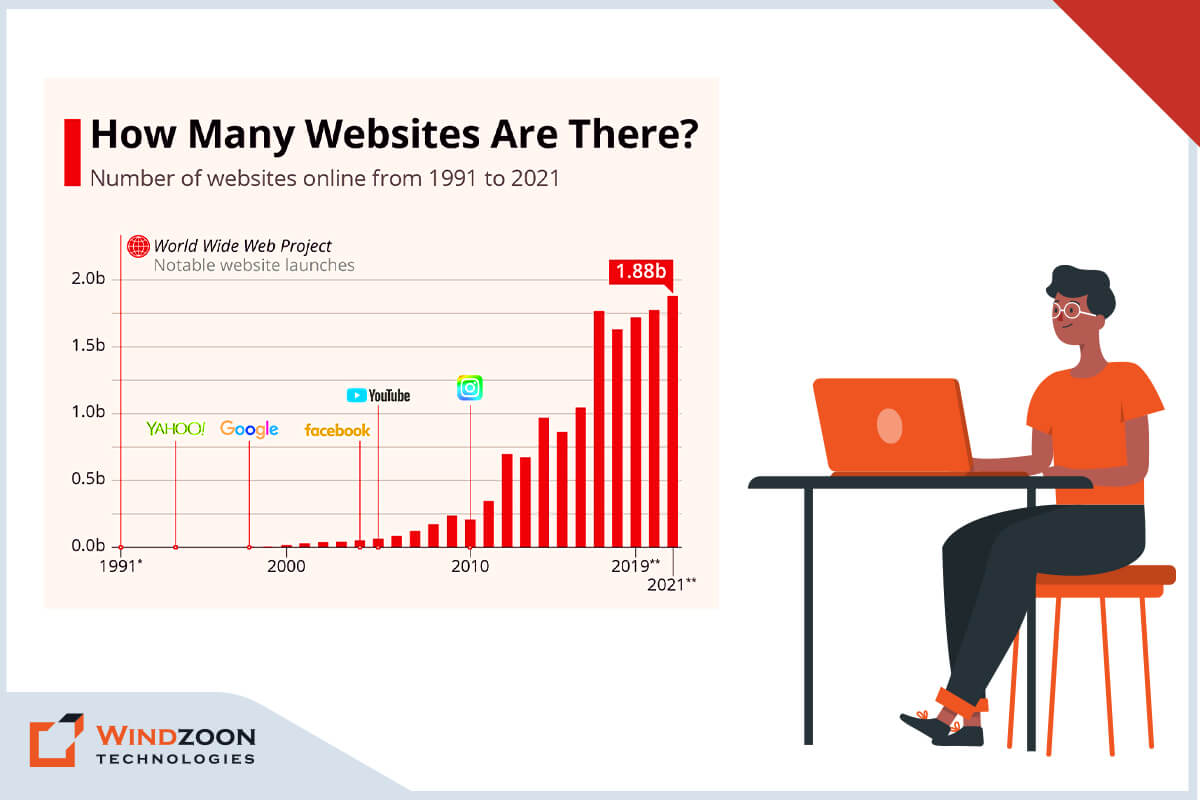
According to W3techs.com, around 64.1% of websites are built with WordPress Content Management System. It is 43.0% of all websites on the internet.
Some major corporations have used WordPress to build their websites, including Sony, Time Inc., BBC America, and Facebook Newsroom.
You can also build websites like these big enterprises by taking the assistance of our WordPress development guide. In this guide, you will learn about the following things:
- What is WordPress?
- Why You Should Build Your Website on WordPress CMS?
- Howmuch does a WordPress Website Cost?
- How to Build a Website in WordPress?
- 10 Steps to Build a Beautiful WordPress Website
- 1. Choose a WordPress Plan( Choose WordPress.org or WordPress.com)
- 2. Setting up a Domain Name and Hosting Provider for Your Site
- 3. Install the WordPress Software
- 4. Select a Theme that Best Suit Your Purpose
- 5. Adding Posts and Pages to Your WordPress Site
- 6. Customizing Your Website as per Your Requirements
- 7. Install Plugins to Add Functionality to Your Website
- 8. Increase Your Page Loading Speed by Optimizing Your Website
- 9. You can Get Inspiration from Prominent WordPress Websites
- 10. Don’t Forget the Marketing of Your Site
- How to Hire Competent WordPress Developers for Your Project?
- Conclusion
Now let’s begin with our guide…
Why You Should Build Your Website on WordPress CMS?
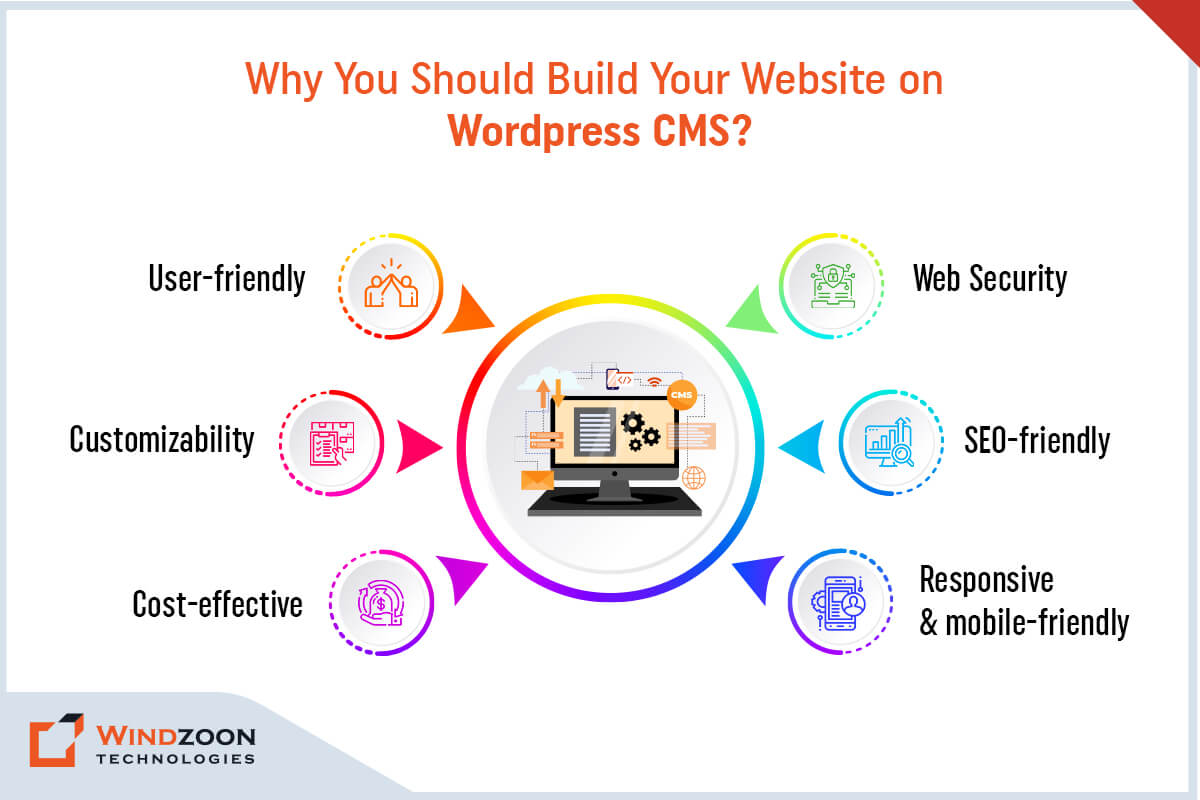
We understand your anticipation about choosing WordPress. It is natural to feel uncertain or to have questions regarding the capabilities of WordPress. But don’t worry, we are here to answer your every question.
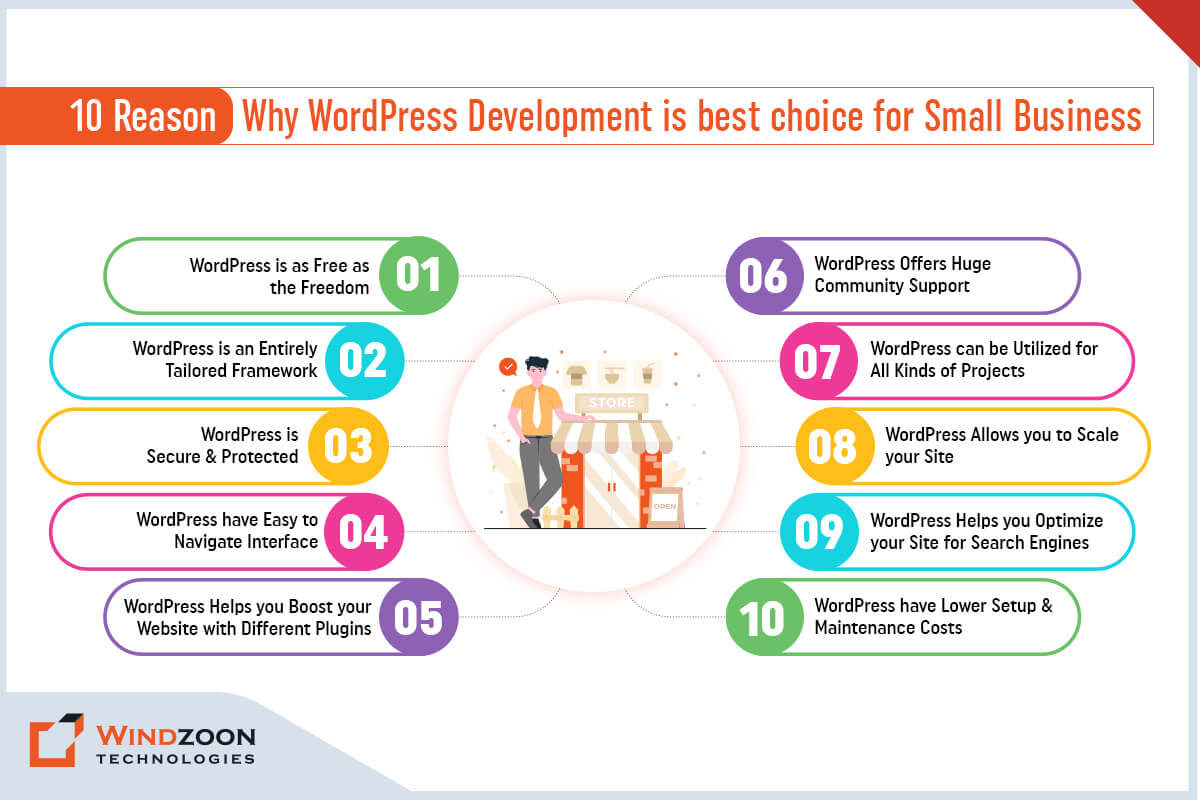
It would be best if you chose WordPress for Website development due to its simplicity, flexibility, & usability. Plus, it is one of the most sought content management systems. Besides, its extensive content management ability, numerous plugins, & extensions help to build scalable WordPress web solutions.

We have mentioned some significant reasons to consider WordPress for website development. However, you can learn more with our separate blog on Reasons to Choose WordPress for Website Development.
– User-friendly
WordPress is the most simple & easy to use platform for websites and content management. Therefore, even a non-technical person can manage WordPress web solutions with ease.
– Web Security
With WordPress, you don’t have to worry about your website’s safety & security, as it is quickly taken care of by being one of the most secure & robust CMS.
– Customizability
WordPress provides an excellent customization facility for its themes. It allows developers to add or edit functions in WordPress web solutions easily.
– SEO-friendly
WordPress has tremendous SEO potential due to its SEO-centric features & plugins. It will help your website to rank higher on search engine result pages.
– Cost-effective
WordPress is an open-source platform that doesn’t require any paid license.
– Responsive & mobile-friendly
WordPress has fantastic adaptability. It is suitable for every screen size and renders flawlessly on desktops, smartphones, & tablets.
How much does a WordPress Website Cost?
Having read about the reasons to choose WordPress, you are probably wondering how much WordPress websites cost. Well, the answer is that it depends on your needs & expectation for your website. Generally, a standard personal website can cost as low as $100. At the same time, the cost range of a business website comes between $100 pa to as high as $30k pa.
How to Build a Website in WordPress?
Now finally, we have come to the main topic of the blog. There isn’t any doubt regarding the simplicity of building a website with the help of WordPress. However, where to start is the main topic of concern for beginners. Well, follow these below-mentioned steps & get free from the worry over where to start.
10 Steps to Build a Beautiful WordPress Website
Here we discuss the what are the 10 steps to create a website in WordPress. Let’s look at all the steps:
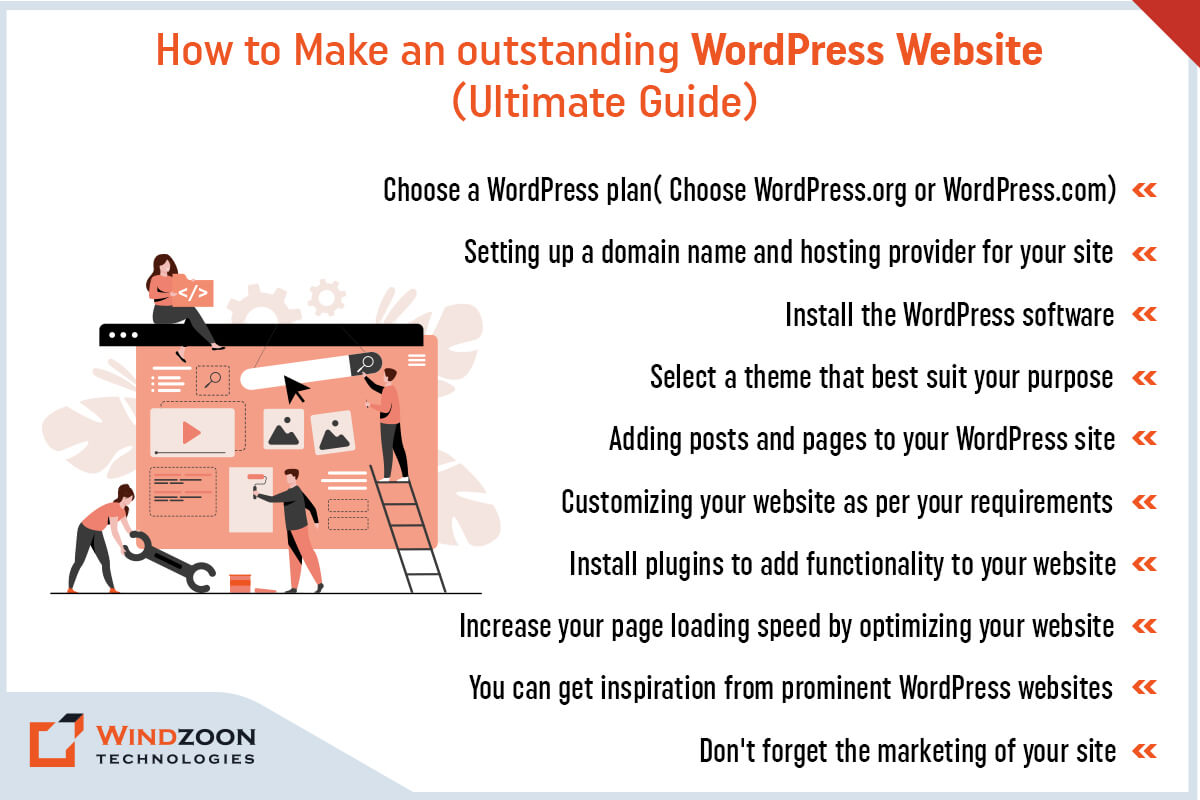
1. Choose a WordPress Plan( Choose WordPress.org or WordPress.com)
The first step in creating a website is to select an appropriate WordPress plan. You’ll have two options for that, one is WordPress.org & another is WordPress.com.
If you choose WordPress.org, then you only have one free plan option. Plus, it compels you to buy your domain, hosting provider, plugins, & themes for your WordPress site.
If you choose WordPress.com, you’ll have five different plans as an option. And the significant difference between these plans is the monthly fees, site customization features, & access to marketing tools.
2. Setting up a Domain Name and Hosting Provider for Your Site
After selecting a WordPress plan, your next step is setting up a domain name & hosting provider for your site. Now, before we go further, let’s learn about a domain name & hosting provider.
For better understanding, assume the domain name as your home address. A home address helps people to locate your house. Just like that, a domain name allows visitors to find your website online. Ex. www.xyz.com ( assume your site’s name in place of XYZ)
Now, think of your hosting provider as your house. Your house gives you a place to stay. In the same way, a hosting provider gives your site a place to reside on a server. WP Engine, Kinsta, & GoDaddy are examples of some of the best hosting providers.
Now the question comes of how to pick a domain & hosting provider for your website.
Before we answer your question, understand this information. A WordPress.org plan compels you to create your own domain & find a third-party hosting provider for your website. In WordPress.com, you will get the option of having a custom domain as per your chosen plan. However, it takes care of the hosting on your behalf.
Selecting the right hosting provider is necessary for the success of your WordPress website. Your hosting provider significantly impacts your site in terms of speed, security, & reliability.
There are so many hosting providers available in the market. You can choose any hosting provider you like. However, your selected hosting provider must fulfill the following requirement to achieve greater site performance.
1. It should have PHP version 7.4 or greater
2. Its MySQL version should be 5.6 or more. And if it uses the MariaDB, then its version must be 10.1 or higher
3. Last but not least, it must provide the HTTPS support
As for the domain name, your work would get easier If you already have a domain name. You can use WordPress.com to transfer or map your existing/purchased domain in your WordPress site. But assume that you don’t have any domain name, and to create it follow this procedure.
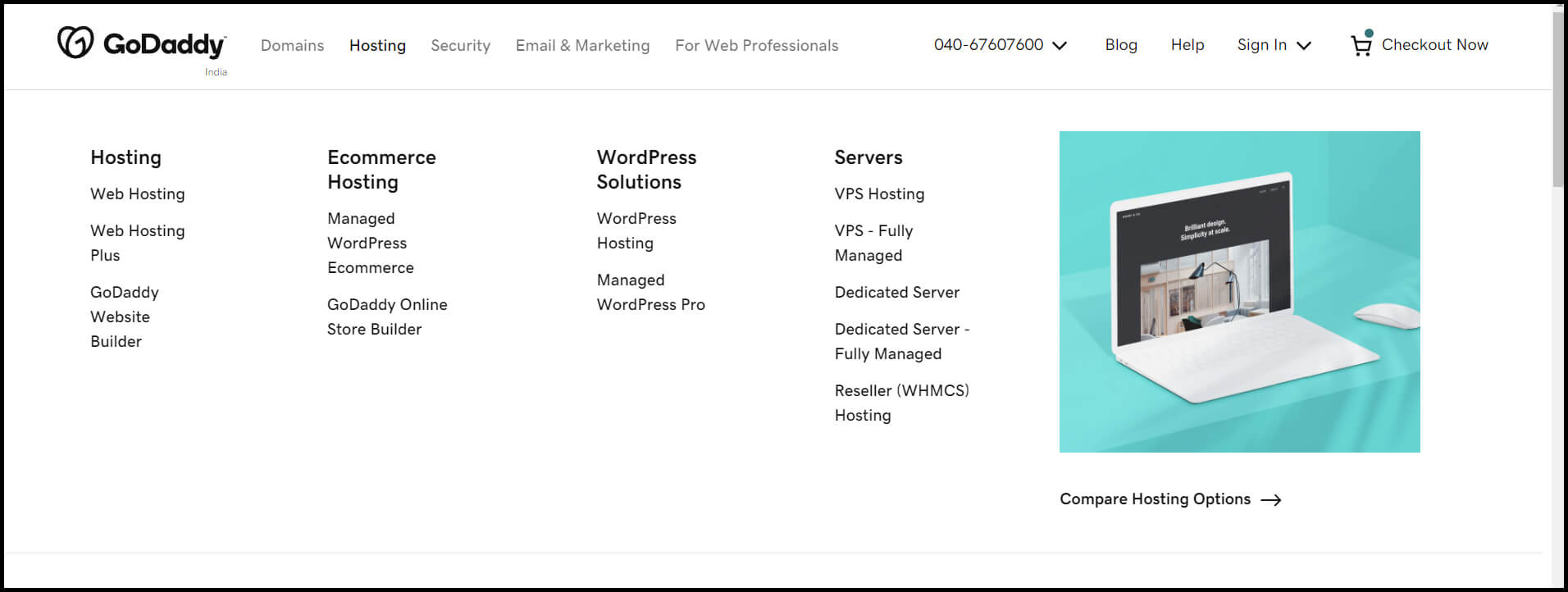
For this guide, we have chosen GoDaddy to create a domain. So first, head to GoDaddy’s website and click on the hosting option. After that, select the WordPress hosting option.
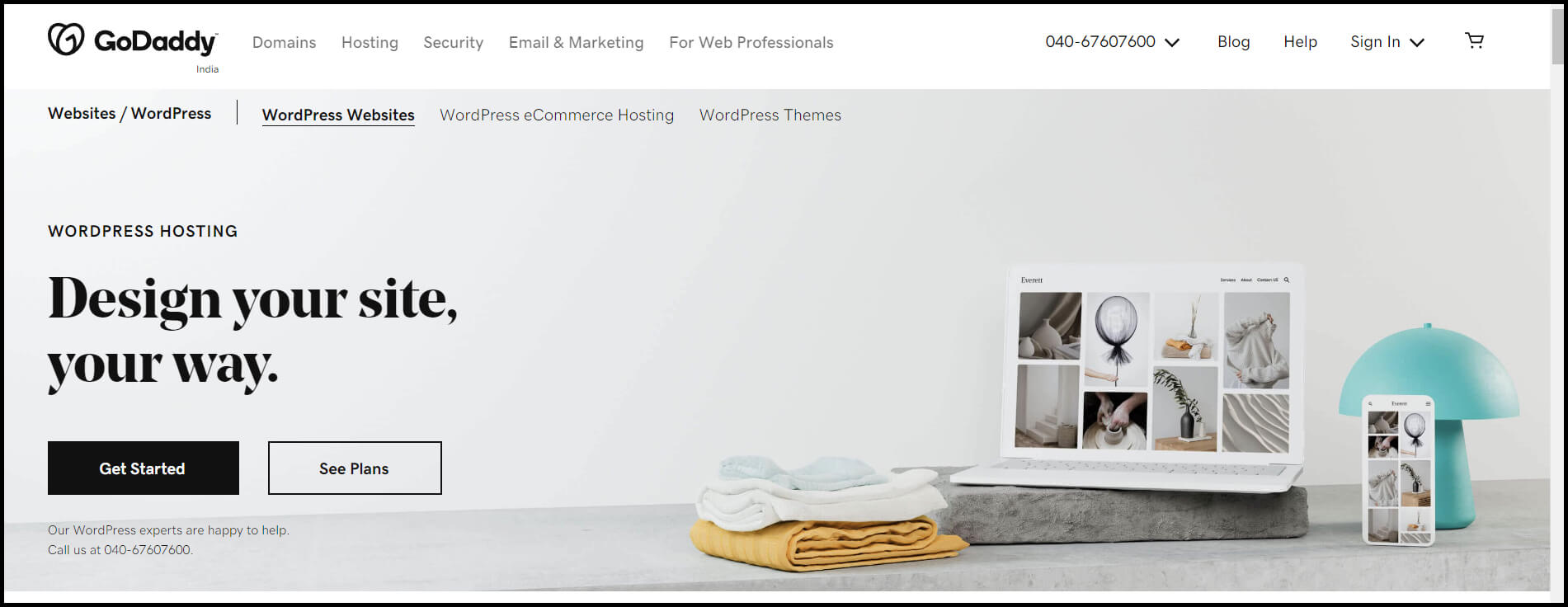
It will take you to a new separate WordPress hosting page. From there, click on Get Started.
From here, you’ll be taken to GoDaddy’s pricing page to choose any one package from the four available options. Choose the package and its time duration you find most appropriate for your purpose & click on the continue button.
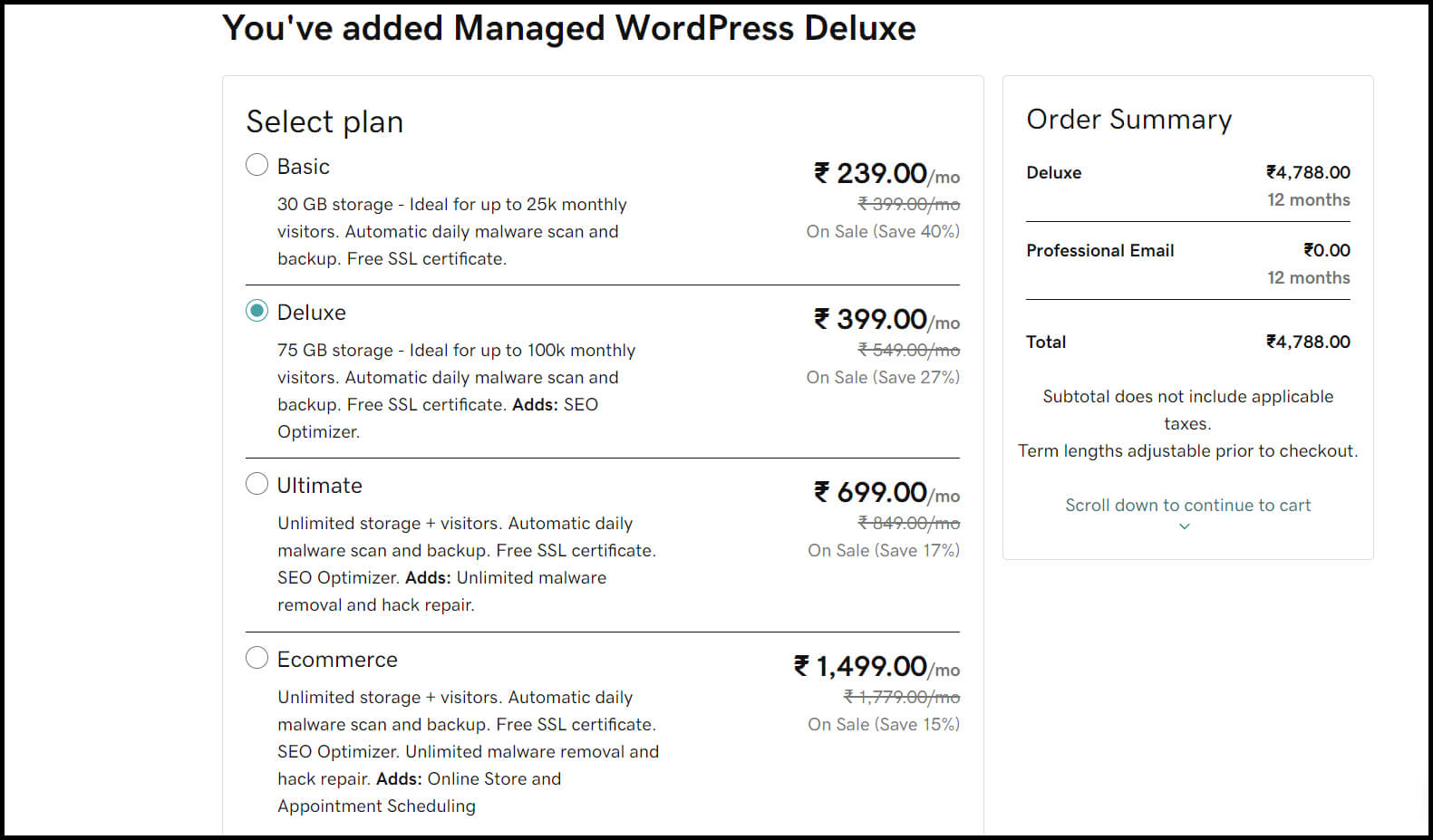
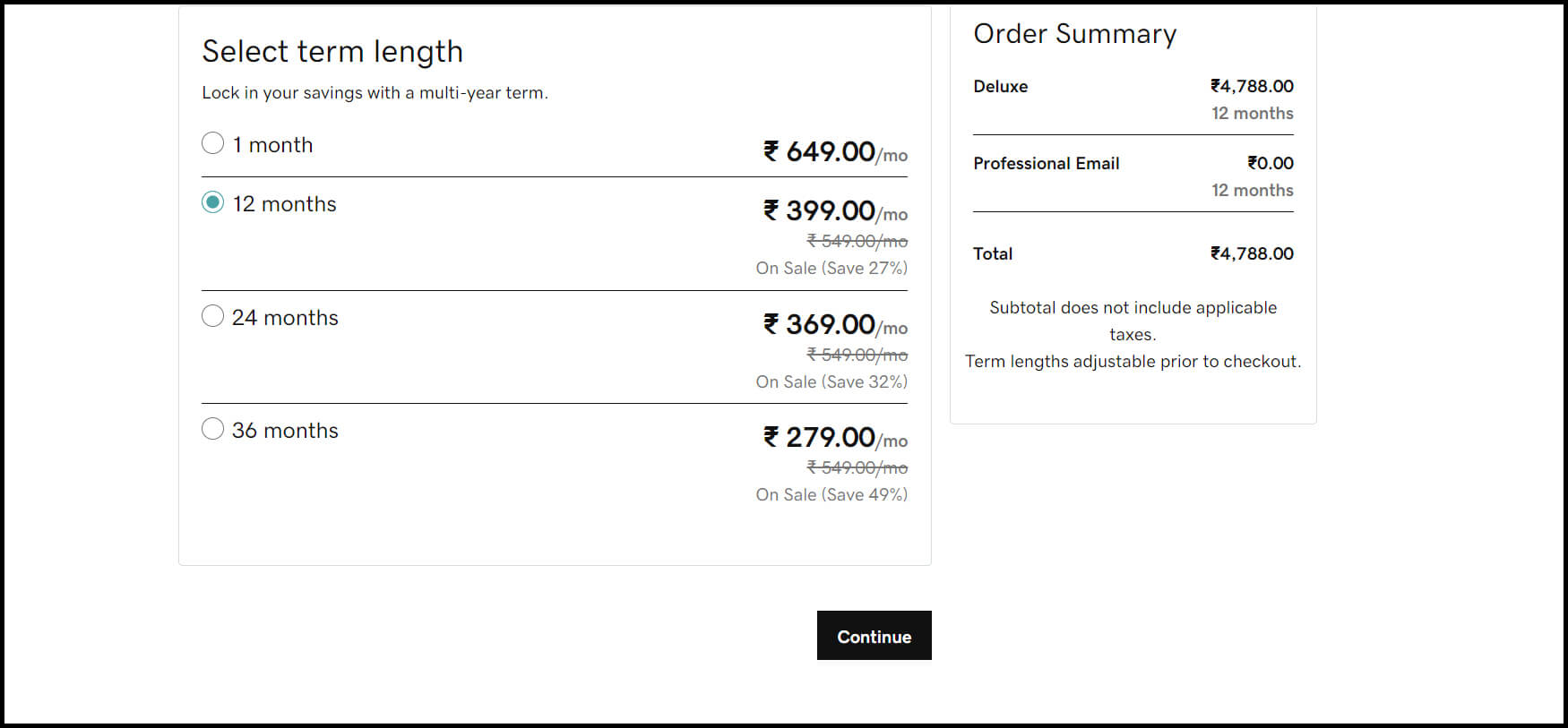
It will take you to another page where you can sign up with your domain name. On this page, you will find a rectangle box. In that box, you can write the appropriate domain name for your site & click on submit button.
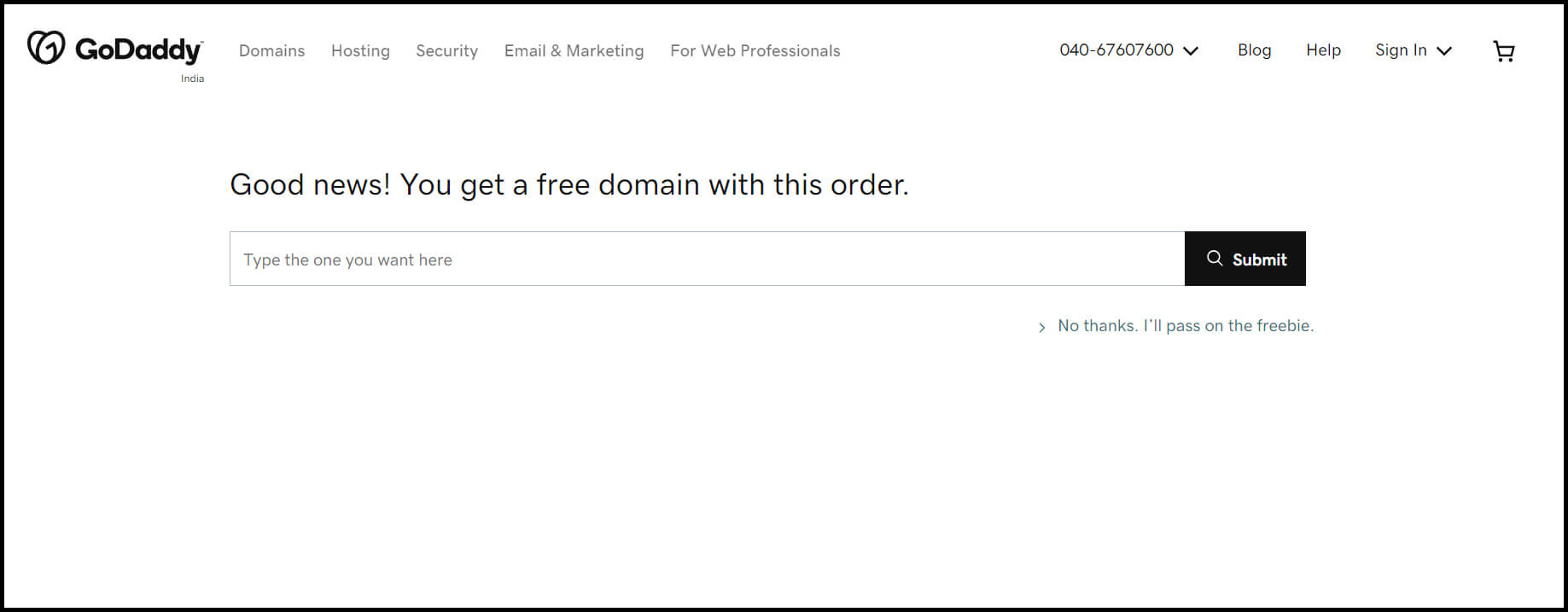
After selecting a domain name, you will be brought to another page to complete the purchasing process.
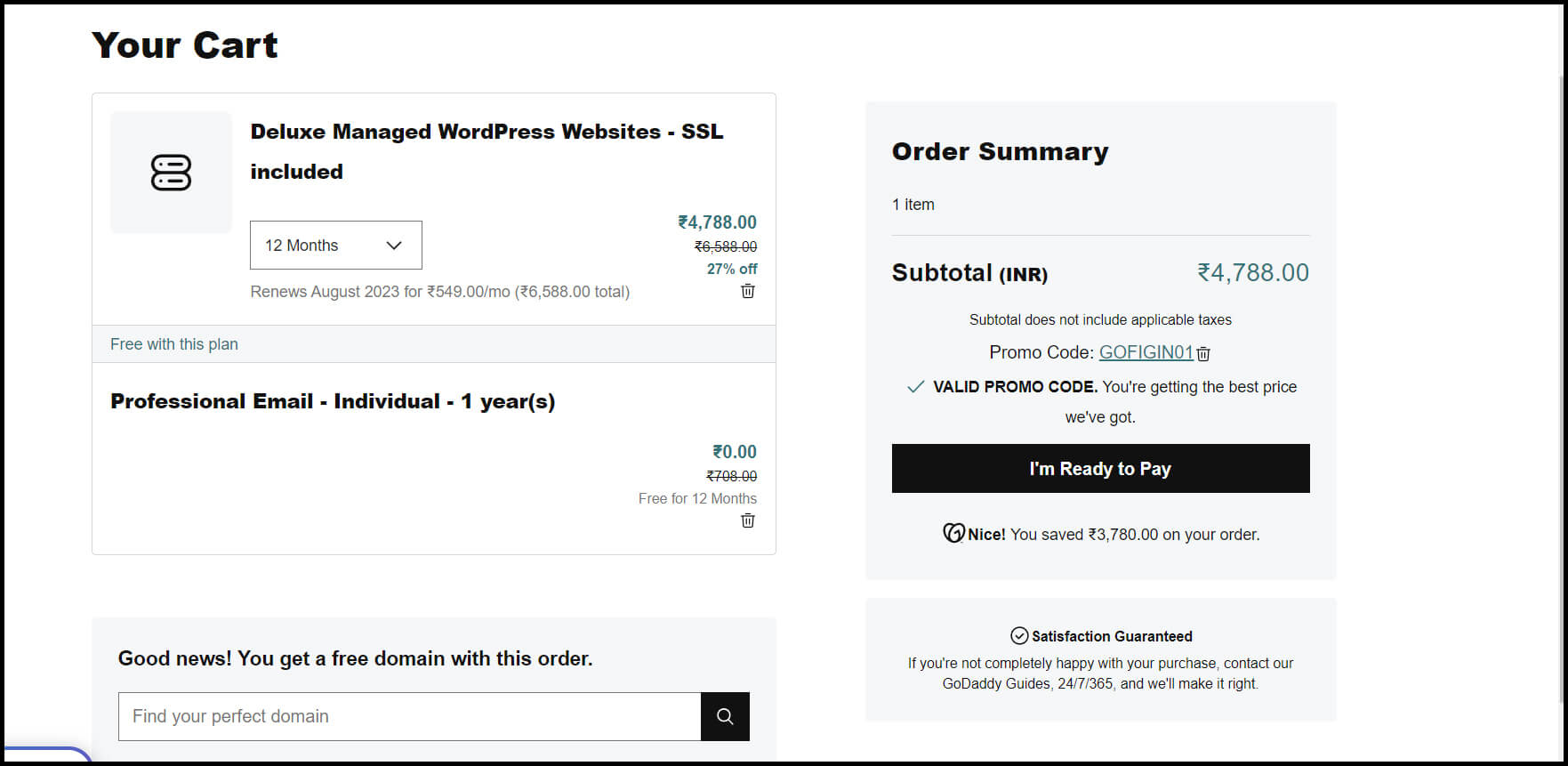
Once you click on, I’m ready to pay you will be brought to another page. Here, you have to sign in to create your account.
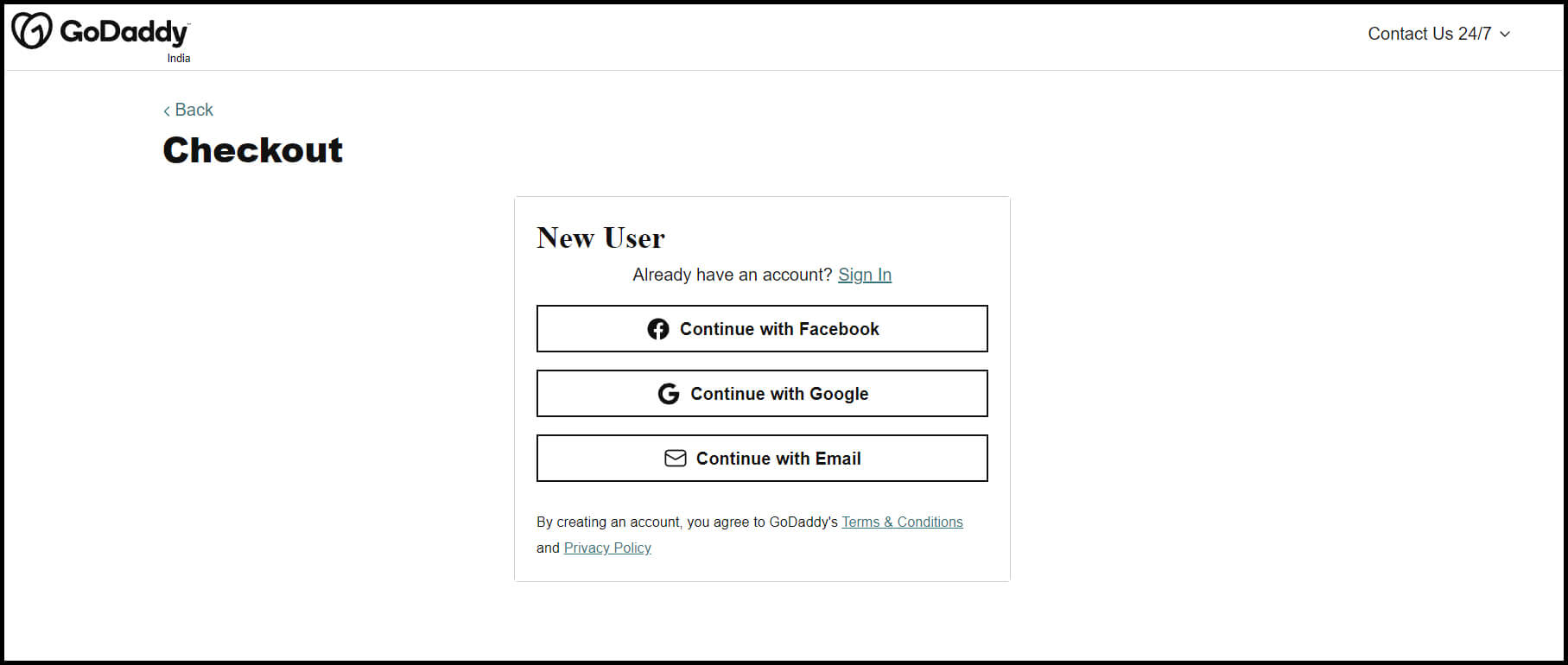
Once your account gets confirmed, you can complete the payment for your domain & hosting purchase. Now, you have complete access to your hosting dashboard. Hence, you can start the process of installing the WordPress CMS.
3. Install the WordPress Software
In the last step, we have learned how to get hosting & domain name for your WordPress site. Now it’s time to learn how to install WordPress to connect your new domain to your website. And this time also, we will use GoDaddy as an example for this guide.
To start this process, first, log into your GoDaddy account. After that, click on Web Hosting and then the Manage option. It will take you to a new screen where you can find your account details. Scroll down that page to options & settings. Here, you will see an area that showcases Popular Apps. From these apps, find WordPress and click on it to begin the installation process.
Once the WordPress installation gets complete, you’ll need to answer some of the questions. These questions are about:
1. Which domain do you want to use?
2. In which directory do you want to install WordPress?
3. Your domain information.
After about 24 hours, you will receive an email from GoDaddy. It indicates that your website got installed on your hosting account.
4. Select a Theme that Best Suit Your Purpose
Now that you have your domain set up & WordPress installed, you can start customizing your website. For that purpose, you can utilize numerous WordPress themes & templates. Each WordPress theme has a pack of layouts, formatting styles, colors, fonts, & many other visual options.
You can choose any free or paid theme available on WordPress that is most suitable for your website. And for that, you have to head to your admin dashboard. From there, click on Appearance and then on Themes.
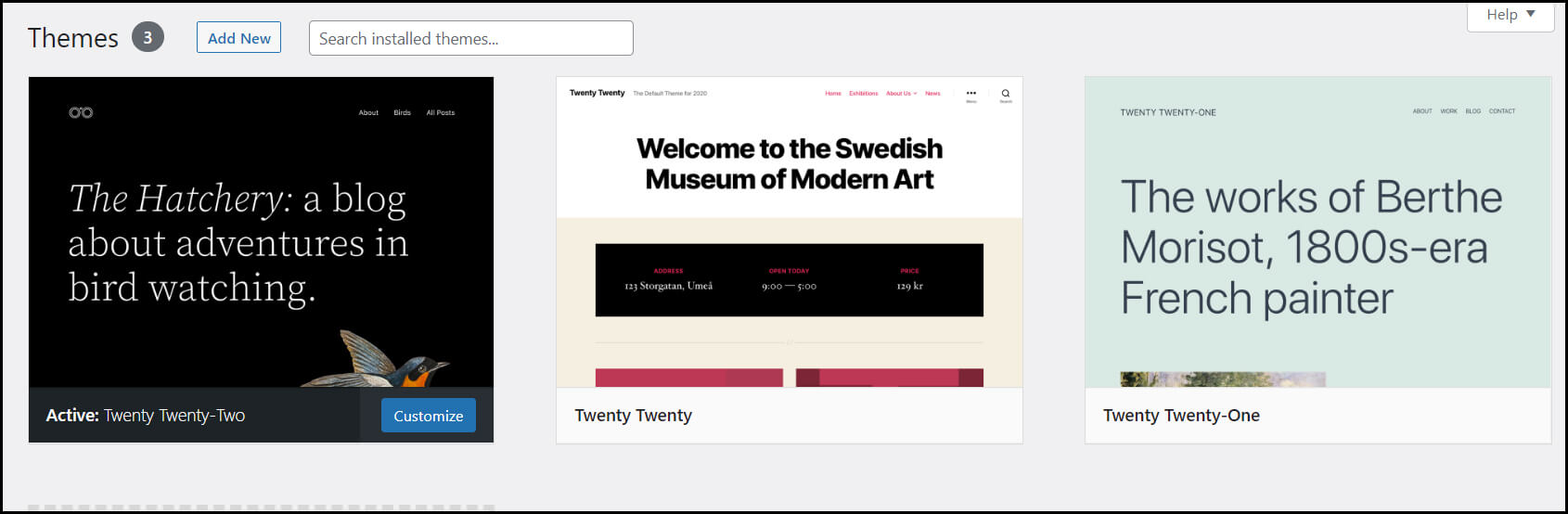
It will take you to another screen where you can browse available themes. Once you find the perfect theme from your browsing, install it to start the customization of your site. After installing the theme you choose, you can customize it by clicking on the Customize Link.
You can find this Customize Link option under the Appearance menu. It will provide you with the Theme Customizer. The Theme Customizer will allow you to change your theme settings with the live preview of your site.
Now, we will learn how to add content to your WordPress website.

5. Adding Posts and Pages to Your WordPress Site
Content holds so much importance in developing any website. It defines your purpose, your goals, & visions behind creating this particular website.
In WordPress, you can get two default content types; posts and pages.
Posts are a significant part of the blogging functionality. It appears in reverse-chronological order(the latest items will display first) on either pages or in a dedicated blog section.
While pages are static, they won’t change unless you edit them to make changes. About page, the home page, and the service page are examples of different pages.
You can add posts and pages to your website by following these simple instructions:
First, we will learn to add pages to the website. For that, go to the admin dashboard, then head over to Pages. In the Pages option, you will find the Add New option. Click on it, and you will come to the page editor screen.
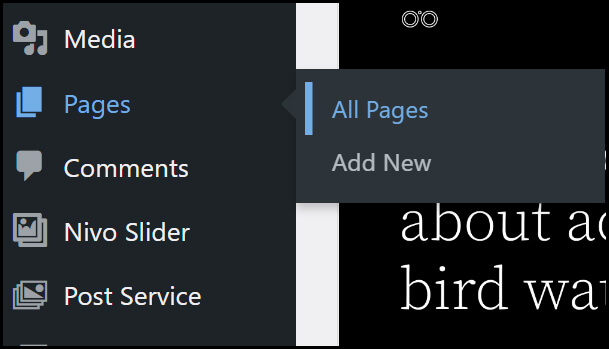
On that screen, you will see a box/space where you have to write down the title for your page. You can then add appropriate content in the tax editor below. Here, you can write text, add links or images, embed video, audio, etc.
Once you are done adding content to your page, click on the Publish button. It will make your created pages live on your site. Repeat this process if you want to add more pages to your website. Read more about WordPress Page Builder Plugins by following our blog: 10 best drag & drop WordPress Page Builder Plugins Comparison.
Just like pages, you can add posts to your website. For example, we will explain to add blog posts to your site.
For that, head over to the admin dashboard & then go to Posts. You can see the Add New option in the Posts option; click on it. It will take you to a new screen that looks the same as you have seen while adding pages.
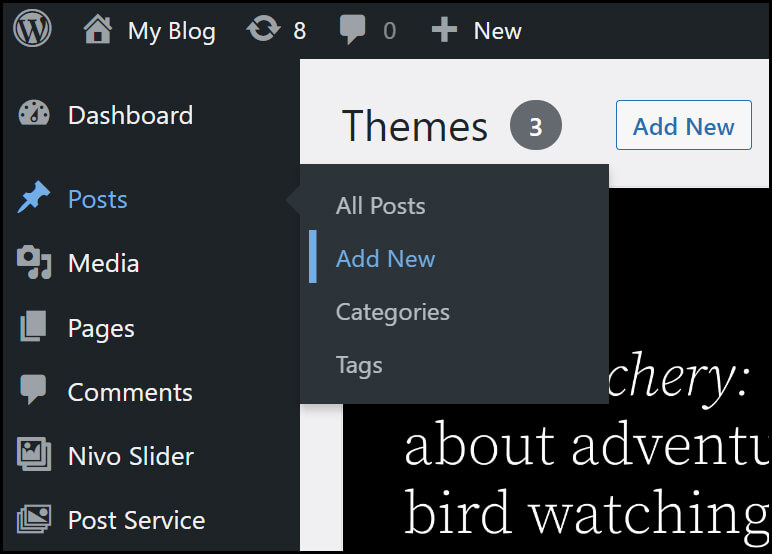
Here, you can add the post title as well as the content in the visual post editor. After adding content to your post, click the Publish button to make it live on your site.
6. Customizing Your Website as per Your Requirements
After creating content for your WordPress site, you need to provide more focus on its customization. It will provide your site with good looks and functionality to attract users to it.
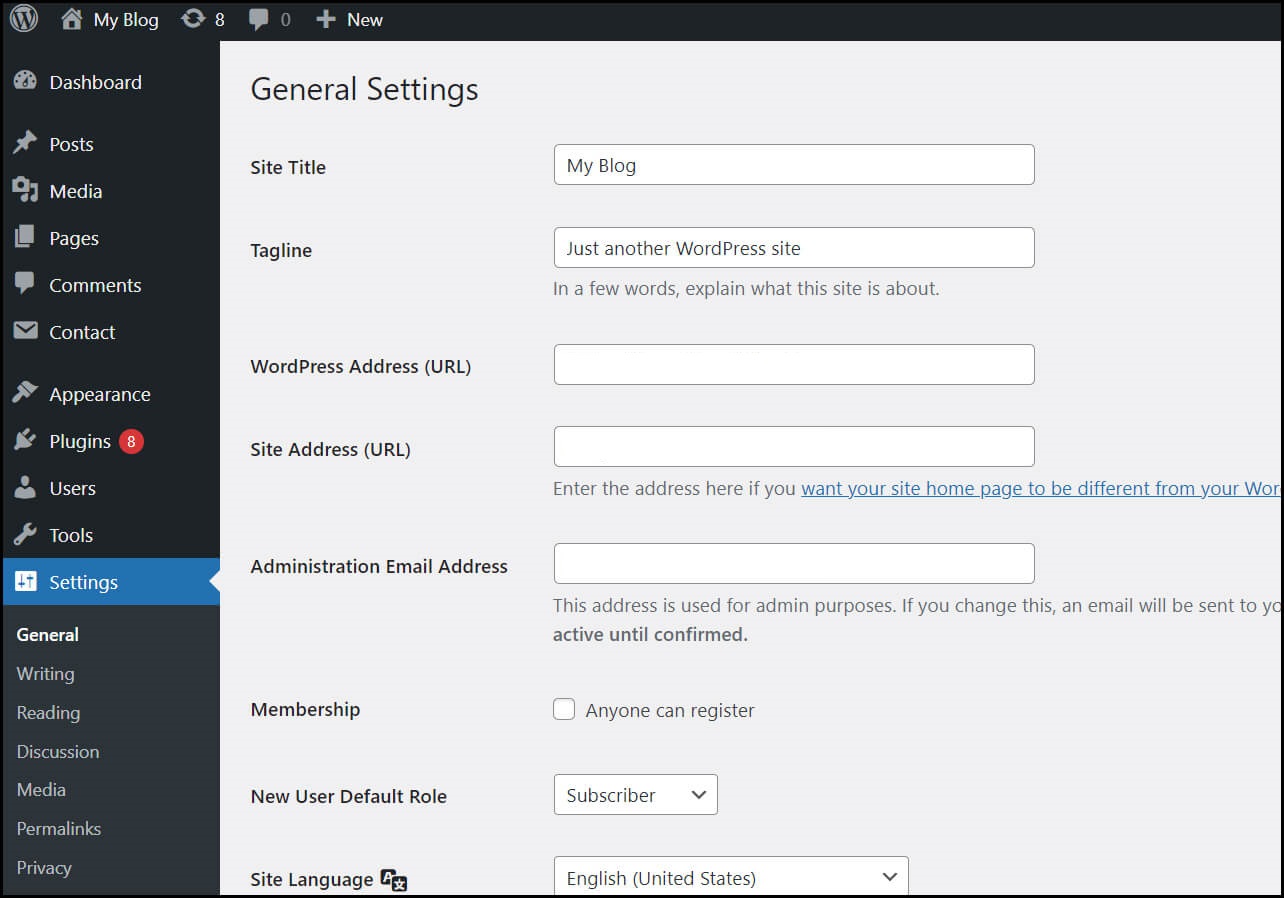
You can start the customization process by setting up your site title. For that, go to your admin dashboard and select Settings> General. Here, you can fill in the details like your website title & tagline. Besides, you can also add some other basic site details like your site URL, email address, time zone, etc.
After that, you can set up your Reading section. For that, go to the admin dashboard, click on the Setting option, then click on the Reading page. Here, you will find the Front page displays option. Among these options, click on the static front page & then select the pages you have created earlier.
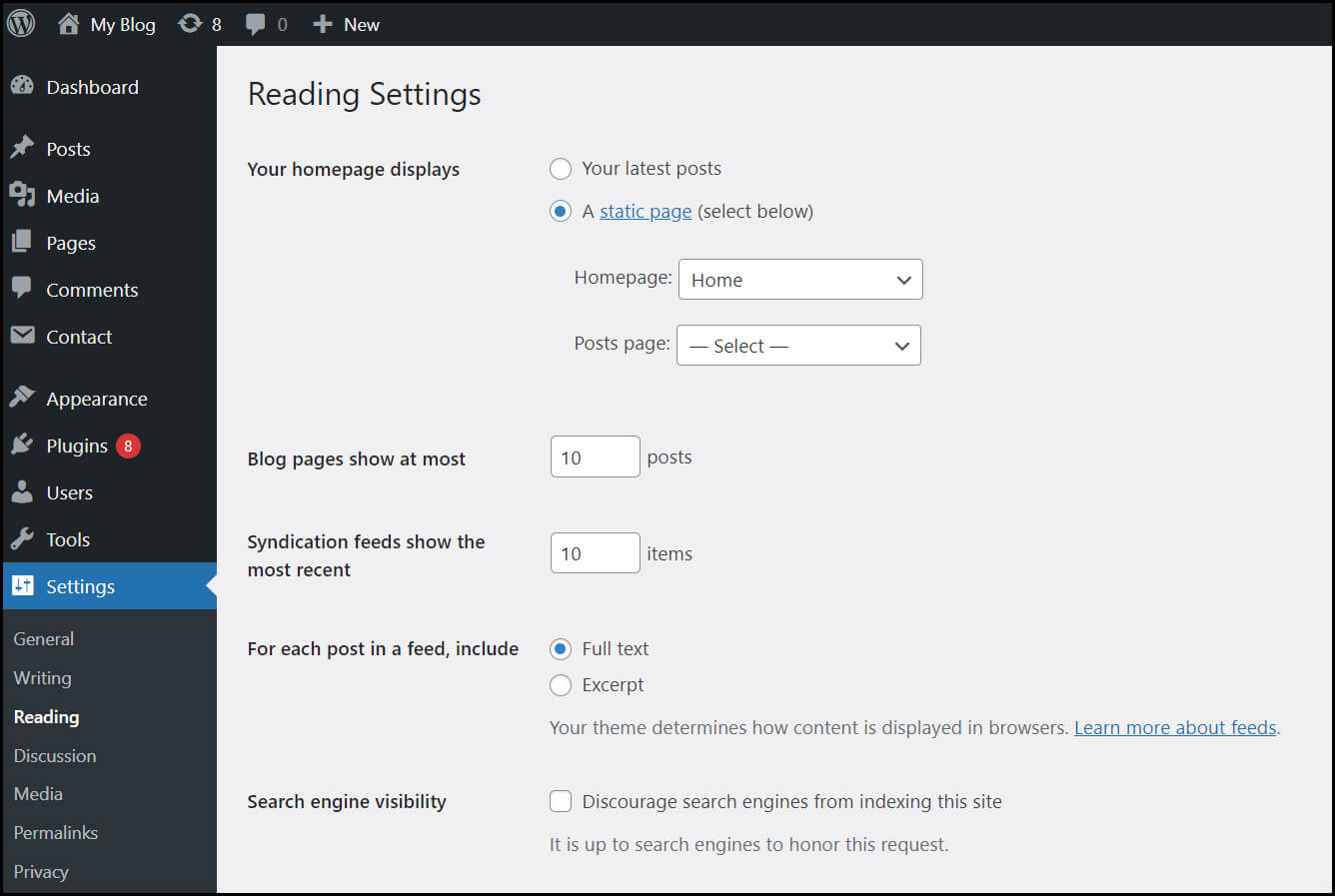
After completing it, don’t forget to click the Save Changes button to store your changes. Now, WordPress will use the page titled your home page as your site’s front page and blog page to showcase your blog posts.
Apart from this, you can customize your navigation bar too. It will facilitate your site visitors with easy access to the information available on your site. To add a navigation bar to your site, click Appearance> Menus.
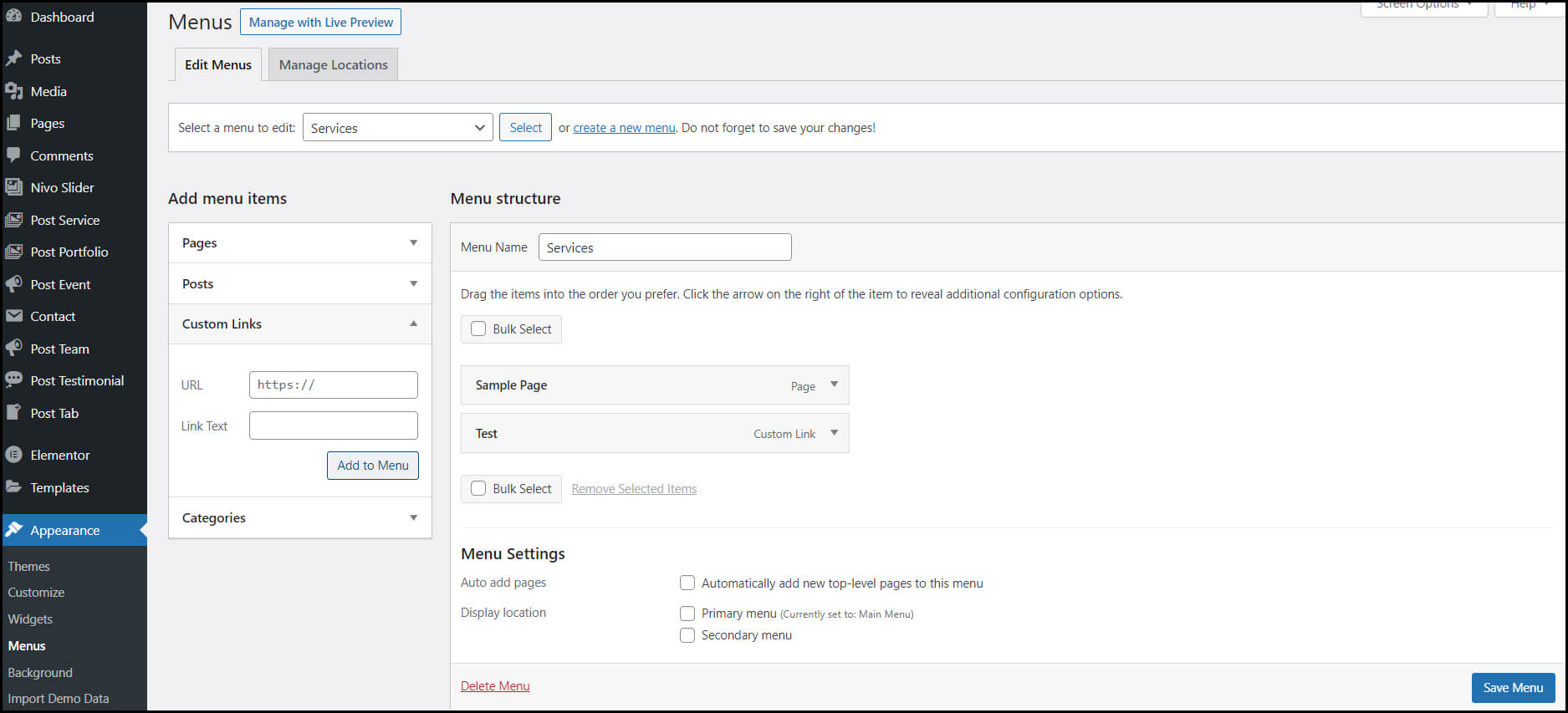
On the Menu page, you can determine the look of your navigation bar. Plus, you can add the title & the order of the pages you want to showcase on the navigation bar.
All these customization options are just a fraction of what you can do in the dashboard. You can find even more options if you properly explore it.
7. Install Plugins to Add Functionality to Your Website
In WordPress websites, plugins work the same as the apps on our smartphones. They allow you to add features & functionality to your WordPress site. There are around 55,000 plugins available on WordPress.
Yoast SEO, Google Analytics, Wordfence Security, UpdraftPlus, Weglot, & WPForms are some of the examples of famous plugins. They are for various functions & needs.
However, it would be best if you didn’t use too many plugins on your site. It will slow down your website speed & damage its performance on Search engine ranking pages.
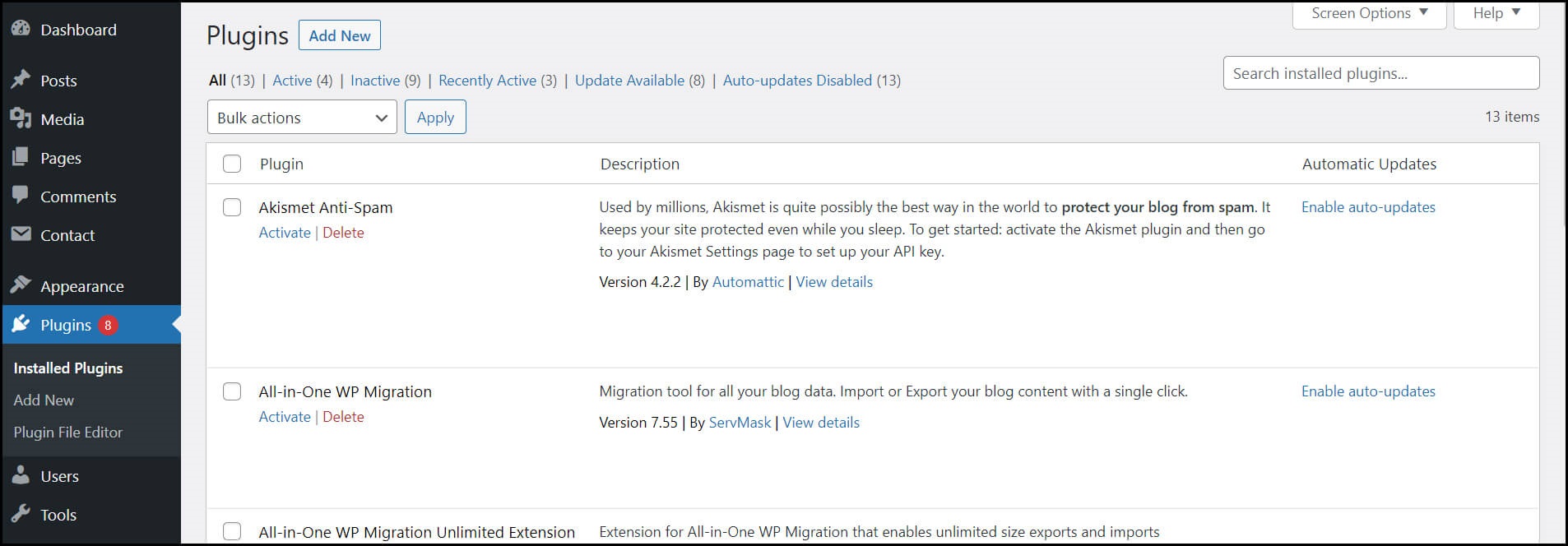
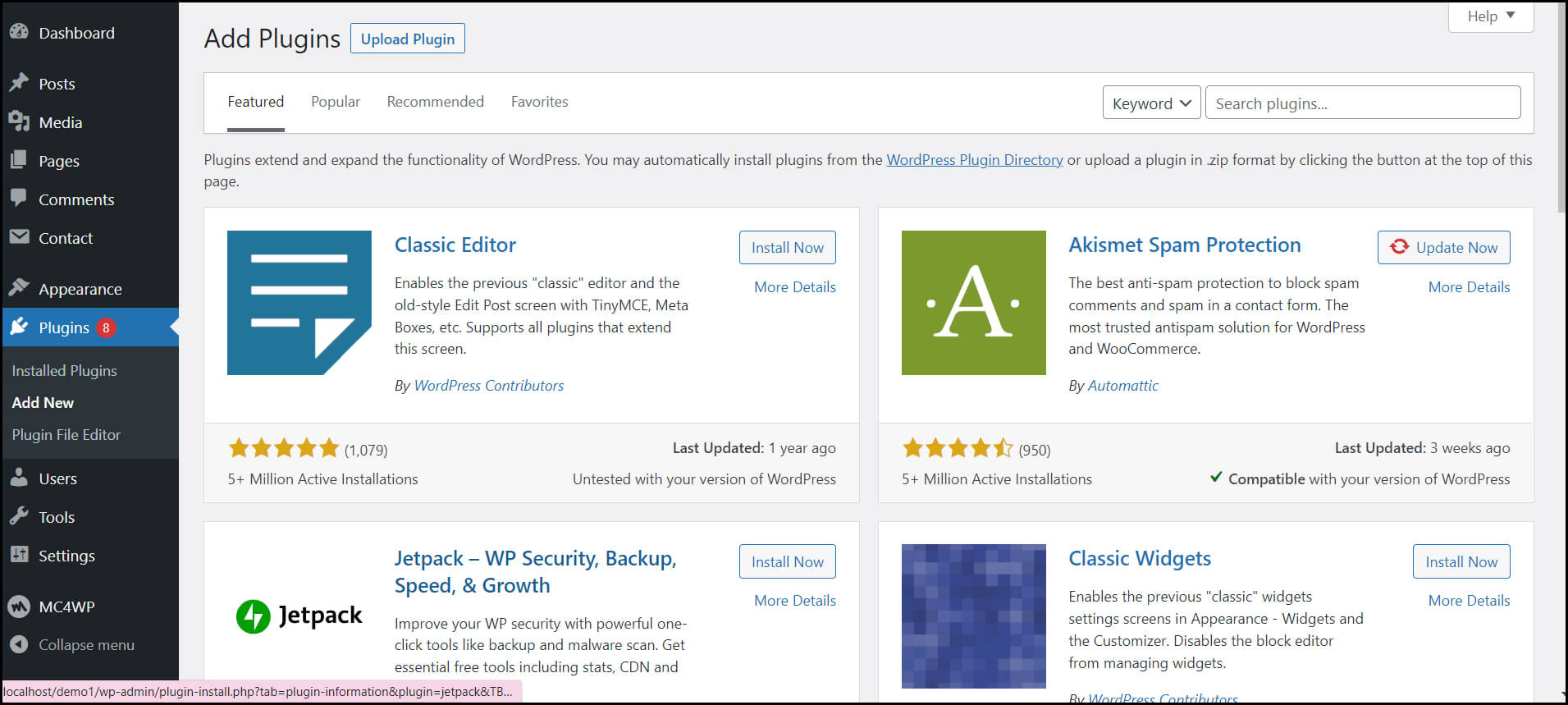
You can easily install the plugins from your WordPress dashboard by clicking on the Plugins page. Here, you can click on Add New & write down the name of the plugin you want in the search field. After that, click the Install and Activate button to complete the process.
8. Increase Your Page Loading Speed by Optimizing Your Website
The success of any WordPress website lies in its page loading speed & user experience. It can be frustrating for your visitors if your site’s page takes a long time to load. They can even drive back to your competitor if you don’t improve your site performance.
And to improve your site performance, you have to enable browser caching. It is a process of storing your website data in your visitor’s browser for a temporary period. As a result, your content does not need to be sent from the web server to the browser. Thus, it can significantly increase your website speed.
However, to enable caching for your website, install & activate a caching plugin on your website. You can do this process by following the previous step.
9. You can Get Inspiration from Prominent WordPress Websites
WordPress provides so many customization options. So, it is okay to feel overwhelmed during WordPress website development.
However, you can take inspiration from well-known WordPress sites to overcome this situation. It will give you a better understanding & clarity for site development.
Hence, it helps you in making your site more attractive & engaging.
10. Don’t Forget the Marketing of Your Site
The last & most important step in WordPress website development is proper marketing of your site. For that, you have to utilize SEO, SMO, & other marketing techniques. These techniques will increase traffic to your site. Plus, they also improve your website ranking on Search Engine Result Pages(SERPs).
If you still feel like developing a WordPress site is difficult, you can Hire WordPress Developers from us for this task. But then again, you’ll have this question in your mind:
How to Hire Competent WordPress Developers for Your Project?
Hiring professional developers for your WordPress project development can be a smart move. When you don’t have any developmental knowledge or don’t want to hire in-house WordPress developers. Help from dedicated WordPress developers will save you time, money & delivers you quality work. Follow these below-mentioned steps while hiring WordPress developers.
- Consider your project needs
- Carefully consider the cost involved
- Check the website of the WordPress development service provider company
- Look at their portfolios & case studies
- Consider online reviews & testimonials
- Schedule an interview with them
- Don’t forget the paperwork
Read More: The Expectation V/S Reality of WordPress Web Development
Conclusion
In the prevailing time, a high-functional & user-friendly WordPress website is the reason behind the success of a business. A website is a medium that connects businesses with their potential customers. It increases the revenue of a business by increasing its conversion rate.
However, to attract customers, a business would need an engaging website. And building a user-friendly website is a challenging task. But with the help of WordPress software, you can fulfill this task. It is the most versatile & easy to use software for building bespoke websites.
Nevertheless, if you aren’t capable or willing to build your website yourself, you can hire a Custom WordPress Development Company for this task. At Windzoon, we have everything you’ll need for your project. Hire WordPress Developers from us, and get relaxed by leaving your project development worries to us
Contact us to get a quote or know more about our wordpress website packages.