They claim that the world now lies in our hands and knowledge is at our fingertips. There is no doubt about it. The increasing use of the internet and applications has completely transformed how we connect with others, share information, and live our lives.
The majority of people’s time is spent online or on apps. It could be done for a variety of purposes, such as making a purchase, using a service, reading a blog, having fun, or anything else.
Given the amount of time people spend on apps, the majority of businesses want to have their own apps. If you are one of these businesses, you should consider leveraging Flutter and Flutter App Development Company.
Currently, Flutter is one of the well-liked open-source software development kits that makes it simple and easy to create cross-platform apps. In this article, we will provide you with an in-depth insight into the Flutter app development platform.
However, before we begin our discussion, let’s learn about some basic terms that will help you understand this topic well.
- Some Common Web App Development Jargon
- What is Flutter?
- What Programming Language is the Foundation of Flutter?
- What Kind of Apps Can You Develop with Flutter?
- What Kind of Apps are not Suitable to Build with Flutter?
- What Makes Flutter Different from Other App Development Frameworks?
- Advantages of Flutter Framework
- Disadvantages of Flutter Framework
- Popular Applications Built Using Flutter
- Conclusion
Some Common Web App Development Jargon
Following are the three common web app development terms.
Library:
It includes several reusable user interface (UI) components, such as sliders, buttons, codes, and text input, that you may use in your app to carry out a variety of common functions.
Framework:
It is the architecture or structure of an application. However, it comprises numerous tools that create the foundation of an app, requiring you to write code to complete the entire structure and get the required results.
SDK:
It consists of a variety of tools that will meet all of your software development needs, including libraries, documentation, APIs, frameworks, and many more.
Now, let’s get detailed knowledge about Flutter framework technology.
What is Flutter?
Google introduced the open-source technology Flutter in 2017. It enables you to create cross-platform mobile apps for Android, iOS, and Windows from a single codebase.
Flutter is neither a framework nor a library; it is a software development kit(SDK). Moreover, it provides both its widget-based UI library and SDK. Therefore, everything required to create cross-platform apps is provided by Flutter framework technology.
In a word, Google’s Flutter is a UI toolkit for creating cross-platform mobile applications from a single code base for multiple devices.
Now, let’s get to know about the architecture of Flutter SDK.
Flutter SDK Architecture
Flutter SDK Architecture
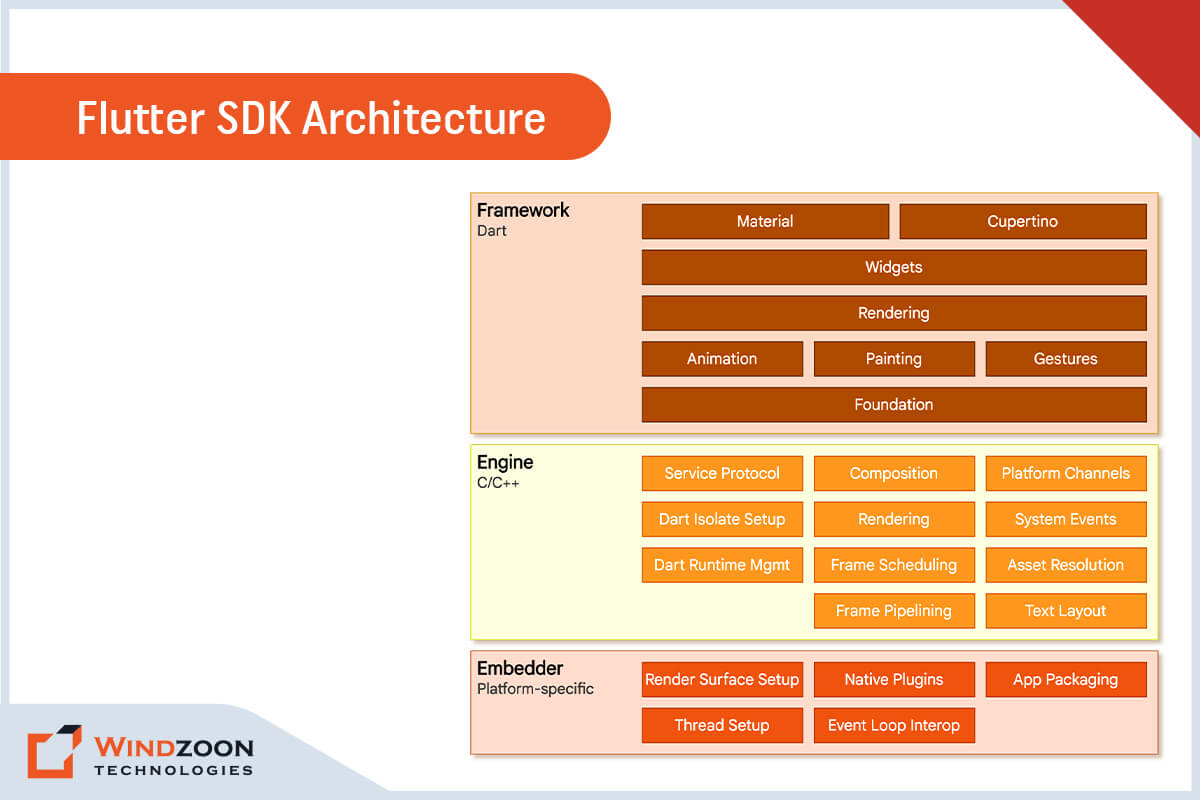
The Flutter SDK includes a rendering engine, testing, integration APIs, and widgets that are ready to use. Flutter’s architecture layer comprises several components, as seen in the graphic below. Let’s examine it and discover how it functions basically.
The primary structural layers are classified into three types. Let’s begin from the bottom and move upward.
Embedder:
It incorporates a platform-specific programming language, enabling the application to run on any platform or operating system.
Engine:
An engine written in C/C++ supports the Flutter core APIs at a low level. The engine includes components for graphics (via the Skia 2D graphics library), text layout, file and network I/O, accessibility support, plugin architecture, a runtime for Dart, and a compilation toolchain.
Framework:
The Dart programming language is the foundation of the Flutter framework. Additionally, it offers a vast collection of libraries that are separated into four categories.
- Fundamental Foundational Classes
- Rendering Layer
- Widgets Layer
- Cupertino Libraries and Materials
Flutter’s Widget-Based UI Library
The development process for Flutter apps is fairly unique due to its declarative UI writing. Flutter’s main objective is to enable developers to construct the whole user interface by merging various widgets.
Widgets are critical components of the user interface in Android, iOS, and classic web apps that follow design standards. The Flutter app interface contains a number of nested widgets that can be any object.
The developer can utilize widgets to customize the app, which applies to everything from buttons to padding. Furthermore, it allows you to change existing widgets and create your own.
App Testing in Flutter
Flutter provides a simple method for testing. It offers an automated testing toolset for its several forms of testing, including unit testing, widget testing, and integration testing.
What Programming Language is the Foundation of Flutter?
The Google-created Dart programming language serves as the foundation for the Flutter SDK. It aims to replace traditional JavaScript. Dart programs can be run directly on a server, but in a browser, they are transcompiled into JavaScript using the Dart2js transcompiler.
Dart is used to creating apps for Google’s new platform, Fuchsia. It has a structure that is reminiscent of popular object-oriented programming languages like Java or C#.
After learning about what exactly Flutter is, let’s see what kind of applications you can and can not build using Flutter.
What Kind of Apps Can You Develop with Flutter?
Flutter is an excellent choice for developing 2D cross-platform apps that will run on both iOS & Android devices. It is already being used by numerous organizations worldwide, including some Fortune 500 corporations.
With the release of Flutter 2.0, you may now construct the following:
- Android and iOS cross-platform mobile applications
- Web apps, such as Progressive Web Apps (PWAs) and Single-Page Apps (SPAs), as well as the web-based expansion of current Flutter mobile apps
- Desktop apps with Flutter 3.0 (Windows, Mac, and Linux)
What Kind of Apps are not Suitable to Build with Flutter?
Flutter has severe limitations in terms of video apps. Because of this, Flutter is unsuitable for applications that require UI rendering.
Additionally, Flutter isn’t ideal for apps that closely interface with the hardware that powers them. These apps, like mobile stock market apps, require extensive performance optimization.
Furthermore, if you are developing an augmented reality (AR) app, you should avoid Flutter. AR demands deep integration with native systems; therefore, creating a cross-platform app would be useless.
What Makes Flutter Different from Other App Development Frameworks?
Have you ever created a mobile app with a cross-platform framework like React Native or Xamarin? If so, you would be aware that before your code is rendered on the device, it will pass through a bridge or switch that converts it into a WebView using JavaScript.
But Flutter renders apps natively rather than leaving that up to the platform. All Flutter requires is a canvas to render widgets on the screen and access events like tap and services like the device’s camera.
By using Dart’s capabilities for just-in-time and ahead-of-time compilation, Flutter targets the ARM of the device by converting the code into native ARM code. It improves consistency and makes Flutter apps incredibly fast and responsive.
Advantages of Flutter Framework
Advantages of Flutter Framework
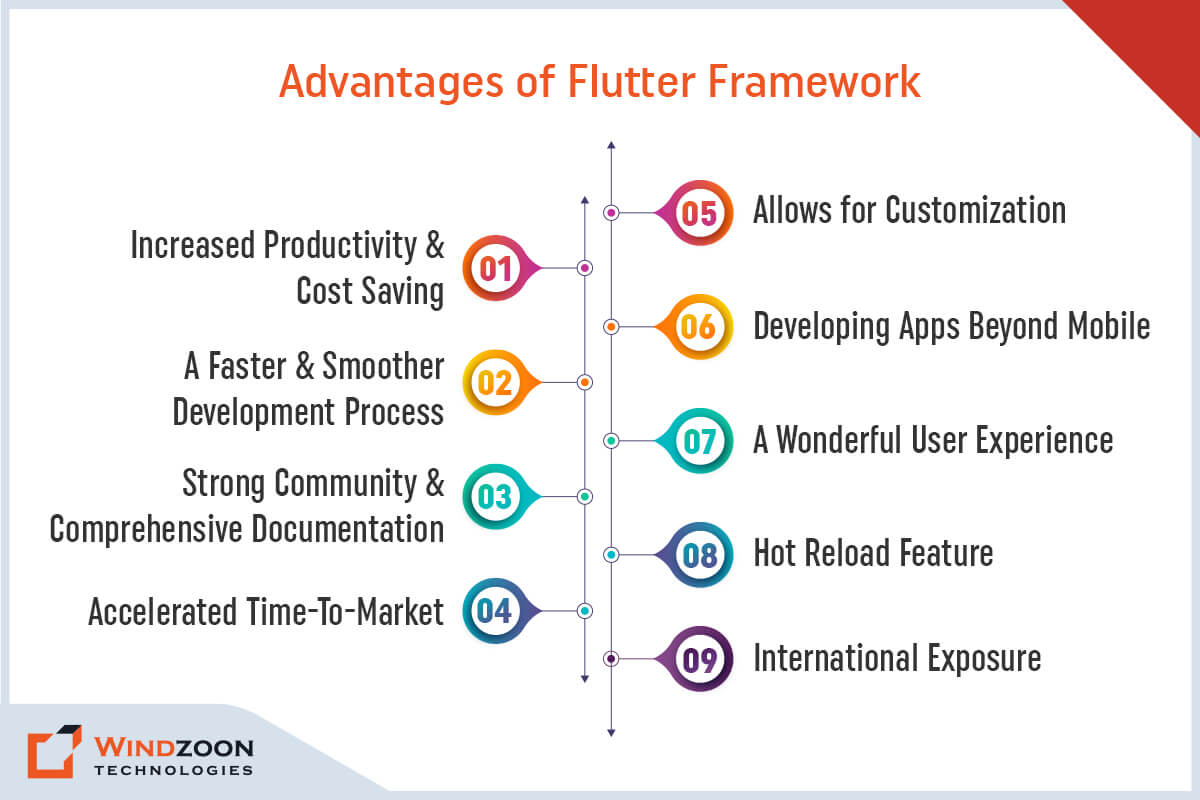
1. Increased Productivity and Cost Saving
Flutter enables developers to construct iOS and Android apps using the same code. As a result, they can save time and costs by avoiding the need to develop two separate apps. The native widgets in Flutter help minimize testing time by ensuring compatibility with various operating systems. It significantly increases the developers’ productivity and allows you to get the functionality of two apps for the price of one.
2. A Faster and Smoother Development Process
Flutter developers can design mobile apps without relying on OEM widgets or a large amount of code, making the process considerably easier and simpler.
3. Strong Community And Comprehensive Documentation
The extensive documentation and tools that aid developers in finding solutions are among the factors influencing many businesses to adopt Flutter. Additionally, Flutter has fantastic community hubs like Flutter Community and Flutter Awesome, where developers can share ideas and find solutions to problems.
4. Accelerated Time-To-Market
As a cross-platform mobile development solution, Flutter significantly shortens app delivery time. Since it makes one code reusable across two target platforms, it aids businesses in reducing delivery times and acquiring users on both Android and iOS.
5. Allows for Customization
One of the most significant advantages of adopting Flutter is the flexibility to customize everything on the screen, regardless of its complexity. Although native platforms also permit customization, it is typically far more difficult to accomplish the same thing.
6. Developing Apps Beyond Mobile
Flutter enables developers to do more than create mobile apps. Flutter for Web and Flutter Desktop Embeddings are further options. Developers can launch Flutter applications in a browser using one of these technologies without changing the source code. Even though the framework’s non-mobile components aren’t yet ready for production, a skilled Flutter developer can run a Flutter app on web browsers, Windows, macOS, and Linux.
7. A Wonderful User Experience
Flutter certainly lives up to Google’s claim that it makes it possible to create a “flexible and expressive UI.” Developers are able to design beautiful user interfaces with the help of a large array of reusable, adaptable widgets. Additionally, Flutter’s native capabilities enable a smooth user experience and exceptional app performance.
8. Hot Reload Feature
Flutter’s “hot reload” feature allows developers to make changes to the code and see the results in the app preview without having to recompile it. In this manner, developers may quickly fix bugs and experiment with other UI elements and functionality later.
9. International Exposure
Businesses looking to enter international markets will be pleased to learn that Flutter supports localization in over 20 languages. With built-in currencies, dates, and units, along with other built-in features, the SDK also makes localizing the software for your app simple.
Disadvantages of Flutter Framework
Disadvantages of Flutter Framework
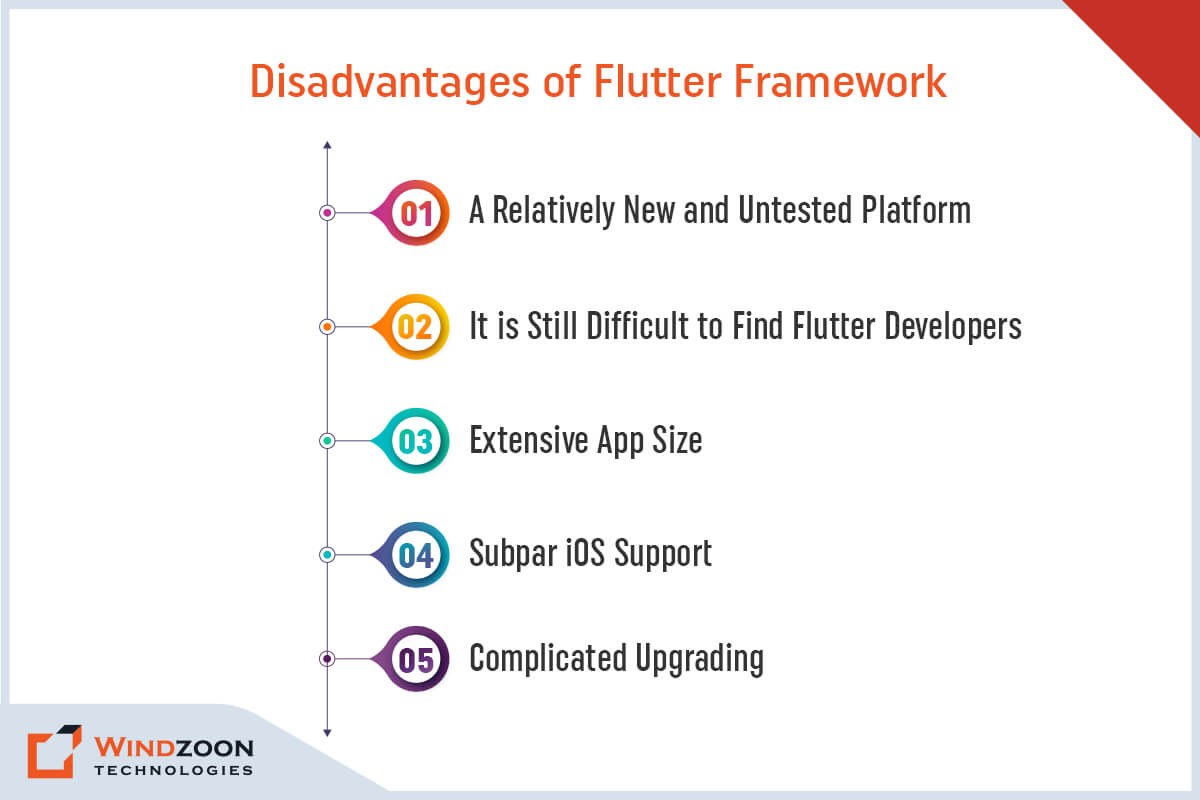
1. A Relatively New and Untested Platform
Flutter is still a new framework, despite its popularity among cross-platform developers. It indicates that few learning resources are available, along with a shortage of plugins and packages.
Thus, developers might need to utilize custom scripts to implement some functions. It will take some time for Flutter to build specific tools, increase functionality, and grow the community.
2. It is Still Difficult to Find Flutter Developers
While Flutter is easy to use, finding developers that are familiar with it might be tough. Flutter utilizes the Dart programming language for app development. Compared to JavaScript, it has a much smaller community of app developers.
As a result, the pool of Flutter-fluent developers will be considerably less than that of other tools and frameworks.
3. Extensive App Size
In software development, there’s always some give and take. Although Flutter offers fast time to market and excellent UI, its apps are usually incredibly large. It might become a concern when creating apps for devices that cannot handle large applications.
However, the size of the Flutter app can be decreased by using particular libraries and packages, asset compression, and the deletion of unneeded resources. Furthermore, you can Hire Flutter App Developers to reduce your Flutter app’s size and optimize its performance.
4. Subpar iOS Support
Since Flutter is a Google product, iOS support is far inferior to Android support. Even the majority of SDK features that operate correctly on Android behave poorly on iOS.
5. Complicated Upgrading
Flutter modules must be updated to stay up with changing programming needs. Since the modules are integral components of the program, they must be rebuilt and reinstalled onto devices.
Read More: Flutter App Performance Tips
Popular Applications Built Using Flutter
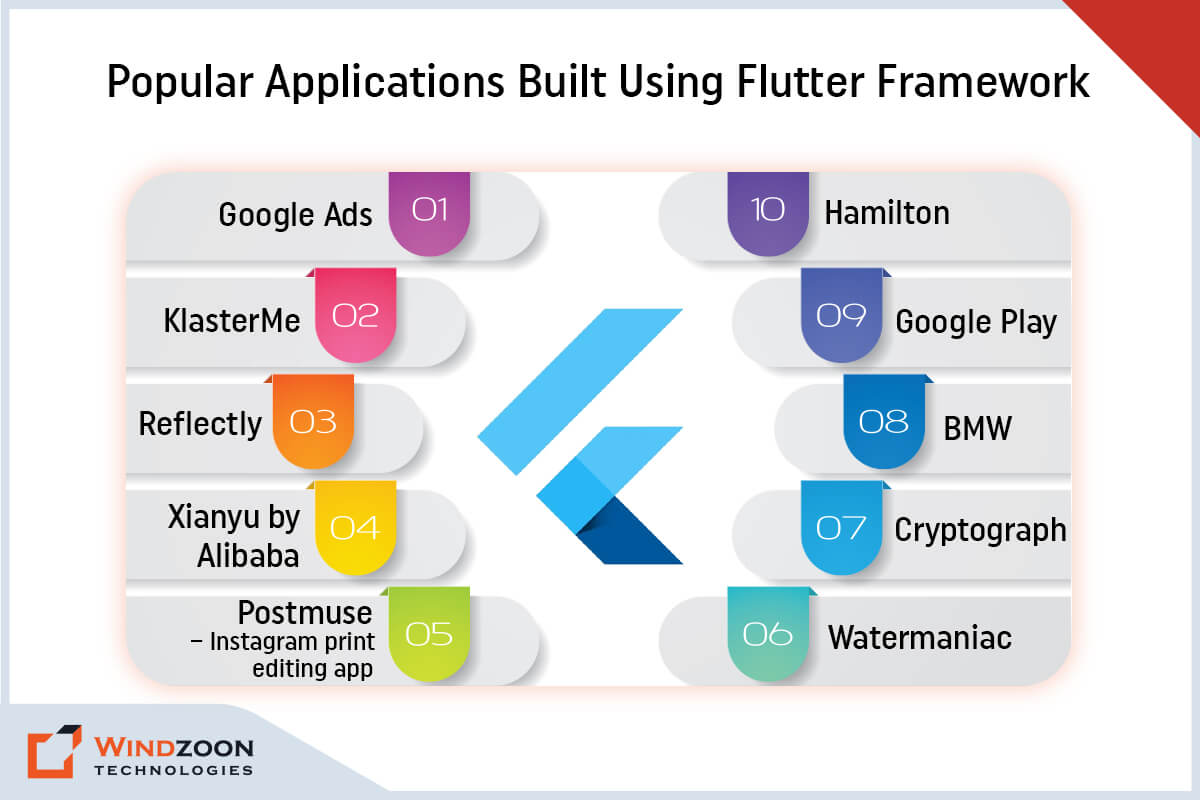
Applications Built Using Flutter Framework
The following is a list of the most popular apps that were built entirely with Flutter or recently upgraded to Flutter.
List of Apps:
- Google Ads
- KlasterMe
- Reflectly
- Xianyu by Alibaba
- Postmuse – Instagram print editing app
- Hamilton
- BMW
- Google Play
- Watermaniac
- Cryptograph
Conclusion
Although Flutter has a few small but real drawbacks, they are outweighed by its advantages. Due to its numerous unique features, Flutter has become a remarkably rewarding and exceptionally powerful tool for app development. These capabilities are expanding even further with the release of Flutter 3.0.
If you want to create a cross-platform application, enlisting the assistance of one of the best Mobile app development companies and utilizing Flutter may be your best option.
At Windzoon, we have a team of experienced developers. They would be delighted to hear your ideas and assist you if you require guidance or assistance as you embark on your app development journey.
Visit wzadmin.windzoon.in/ to learn more about our excellent Flutter App Development Services and to request a quote.