As an entrepreneur, with a vision for your business that extends far beyond the brick-and-mortar storefront. You are aware that in the current digital era, a website is essential for reaching a larger audience and having a more significant impact. However, the idea of creating a website from scratch is daunting.
This is where Wix and Webflow come in. With respective market shares of 3.7% and 0.9%, they are the emerging stars of the website development industry. These website builders guarantee to make the process of building a website simpler than ever. However, how can you choose one over the other?
As a top website development company, we’ve helped businesses of various sizes and industries from all over the world establish an online presence.
This blog post will take you on a journey through the worlds of Wix vs Webflow. We’ll look at their distinctive qualities and key distinctions. And will assist you in making a wise decision about which is most suitable for your business.
Therefore, unwind and let us be your tour guide through the fascinating world of website builders.
So first, let’s start with getting some basic information about web builders.
What is Web Builder?
Website builders are tools that often make it possible to create websites without manually modifying the code. There are basically two different kinds of website builders: offline as well as online.
An offline website builder is software that you download to build a website on your computer. (for instance, WYSIWYG, Mobirise, and Template Toaster)
While web-based online website builders let you develop and edit your website right on the host company’s server. ( for instance, Squarespace, Wix, and Weebly)
Now, we will get to know about Wix and Webflow.
What is Wix?
Wix is a state-of-the-art website builder that makes it simple to create appealing websites, even if you have no design or coding knowledge. It is widely recognized among bloggers, entrepreneurs, and small business owners. And currently used by around 10,839,692 websites.
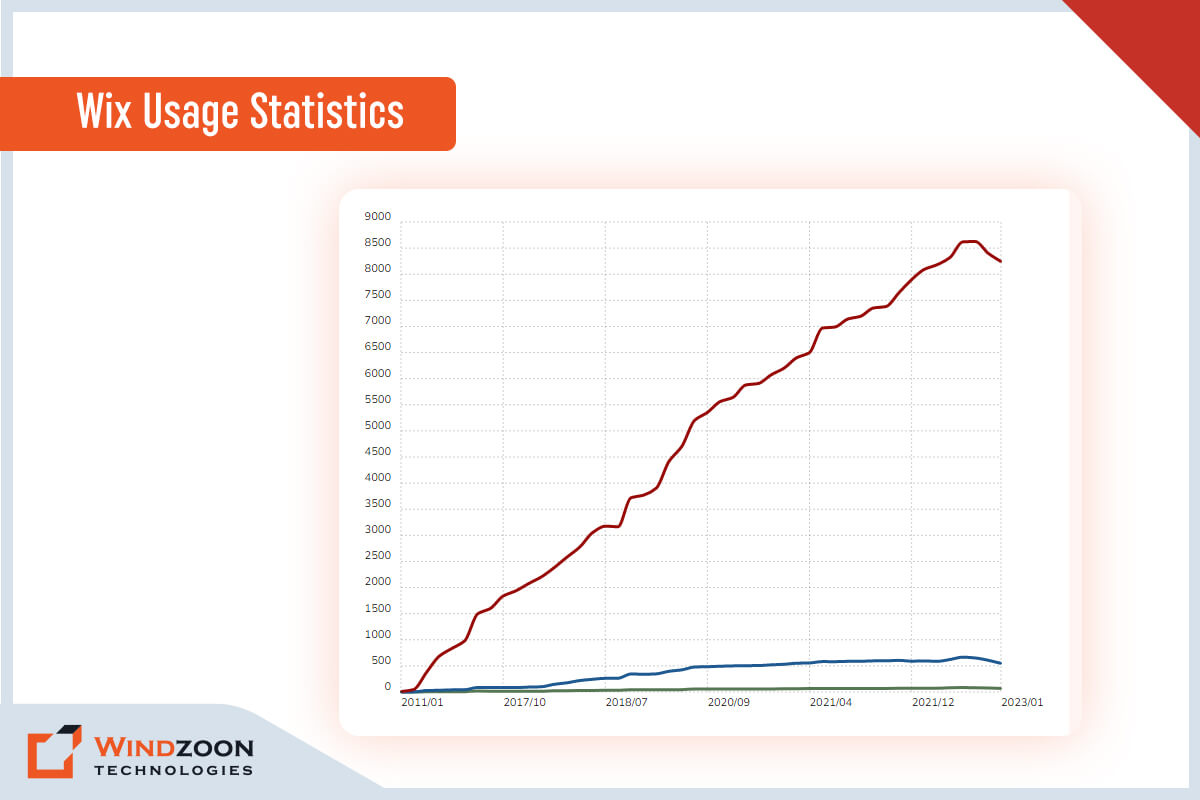
Moreover, the cost-effective Wix plans are worth taking a closer look at if you want to create a website without spending a lot of money. Wix provides both free and premium plans, hundreds of design templates, integrated search engine optimization (SEO), and a full spectrum of in-demand tools that assist you in building an effective and appealing online presence.
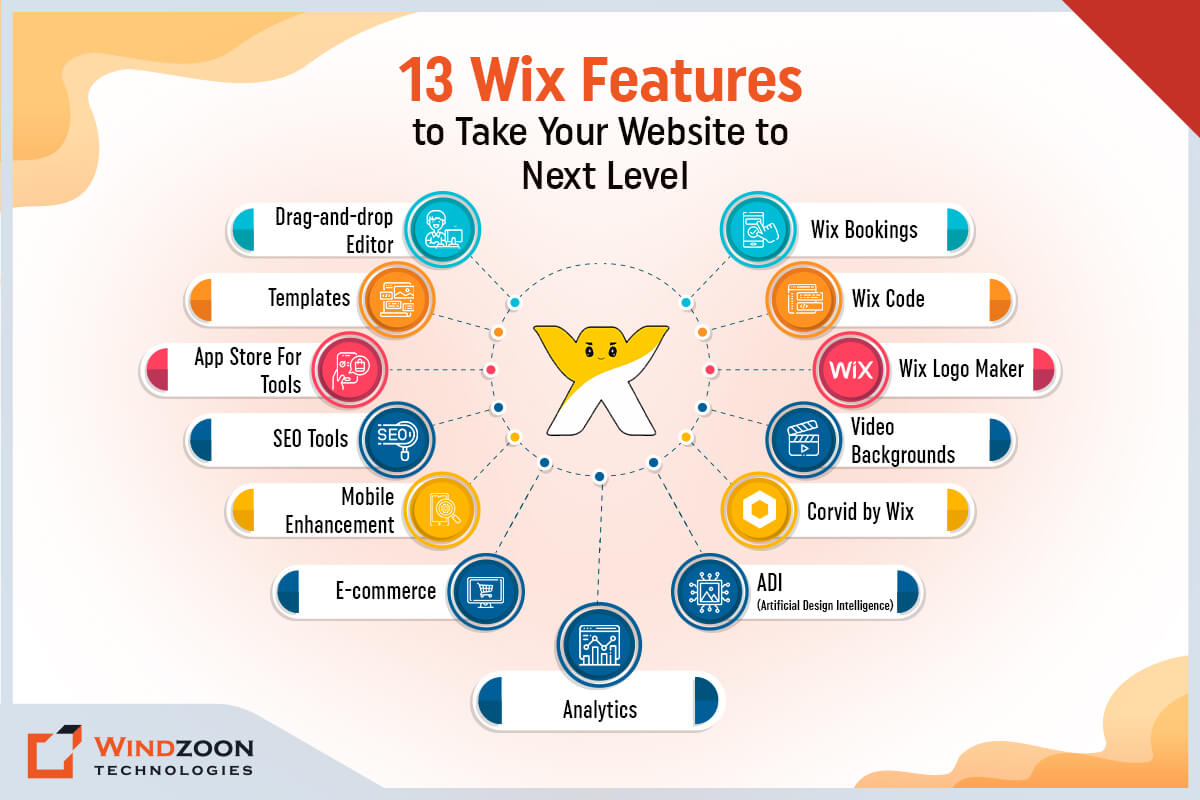
13 Wix Features to Take Your Website to Next Level
1. Drag-and-drop Editor
Wix provides an easy-to-use drag-and-drop editor that allows users to easily add and arrange website elements such as text, images, videos, and more. As a result, beginners without any coding experience can easily establish a website.
2. Templates
Wix provides users with access to hundreds of expertly created templates that can be altered to meet their needs. It saves time and effort when creating a website from the ground up.
3. App Store For Tools
The Wix app market provides an array of external apps that may be incorporated into websites. This includes tools for online bookings, social media integration, email marketing, and more.
4. SEO Tools
Users can optimize their websites for search engines with the help of Wix’s integrated SEO tools. It has resources for meta tags, keyword research, and other things.
5. Mobile Enhancement
Websites built with Wix are automatically optimized for mobile use, making sure they look great and work well on all screen sizes.
6. E-commerce
Wix comes with integrated e-commerce features that let customers build an online store and sell goods straight from their website.
7. Analytics
Wix offers in-depth data on user behavior and website traffic, which users may use to enhance the functionality and usability of their websites.
8. ADI (Artificial Design Intelligence)
The ADI function of Wix employs artificial intelligence to build websites based on a user’s responses to a few straightforward questions. It is an excellent solution for those who do not have the time to create a website from scratch.
9. Corvid by Wix
Wix’s open development platform, Corvid, enables users to create sophisticated web applications and unique integrations. Developers that wish to build complicated web applications or combine their websites with outside services will find this functionality to be very useful.
10. Video Backgrounds
With the help of Wix, users can add video backdrops to their websites, which can produce a visually spectacular impact and draw in visitors.
11. Wix Logo Maker
Wix’s Logo Maker enables customers to quickly create a professional-looking logo for their website. This is a wonderful alternative for individuals with no design experience.
12. Wix Code
The Wix Code tool enables users to build unique functionality using JavaScript and APIs. It is an excellent choice for users who wish to give their websites cutting-edge functionality.
13. Wix Bookings
A tool called Wix Bookings enables users to provide online booking services straight from their website. Users who provide services through appointments, classes, or consultations will find it to be very helpful.
Overall, Wix is a user-friendly website builder that offers a range of features to help users create and manage their websites with ease.
What is Webflow?
Cloud-based, SaaS ( Software as a Service ) design tool Webflow functions in a web browser and can be subscribed to on a monthly or yearly basis. It is renowned for being very customizable, making it an outstanding choice for creatives, perfectionists, or anyone who are exceptionally meticulous or design-oriented. Currently, it is utilized by around 658,043 websites worldwide.
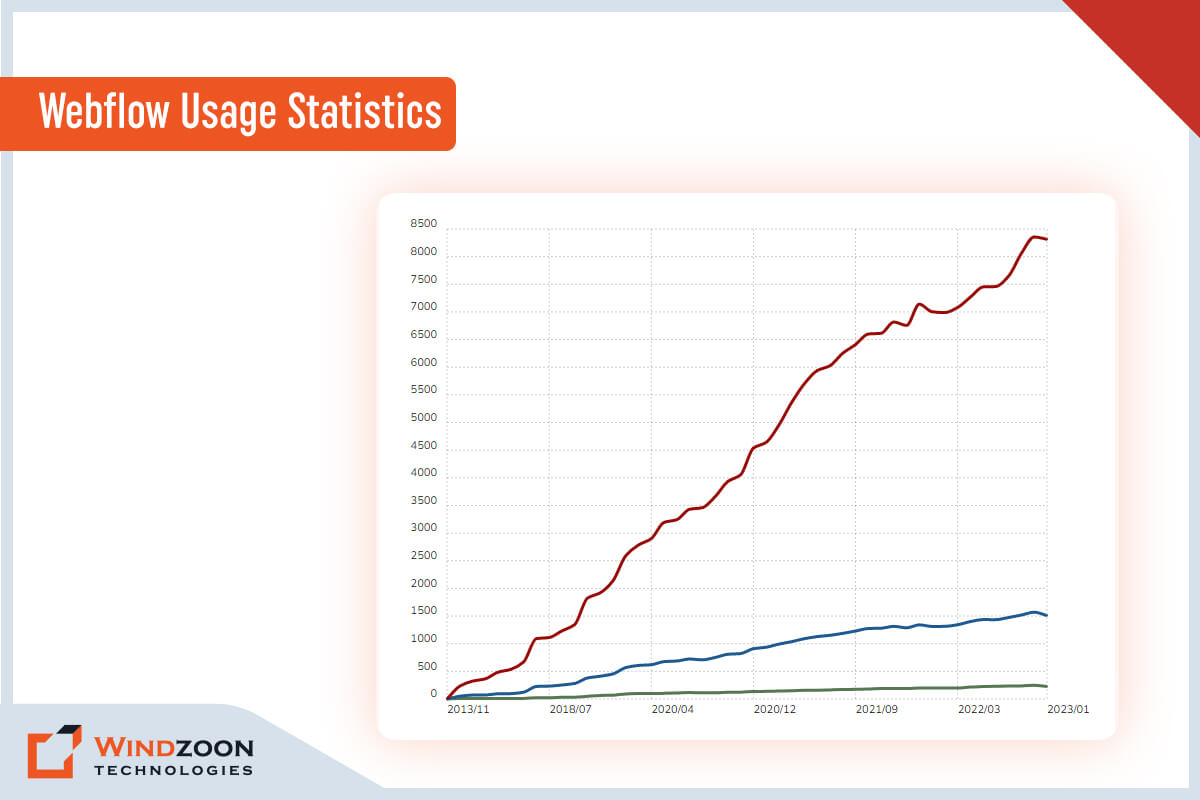
Additionally, Webflow empowers anyone to design gorgeous websites with animations and parallax scrolling without writing a single line of code.
11 Important Webflow Features You Should Know About
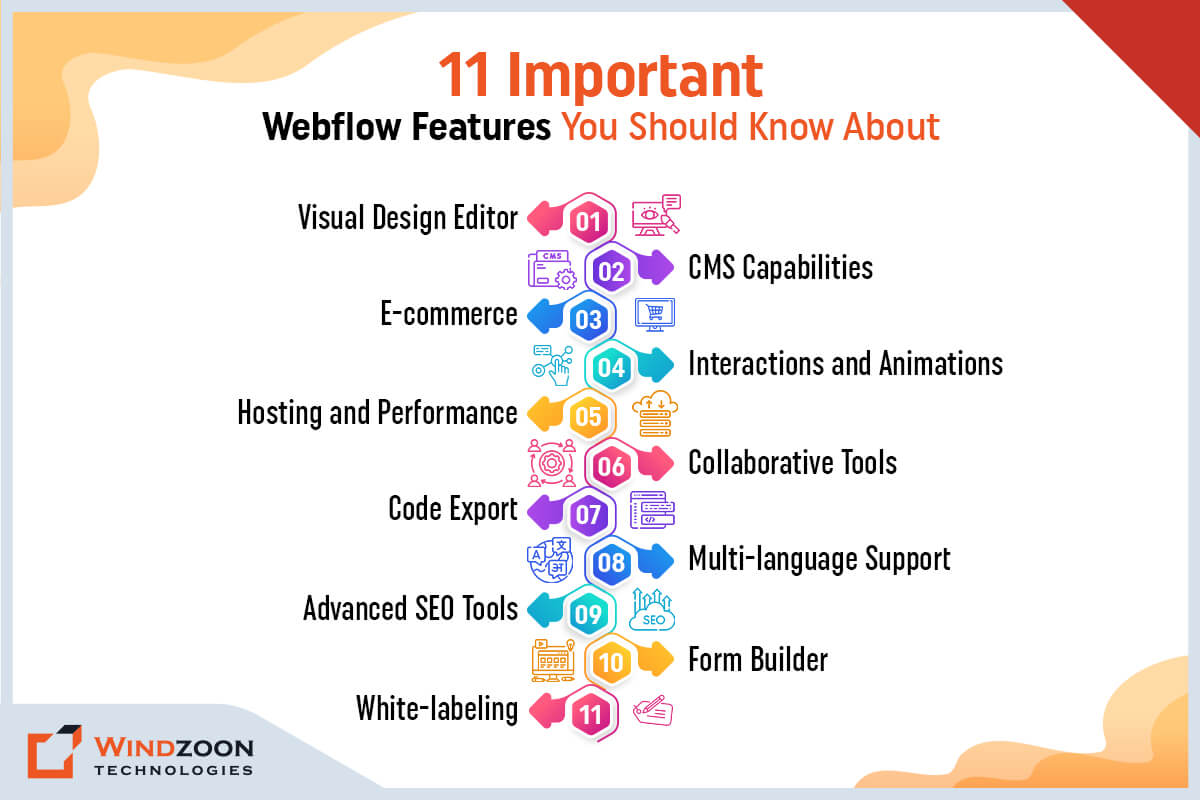
1. Visual Design Editor
Webflow’s visual design editor allows users to create responsive websites visually without any coding knowledge. The editor uses a flexible box model and intuitive interface to make it easy for users to design websites.
2. CMS Capabilities
Webflow offers a content management system (CMS) that allows users to create and manage complex websites with dynamic content. This includes the ability to create custom content types, add and edit content, and manage data relationships.
3. E-commerce
Webflow has built-in e-commerce functionality that allows users to create an online store and sell products directly from their website. This includes features like product catalogs, shopping carts, and payment integrations.
4. Interactions and Animations
Webflow allows users to create custom interactions and animations for their websites. This includes hover effects, scrolling animations, and other interactive elements that can enhance the user experience.
5. Hosting and Performance
Webflow provides hosting and performance optimization features to ensure that websites load quickly and perform well. This includes features like content delivery network (CDN) hosting, image optimization, and more.
6. Collaborative Tools
Webflow provides collaborative tools that allow teams to work together on website design and development projects. This includes features like team accounts, live collaboration, and version control.
7. Code Export
Webflow allows users to export their website code and use it on any hosting platform. This is a great option for users who want more control over their website’s hosting and performance.
8. Multi-language Support
Webflow offers multi-language support, allowing users to create websites in multiple languages. This includes features like automatic language detection and translation, which can help to improve the user experience for global audiences.
9. Advanced SEO Tools
Webflow provides advanced SEO tools to help users optimize their websites for search engines. This includes features like meta tags, sitemaps, and structured data, which can help to improve a website’s visibility and search engine ranking.
10. Form Builder
Webflow’s form builder allows users to create custom forms for their websites. This includes features like custom fields, conditional logic, and submission confirmation messages.
11. White-labeling
Webflow offers white-labeling options for agencies and designers, allowing them to brand their websites and client portals with their own logos and colors.
After this, we will get to know in detail the comparison between Wix and Webflow.
Read More: Best Web Development Frameworks to Use
A Comparison of Wix and Webflow Website Builder
[wpdatatable id=14]
Wix or Webflow: Which Web Builder is The Best for Your Business?
After reading all this information you’re likely wondering which platform is the best choice for your website: Wix or Webflow? Well, the answer isn’t as straightforward as you might think. It all comes down to what you’re looking for in a website builder.
If you’re a beginner or have little technical skills, Wix might be the perfect fit with its user-friendly interface and drag-and-drop design options. However, if you’re a web design pro and want more advanced customization options, Webflow might be the better choice.
Both platforms have their strengths and weaknesses when it comes to e-commerce capabilities, but Wix offers an all-in-one solution while Webflow integrates with popular e-commerce platforms.
Ultimately, it’s important to do your research and choose the platform that aligns best with your goals and the level of control you want over your website.
Conclusion
In the end, Wix and Webflow are both well-known website builders. However, their intended audiences differ. Therefore, you must determine which is more important: a straightforward design process or complete control over your site design.
Because Wix is your best option if you have the first. And Webflow is a superior choice if the latter is more important to you.
However, if you are unable to select the finest alternative among them, we propose that you talk with any reputable web development company.
Windzoon is a leading web development agency in India & the USA with more than a decade of experience in developing avant-garde websites. Contact us to leverage our expert web development services and to get a quote.